



Security News
The Hidden Blast Radius of the Axios Compromise
The Axios compromise shows how time-dependent dependency resolution makes exposure harder to detect and contain.
By Ahmad Nassri - Apr 01, 2026
kbor-logger
Advanced tools
Pretty browser console logger for web: TypeScript, ESM/UMD, image logs, type detection, storage snapshots, IP lookup.

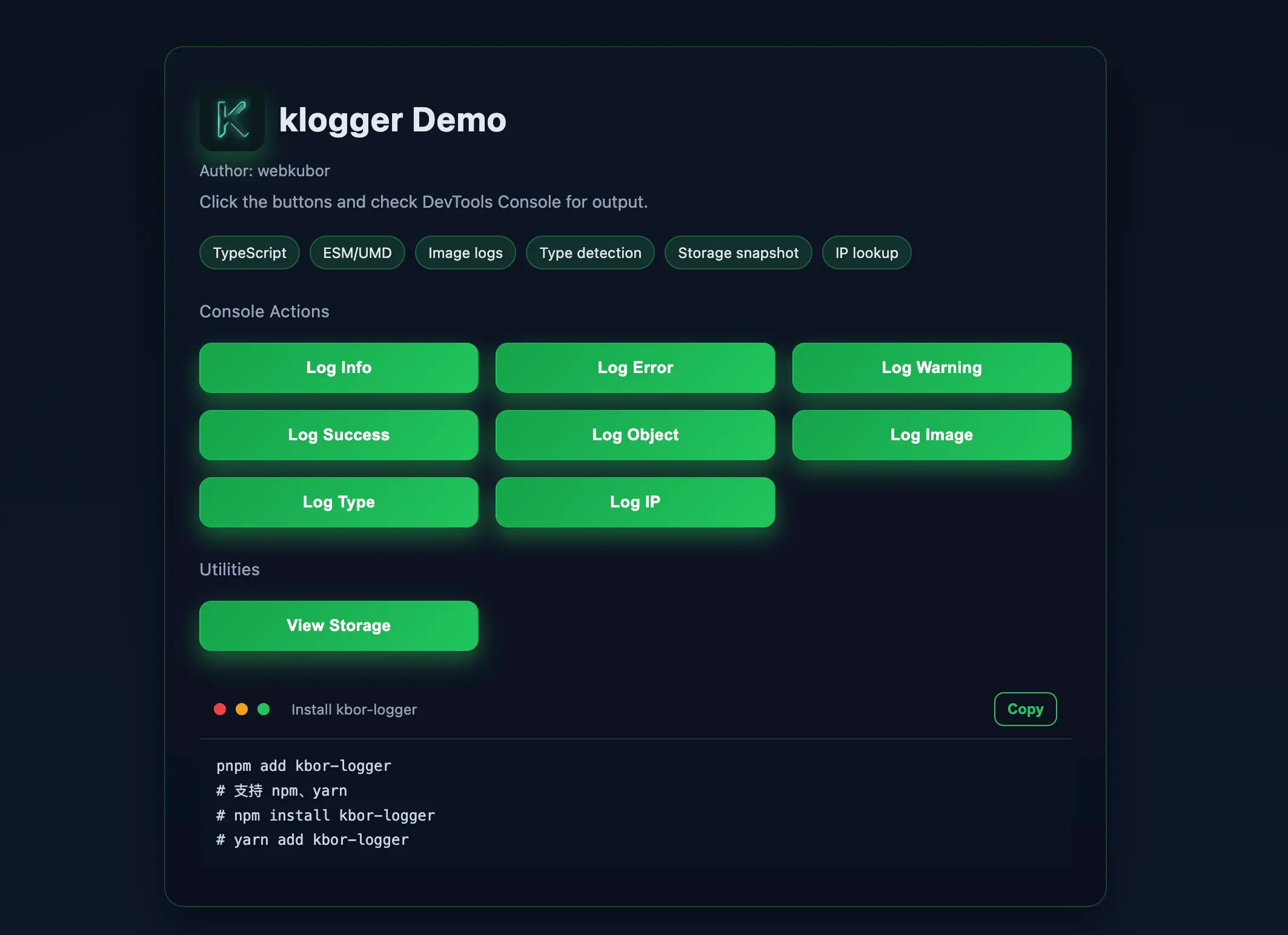
一个更美观的浏览器控制台日志工具,支持多种日志类型、对象/数组直出、图片日志、类型识别,以及导出/回放/持久化等增强能力。
仓库:https://github.com/webkubor/klogger
npm install kbor-logger
yarn add kbor-logger
导入方式
在你的项目中导入 klogger:
// 在模块中导入
import { klogger } from 'kbor-logger';

// 或者通过 require 导入
const { klogger } = require('kbor-logger');
基本使用
klogger 提供了以下几种日志类型:info、error、warning 和 success。你可以使用这些方法来打印不同类型的日志信息。
输出信息
klogger().info("This is an info message!");
输出对象或数组
支持打印对象或数组,并且在控制台中以可展开的格式显示:
klogger().info({ key: 'value' });
klogger().info([{ key: 'value' }, { key: 'value' }]);
带标题的日志
你可以为日志添加标题,格式如下:
klogger().info("Title", "This is the content of the info log.");
klogger().error("Error Title", "An error occurred!");
klogger().warning("Warning Title", "This is a warning message.");
klogger().success("Success Title", "Operation was successful.");
图片日志
klogger 还支持将图片显示为背景图,在控制台输出类似图片的效果:
klogger().picture("https://example.com/image.png", 0.5);
日志输出格式
• info:以灰色背景输出
• error:以红色背景输出
• warning:以橙色背景输出
• success:以绿色背景输出
这些日志将以控制台中的彩色方式显示,帮助区分不同类型的日志。
klogger 默认是自适应的,会根据输入的内容判断如何输出。如果输入的是对象或数组,它会折叠输出,点击展开。如果是字符串,则以标准的彩色日志输出。
klogger().info("My Info", "This is an info message.");
klogger().error("My Error", { message: "Something went wrong!" });
klogger().warning("My Warning", [{ item: 1 }, { item: 2 }]);
klogger().success("My Success", "The task was completed successfully.");
<script src="path/to/kbor-logger.js"></script>
<script>
    klogger.info("Object Data", { key: 'value', nested: { key2: 'value2' } });
</script>
klogger().picture 使用 canvas 来绘制图片,并将其作为背景显示。如果图片跨域或有其他限制,可能会导致无法显示。确保图片没有跨域问题,或使用 crossOrigin 设置为 'anonymous'。
klogger().info(title | content, [content])klogger().error(title | content, [content])klogger().warning(title | content, [content])klogger().success(title | content, [content])klogger().picture(url, scale?)klogger().type(value)klogger().export({ limit? })klogger().replay(logs)klogger().persist('local' | 'session' | 'none')window.$k 快捷别名(与 window.klogger 等价),只读别名:$k.err、$k.okklogger.storage / $k.storage 查看存储快照(返回 { local, session })klogger.ip() / $k.ip() 获取公网 IP(Promise)klogger.type(value) 严格只接收一个参数,多参数会抛出错误。返回值与控制台输出均为该值的类型字符串(统一小写)。
支持的输出类型(示例)
undefined、null、boolean、number、string、bigint、symbolfunction、asyncfunction、generatorfunctionobject、arraydate、regexp、error、map、set、weakmap、weakset、promisewindow、htmldocument、html...element(例如:htmldivelement)示例
// 模块方式
import { klogger } from 'kbor-logger';
klogger().type(undefined);    // 'undefined'
klogger().type(null);         // 'null'
klogger().type(true);         // 'boolean'
klogger().type(123);          // 'number'
klogger().type('abc');        // 'string'
klogger().type(10n);          // 'bigint'
klogger().type(Symbol('s'));  // 'symbol'
klogger().type(function(){}); // 'function'
klogger().type(async function(){}); // 'asyncfunction'
klogger().type(function*(){}); // 'generatorfunction'
klogger().type({});           // 'object'
klogger().type([]);           // 'array'
klogger().type(new Date());   // 'date'
klogger().type(/re/);         // 'regexp'
klogger().type(new Error());  // 'error'
klogger().type(new Map());    // 'map'
klogger().type(new Set());    // 'set'
klogger().type(new WeakMap()); // 'weakmap'
klogger().type(new WeakSet()); // 'weakset'
klogger().type(Promise.resolve()); // 'promise'
// 浏览器环境
klogger.type(window);         // 'window'
klogger.type(document);       // 'htmldocument'
klogger.type(document.createElement('div')); // 'htmldivelement'
规则
Invalid number of argumentsklogger().export({ limit }) 导出环形缓冲的最近日志 JSONklogger().replay(logs) 重放导出的日志(文本与图片)klogger().persist('local' | 'session' | 'none') 设置持久化目标,切换时加载已有存储并继续写入开发预览:
npm run preview:demo
浏览:http://localhost:3000,点击按钮并打开浏览器控制台查看输出。
在线体验:https://hqn3k3tm.pinit.eth.limo
FAQs
Pretty browser console logger for web: TypeScript, ESM/UMD, image logs, type detection, storage snapshots, IP lookup.
We found that kbor-logger demonstrated a healthy version release cadence and project activity because the last version was released less than a year ago. It has 1 open source maintainer collaborating on the project.
Did you know?

Socket for GitHub automatically highlights issues in each pull request and monitors the health of all your open source dependencies. Discover the contents of your packages and block harmful activity before you install or update your dependencies.
Security News
The Axios compromise shows how time-dependent dependency resolution makes exposure harder to detect and contain.

Research
A supply chain attack on Axios introduced a malicious dependency, plain-crypto-js@4.2.1, published minutes earlier and absent from the project’s GitHub releases.

Research
Malicious versions of the Telnyx Python SDK on PyPI delivered credential-stealing malware via a multi-stage supply chain attack.