Kcals
A minimalist Slack cli for when you don't want to quit your terminal to send one message.
Installation
$ npm i -g kcals
On the first use, Kcals will ask you a token, generate one here: https://api.slack.com/custom-integrations/legacy-tokens.
Usage
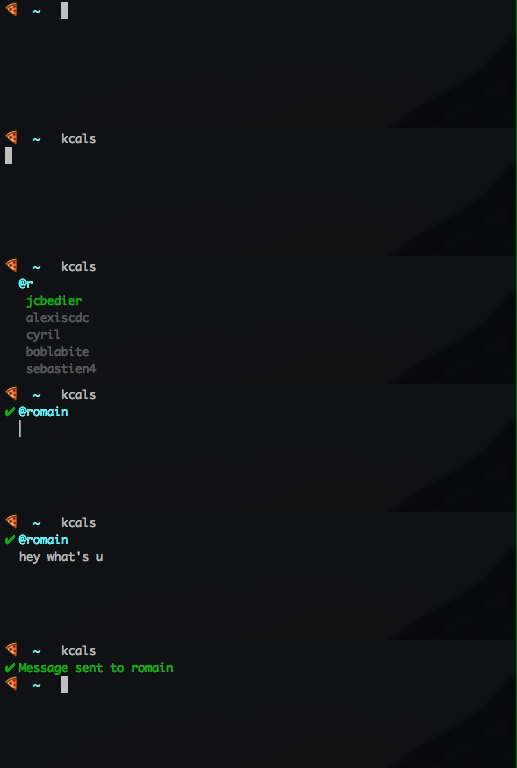
$ kcals
When you'll start typing the name of the recipient a list of suggestion will be displayed. You can navigate through them with the up and down arrows, and select the one you want with enter.
You can also give the recipient and message directly:
$
$ kcals @romain hello how are you
If there is a single match with the name provided, the message will be sent directly.
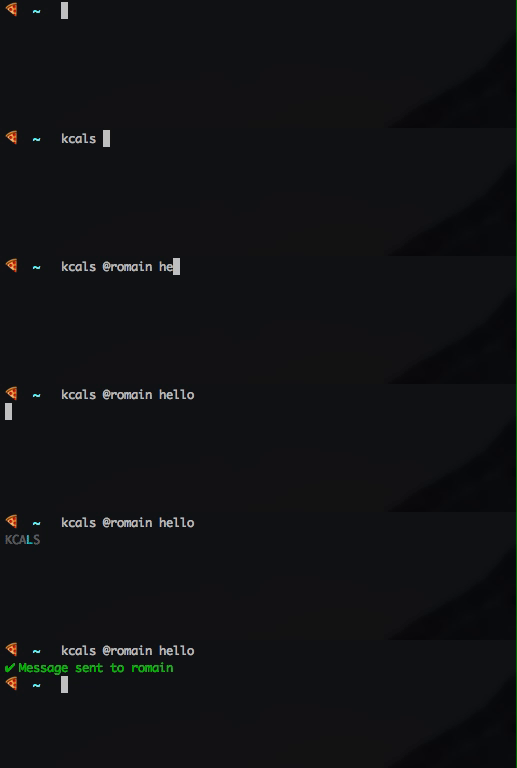
You can also simply give the name of the recipient:
$ kcals @romain
Autocompletion
To activate autocompletion with Kcals, copy the file kcals-completion.bash to your user directory then add this script to your .bash_profile:
if [ -f ~/kcals-completion.bash ]; then
    . ~/kcals-completion.bash
fi
You can now use Kcals with autocompletion for users:

If you are using an alias for Kcals, you will need to add something else so autocompletion works with them: __kcals_complete <alias>. For example if the alias is k:
if [ -f ~/kcals-completion.bash ]; then
    . ~/kcals-completion.bash
    __kcals_complete k
fi
Development
# clone the repo
# install the dependencies
$ yarn

# to test the cli run:
$ ./index.js
Todo
- use cached users for main app (+ add an argument to clear cache if needed)
- fix display after config file creation (use ink)
- paste acte weird sometimes
- support new line with cmd + enter?
License
MIT





