miniPaaS
miniPaaS is simple push-to-deploy server setup without all the complexities. miniPaaS uses pm2 on the remote server to manage the process, auto restarts, logs and more.
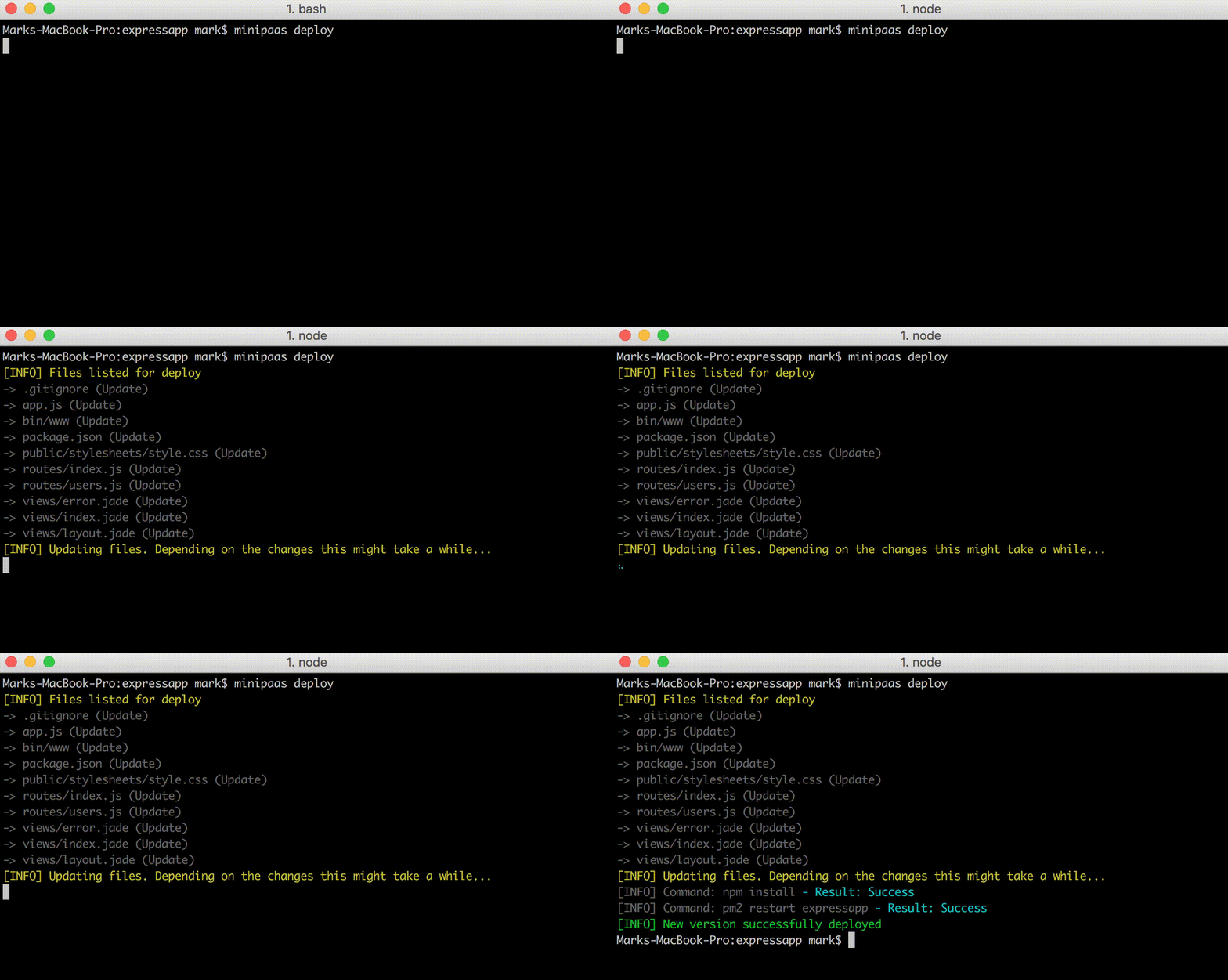
The purpose of miniPaaS is to be able to add local changes using Git, Commit those changes and deploy them to your remote server. When miniPaaS does the deployment, it will unpack the files, npm install and restart the app in pm2. If your app is running in pm2 cluster mode, this will mean there should be no downtime to your application whilst the deployment takes place.
Note: You will need to setup Apache or Nginx yourself, miniPaaS does not handle this aspect of your application.
Note: Remote Windows servers are not currently supported
Installation
# Local machine
You will need to install miniPaaS globally on your local machine using npm.
This can be done with the following command:
npm install minipaas -g
# Remote server
You will need to install a few packages on your remote server before using miniPaaS. These include: node, pm2 and unzip.
You can install these individually by using the following commands (skip anything which is already installed):
Ubuntu:
- Install Nodejs:
curl -sL https://deb.nodesource.com/setup_6.x | sudo -E bash - && apt-get install nodejs
- Install Unzip:
apt-get install unzip
- Install PM2:
npm install pm2 -g
Centos:
- Install Nodejs:
curl --silent --location https://rpm.nodesource.com/setup_6.x | bash - && yum -y install nodejs
- Install Unzip:
yum install unzip
- Install PM2:
npm install pm2 -g
Usage
# Init
Before using miniPaaS on your project you will need to run the init command on your application working directory. This initiates and creates a .minipaas config file in the root of your application directory.
The init command will lead to the following prompts which you can fill in for your application:
App name - Here you can supply a nice name for your application. This is used as the pm2 process name if one is not provided.Host address - Here you can supply your IP address or DNS or your remote server you want to deploy toHost SSH port - Here you supply the port for SSH on your remote serverHost username - The username used to login via SSHHost password - An optional password to connect to your server if a keyfile is not usedKeyfile path - The path to your local keyfile used to authenticate against your remote serverRemote path to app - This is the path to the root of your application hosted on your remote serverdisablePm2 - A boolean (true/false) value as to whether to disable the starting/restarting of the app in PM2The process name or index of app in PM2 - Here you can provide an existing PM2 process name or index. If left blank, a new process is started using the App name entered earlier
The .minipaas config file can also be manually edited:
{
    "appName": "expressapp",
    "hostAddress": "myexpressapp.com",
    "hostPort": "22",
    "hostUsername": "root",
    "hostPassword": "",
    "hostKeyFilePath": "/Users/myname/.ssh/id_rsa",
    "remotePath": "/var/www/html/expressapp",
    "pm2ProcessName": "expressapp"
}
# Deploy
miniPaaS works with Git commits. For example you would:
- Add your changes with
git add .
- Commit your changes with:
git commit -m 'My commit message'
- Deploy changes to remove server with:
minipaas deploy
If you are deploying small changes to HTML or CSS etc and your application doesn't need to be restarted your can supply the deploy command a norestart switch. This makes the process quicker and less prone to downtime/errors as the changes are deployed and the app is not restarted.
# List
Using the minipaas list command, you can receive a list of previous commits (only ones deployed using miniPaaS). You can then re-deploy a commit if you wish.
# Compare
The minipaas compare command simply outputs the comparison of local files to the files on the remote server.
Note: It does not compare the contents of the files.
Rebuild
The minipaas rebuild command can be dangerous but also handy. This command removes ALL files from your remote directory and deploys all local files, does a npm install and restarts the pm2 process.
Note: This command is not recommended if your app stores local uploads or other files as they will be removed and cannot be retrieved.
# Restart
The minipaas restart <app name/index> simply restarts the PM2 process name. You can either supply the minipaas restart command with a PM2 process name or PM2 index number.
# Help
By running minipaas, minipaas -h or minipaas --help you will receive your available options.





