MongoCli-client
A simple command-line client for mongodb built on top of mongoose and the native mongodb-driver.It was designed to simplify usage of mongodb and its tools(shell). Once installed global. No need for a GUI client.
Requirements for usage
- Nodejs (v7 and higher) installed
- Mongodb (local)
Installation
Before you install, ensure you have nodejs v7.xx and higher.Command-line tool is available on the npm registry.
npm install mongocli-client -g
Features
- All CRUD(Create,Read,Update and Delete) operations with Mongodb
- Connection and management of the remote database via the remote command below
Usage
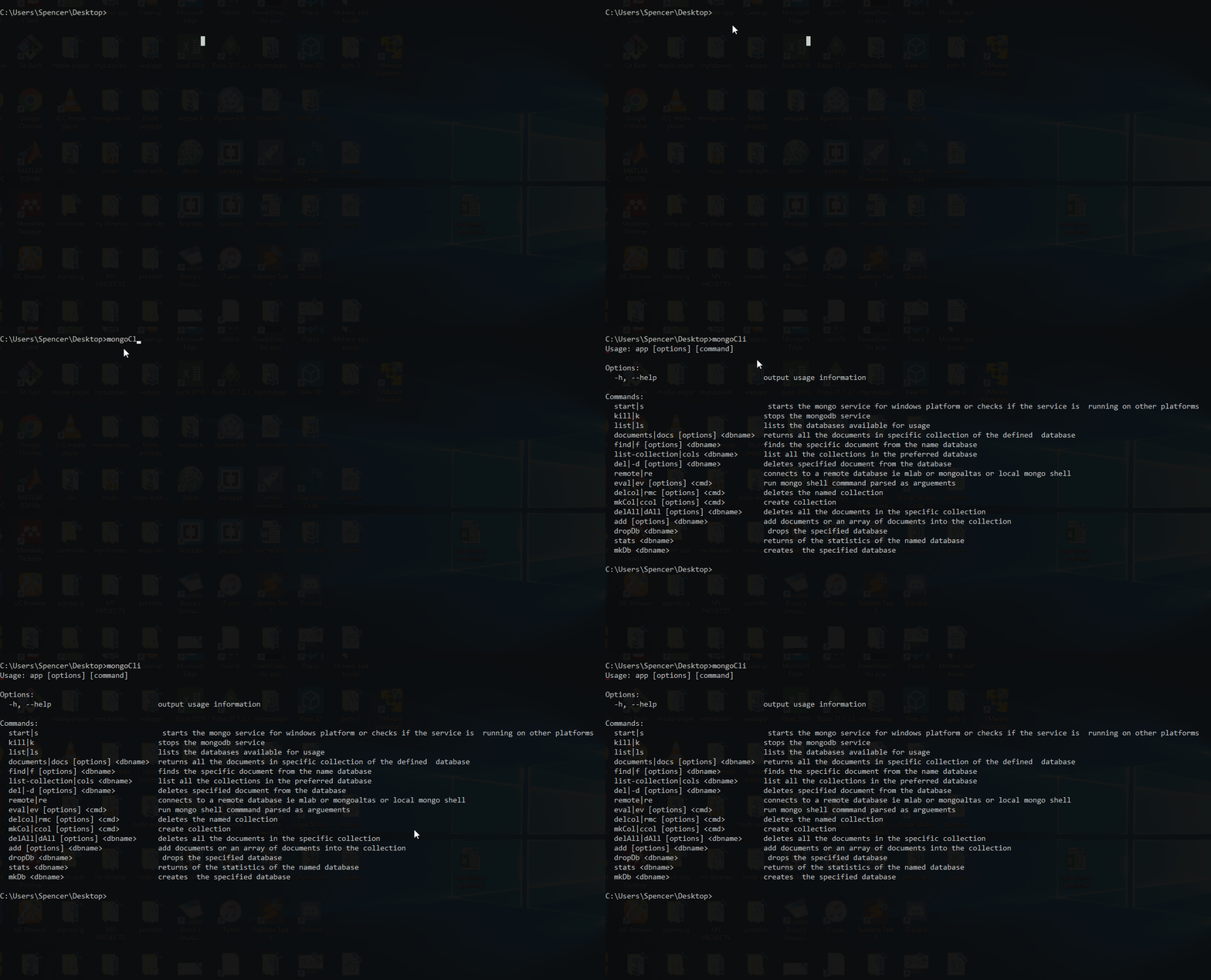
Options:
  -h, --help                       output usage information
Commands:
  start|s                            starts the mongo service for windows platform or
                                     checks if the service is  running on other platforms
  kill|k                             stops the mongodb service
  list|ls                            lists the databases available for usage
  documents|docs [options] <dbname>  returns all the documents in specific collection in a database
  find|f [options] <dbname>          finds the specific document from the name database
  list-collection|cols <dbname>      list all the collections in the preferred database
  del|-d [options] <dbname>          deletes specified document from the database
  remote|re                          connects to a remote database ie mlab or mongoaltas or
                                     local mongo shell
  eval|ev [options] <cmd>            run mongo shell commmand parsed as arguements
  delcol|rmc [options] <cmd>         deletes the named collection
  mkCol|ccol [options] <cmd>         create collection
  delAll|dAll [options] <dbname>     deletes all the documents in the specific collection
  add [options] <dbname>             add documents or an array of documents into the collection
  update|up [options] <dbname>       updated a specific document
  dropDb <dbname>                    drops the specified database
  stats <dbname>                     returns of the statistics of the named database
  mkDb <dbname>                      creates  the specified database
key Facts on Usage
Note: For all the CRUD commands to work, ensure mongodb is running on the computer
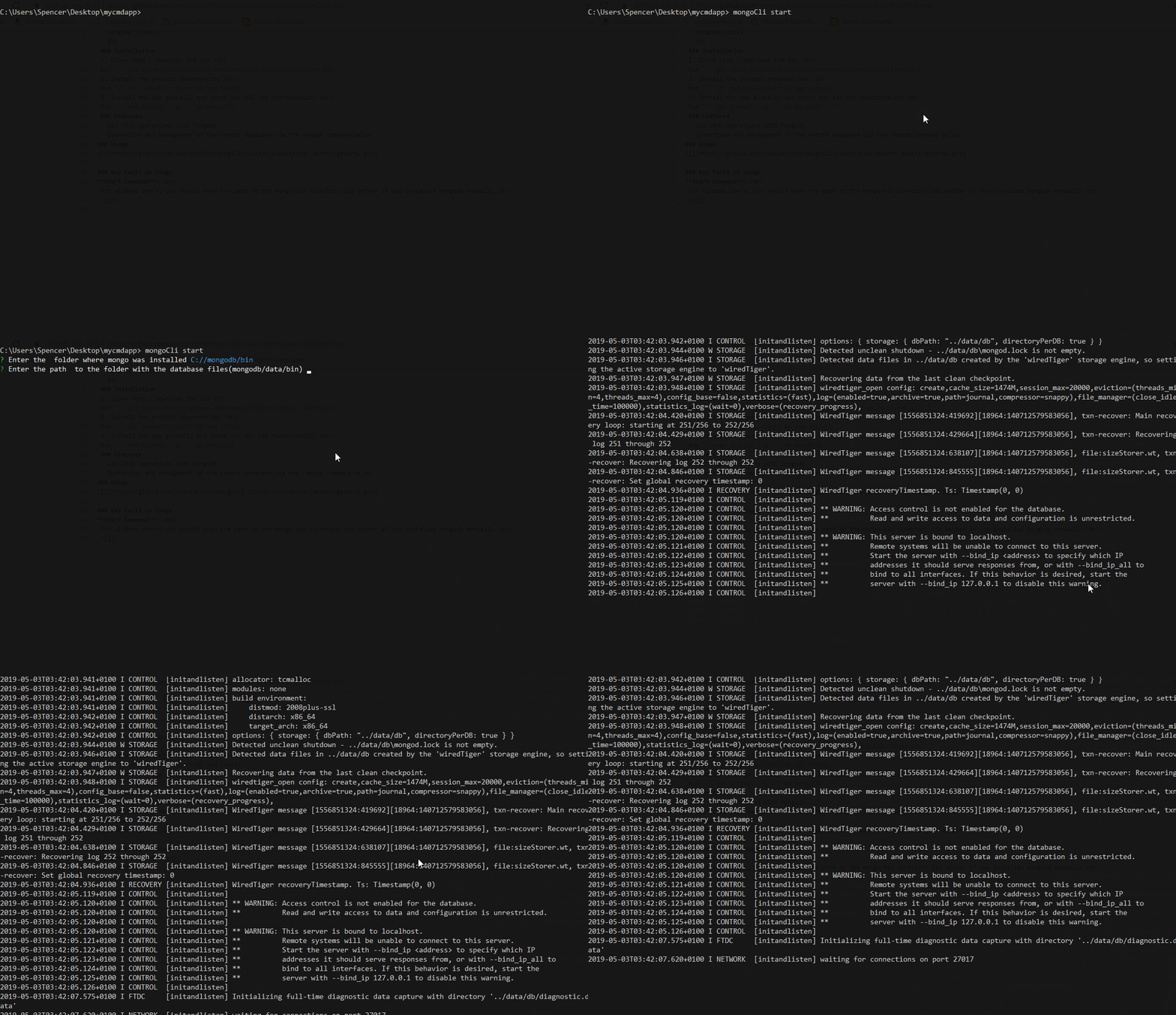
1.Start Command:
For windows users, you should know the path to the mongo-bin directory. You'll be prompted to insert it Its better if you installed mongodb manually.
 2.Remote Command:
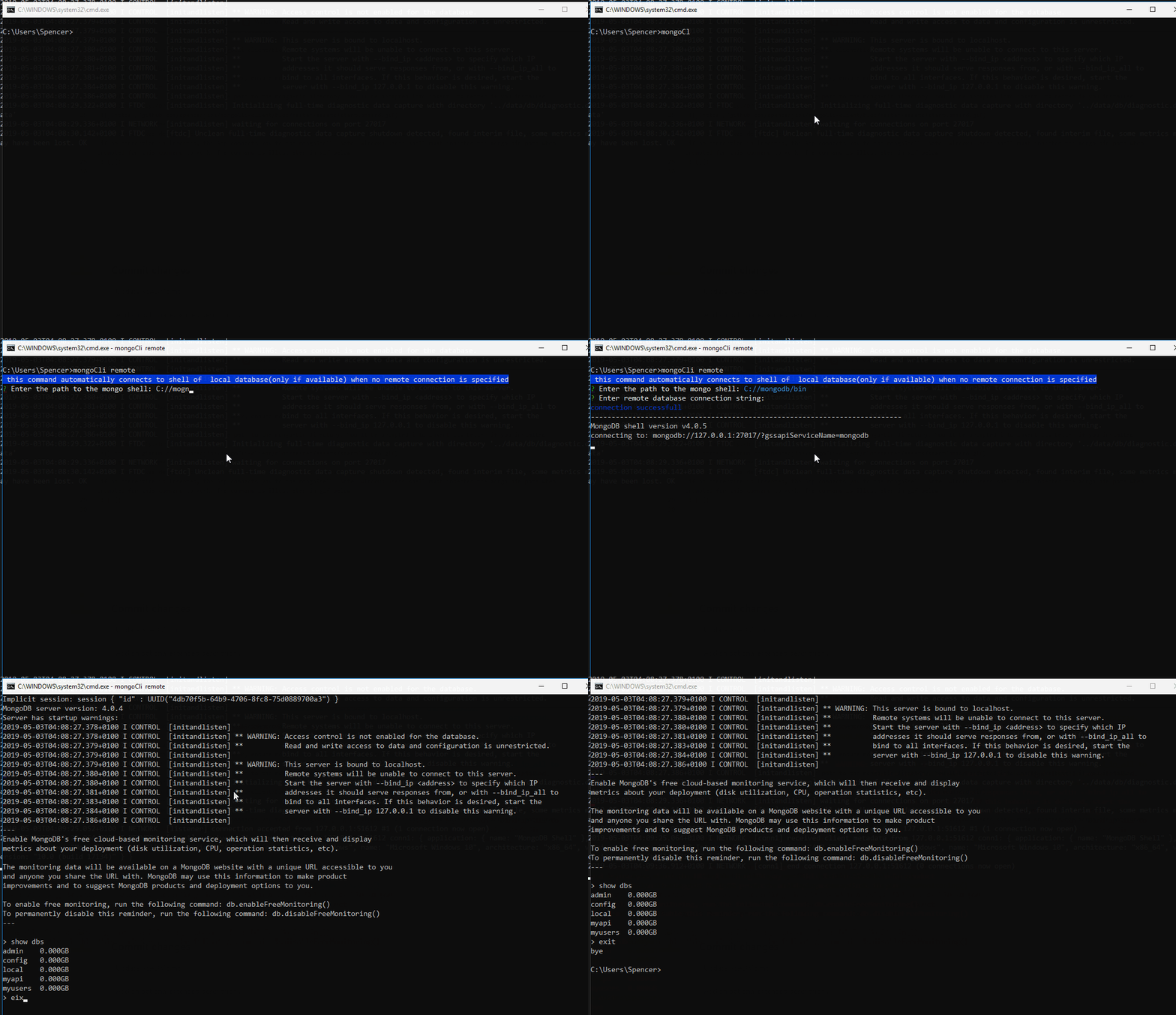
This command was designed to connect to a remote database or the local mongo shell. you'll be prompted to insert connection string.
if no connection is inserted, the App connects you to the mongoShell. Note: windows users must insert the mongo-bin path when prompted for this command to work. The command is illustrated in gif below.
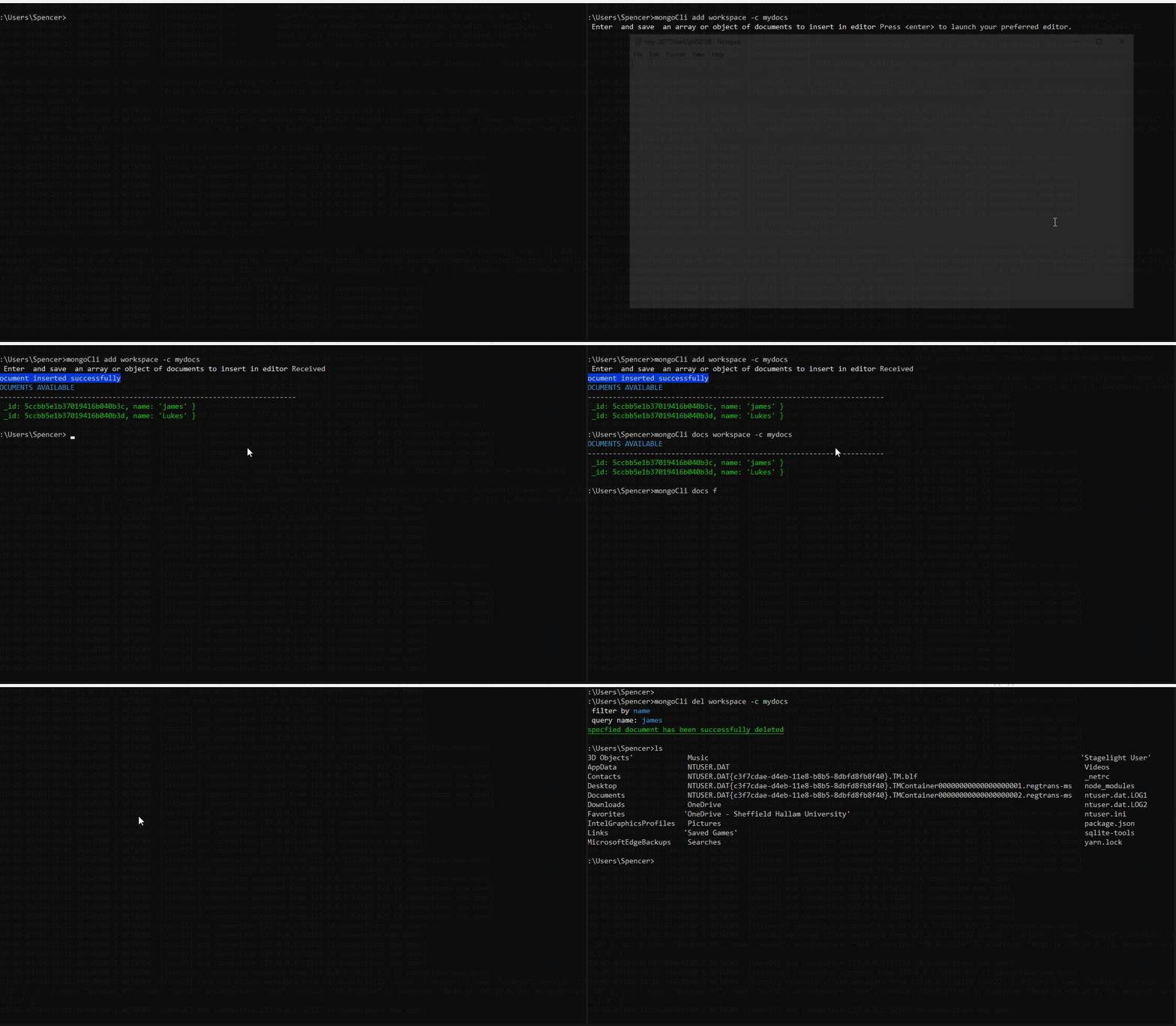
 3.CRUD operation illustration
These operations illustrated below are only possible if mongodb service is running.
 Enjoy the rest of the features
Testing
Ensure that mongodb is running before running the command below.
npm test
License
MIT





