multi-layers-cache
A very simple multi layers cache.
Usage
import { newCacheStorage, newLRUCache } from 'multi-layers-cache';
const cache = newCacheStorage({ layers: [newLRUCache()] });
await cache.set('ah', 10);
console.log(await cache.get('ah'));
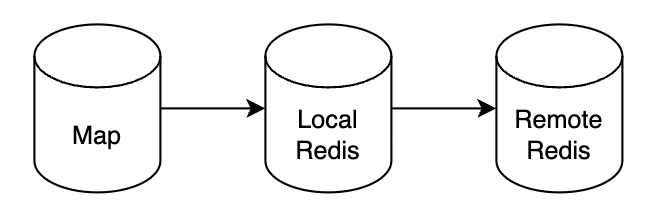
newLRUCache will create a simple in-memory LRU cache using Map.
You can build your own cache, with just simple interfaces:
interface Cache {
get(key: string): Promise<Value | undefined>;
set(key: string, value: string | number, expireAt?: number): Promise<void>;
del(key: string): Promise<void>;
}
interface Value {
expireAt: number;
value: string | number;
key: string;
}
Redis cache layer
import { Redis } from 'ioredis'
interface Cache {
get(key: string): Promise<Value | undefined>
set(key: string, value: string | number, expireAt?: number): Promise<void>
del(key: string): Promise<void>
}
interface Value {
expireAt: number
value: string | number
key: string
}
export function newRedisCache(): Cache {
const redis = new Redis()
return {
async get(key) {
const results = await redis.pipeline().get(key).ttl(key).exec()
if (!results) {
return
}
const [[, value], [, ttl]] = results
return {
value: value as string,
key,
expireAt: ttl as number,
}
},
async set(key, value, expireAt) {
expireAt ? await redis.setex(key, expireAt, value) : await redis.set(key, value)
},
async del(key) {
await redis.del(key)
},
}
}
Usage with redis cache
import { newCacheStorage, newLRUCache } from 'multi-layers-cache';
const cache = newCacheStorage({ layers: [newLRUCache(), newRedisCache()] });
await cache.set('ah', 'hello', 10 );
console.log(await cache.get('ah'));
How it works?
newCacheStorage returns a Cache compatible instance.
It maintains an internal array of cache layers. When a get operation is performed, it loops through the cache layers sequentially. If it finds a value on a higher layer, it saves that value to the lower layers with the same ttl. For set and del operations, items are modified or removed in all layers.
LICENSE
BSD-3-Clause
@ Ninh Pham (ReeganExE)





