nav-cli 🚀 
Nav is an open-source Node.js CLI tool designed to improve productivity and developer experience by simplifying file system navigation. Nav improves on the standard command line navigation by simplifying it into a seamless, interactive experience. As a developer myself, this tool has become a critical part of my workflow.
✨ Features
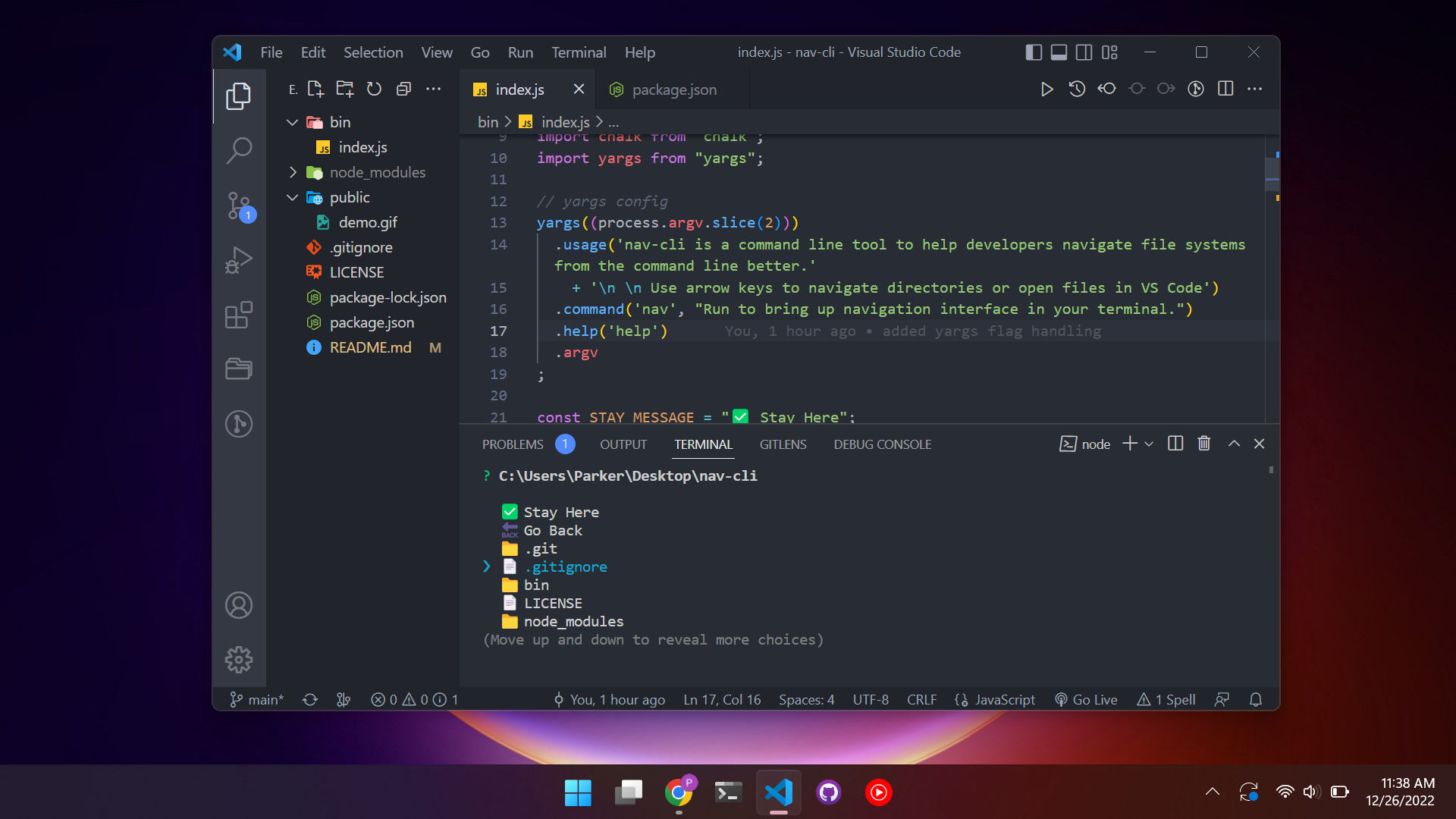
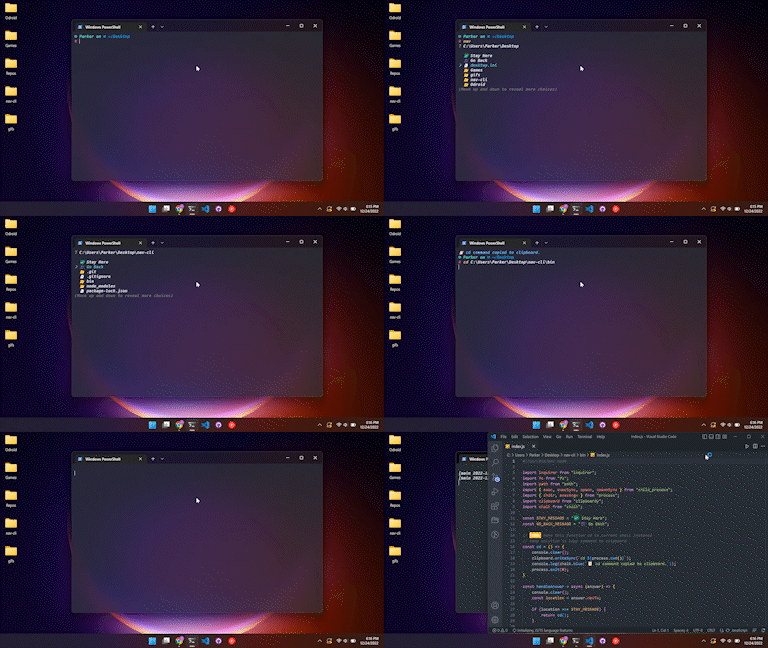
- Interactive Navigation: Use arrow keys to browse directories and files. Type to filter in the current working directory for easy fuzzy finding.
- Quick Editor Access: Open files or directories directly in your favorite editor (VS Code, IntelliJ, or Notepad).
- Clipboard Integration: Automatically generate and copy
cd commands for seamless navigation across sessions.
- Search Functionality: Filter files and directories in real-time as you type.
- Cross-Platform: Works on Windows, macOS, and Linux in any shell (hopefully!).
- Easy Install, No Setup: One command download and works out of the box.
🎥 Demo (V1)
📦 Installation
npm i -g nav-cli
🛠️ Requirements
- Node.js (latest LTS recommended)
- Editor Support: VS Code, IntelliJ, or Notepad for file opening features.
🚀 Usage
After installing globally via npm, simply run the nav command in your terminal. Here's what you can do:
- ✅ Stay Here: Copies the
cd command for the current directory to your clipboard.
- 🔙 Go Back: Navigate to the parent directory and continue exploring.
- ↗️ Open in Editor: Open the current directory or a selected file in your preferred editor.
- 📁 Directory Navigation: Select a directory to navigate into it. Type to filter down to what you're searching for.
- 📄 File Opening: Select a file to open it in your editor.
Hotkeys
- Ctrl + o: Open cwd in VS Code.
- Left Arrow: Go back to the parent directory.
- Escape: Exit the application.
🐛 Feature Requests & Bug Reports
We welcome contributions and feedback!
🔮 Future Plans
- Enhanced UX: Replace clipboard-based navigation with direct shell integration.
- Custom Editor Support: Allow users to configure their preferred editors.
- Favorites: Allow users to add favorite directories as starting points to navigating.
- More Hotkeys: Add shortcuts for faster navigation and file selection.
🤝 Contributing
Contributions are welcome!
📜 License
This project is licensed under the MIT License.