node-cacheable
In-memory cache wrapper with refresh lock.
Why node-cacheable
This is how normal node server works.
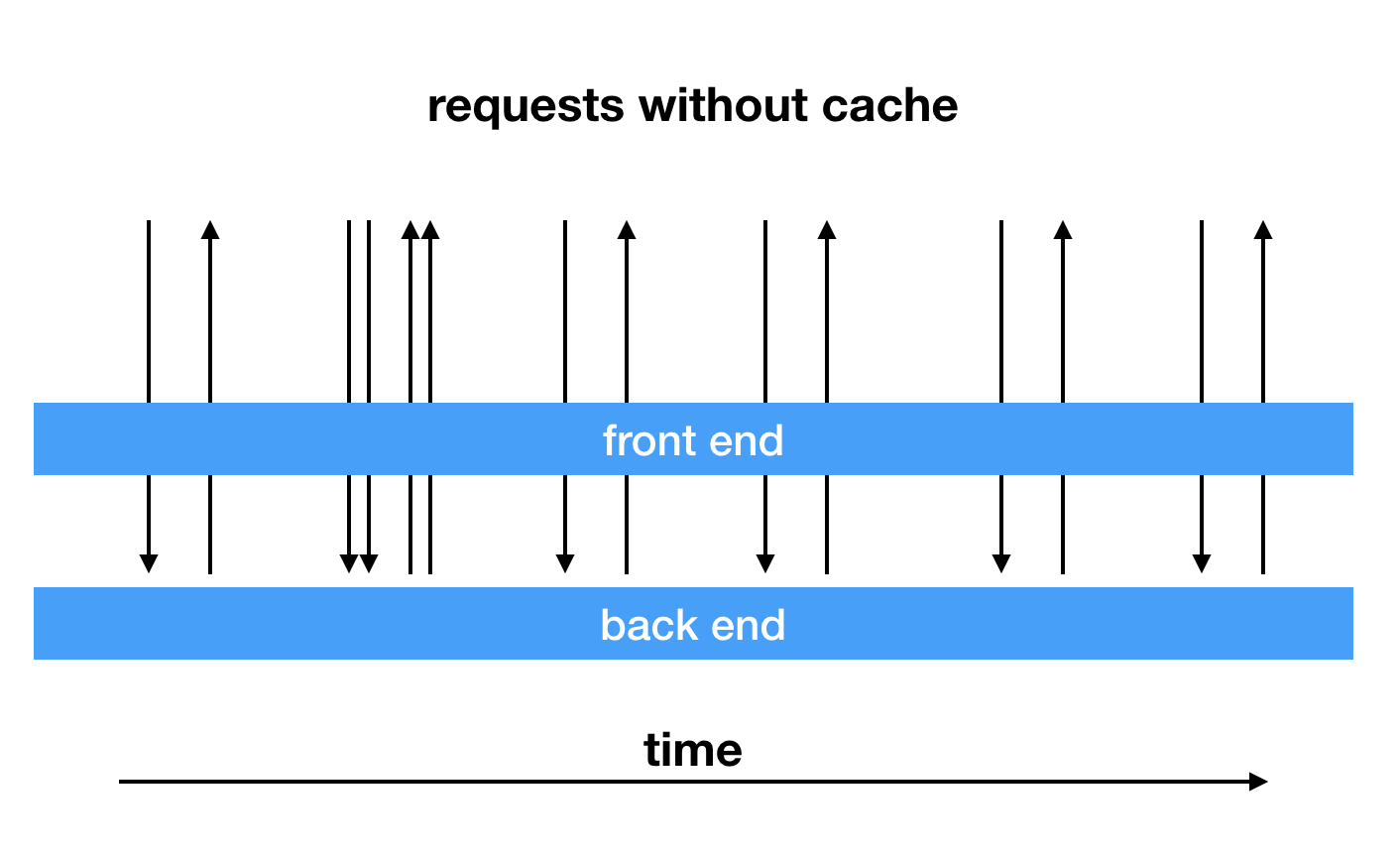
Every request goes through front-end layer to the back-end layer. If the back-end requests are very slow, the front-end layer has to wait.
Then let's add a simple cache to the front-end layer.
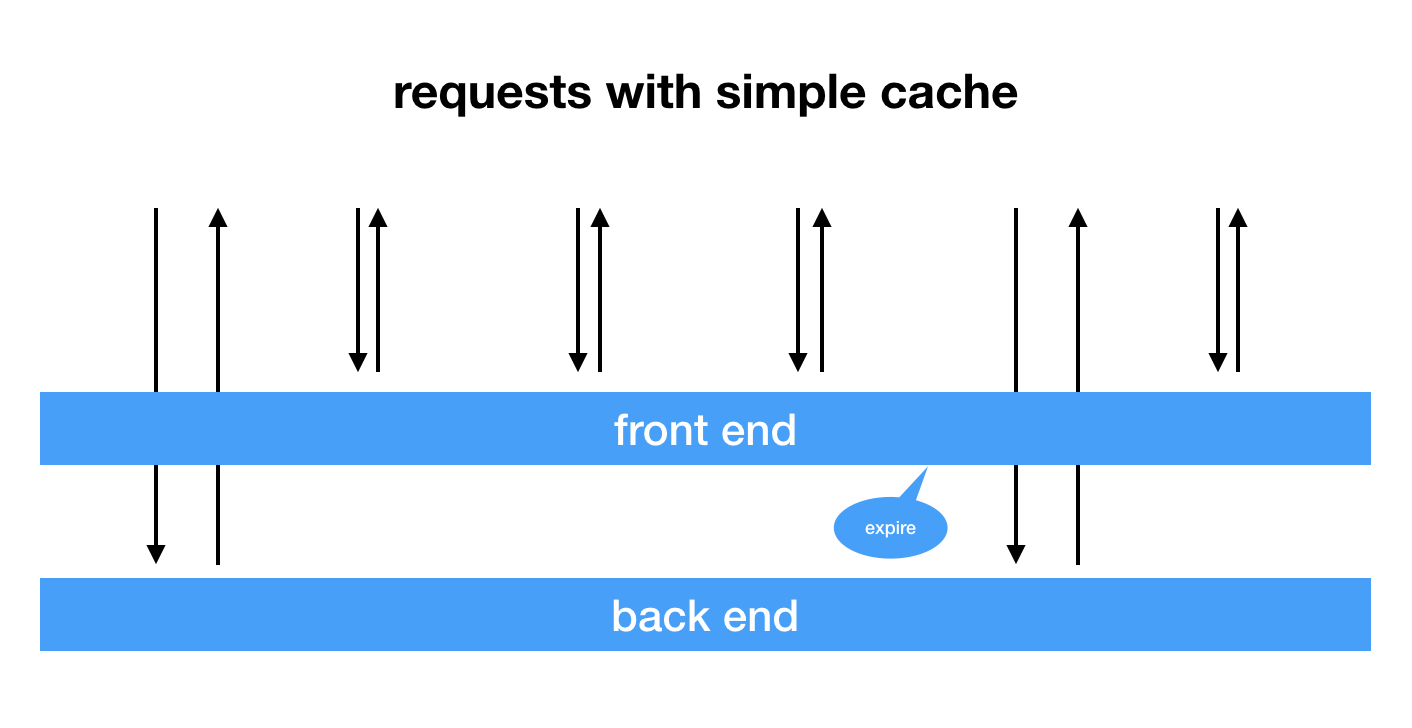
Requests are much faster in most cases now. But this could only work for low frenquency requests. What if high frequency requests hit this server?
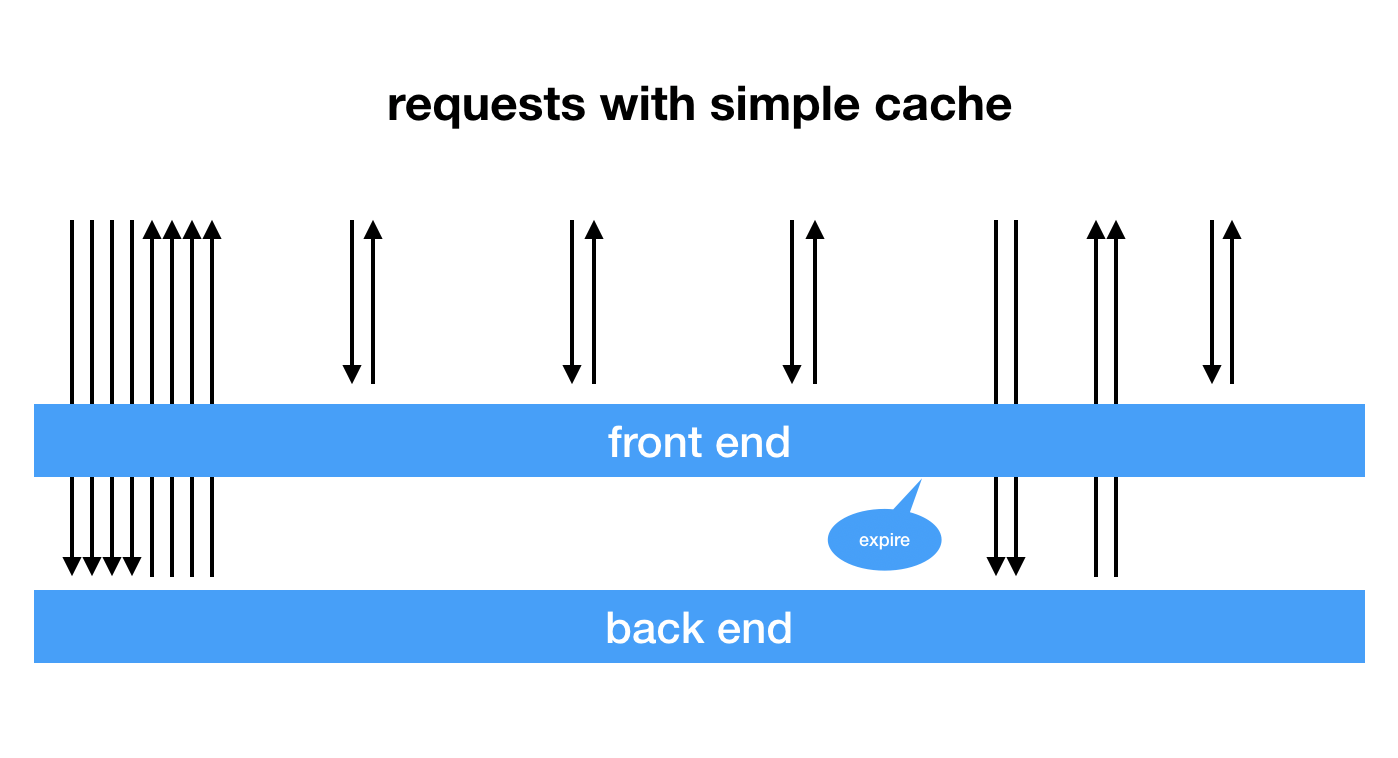
A lot of un-cached requests go down to the back-end layer at the first time and when the cache expires. This is unacceptable. So here's how node-cacheable works.
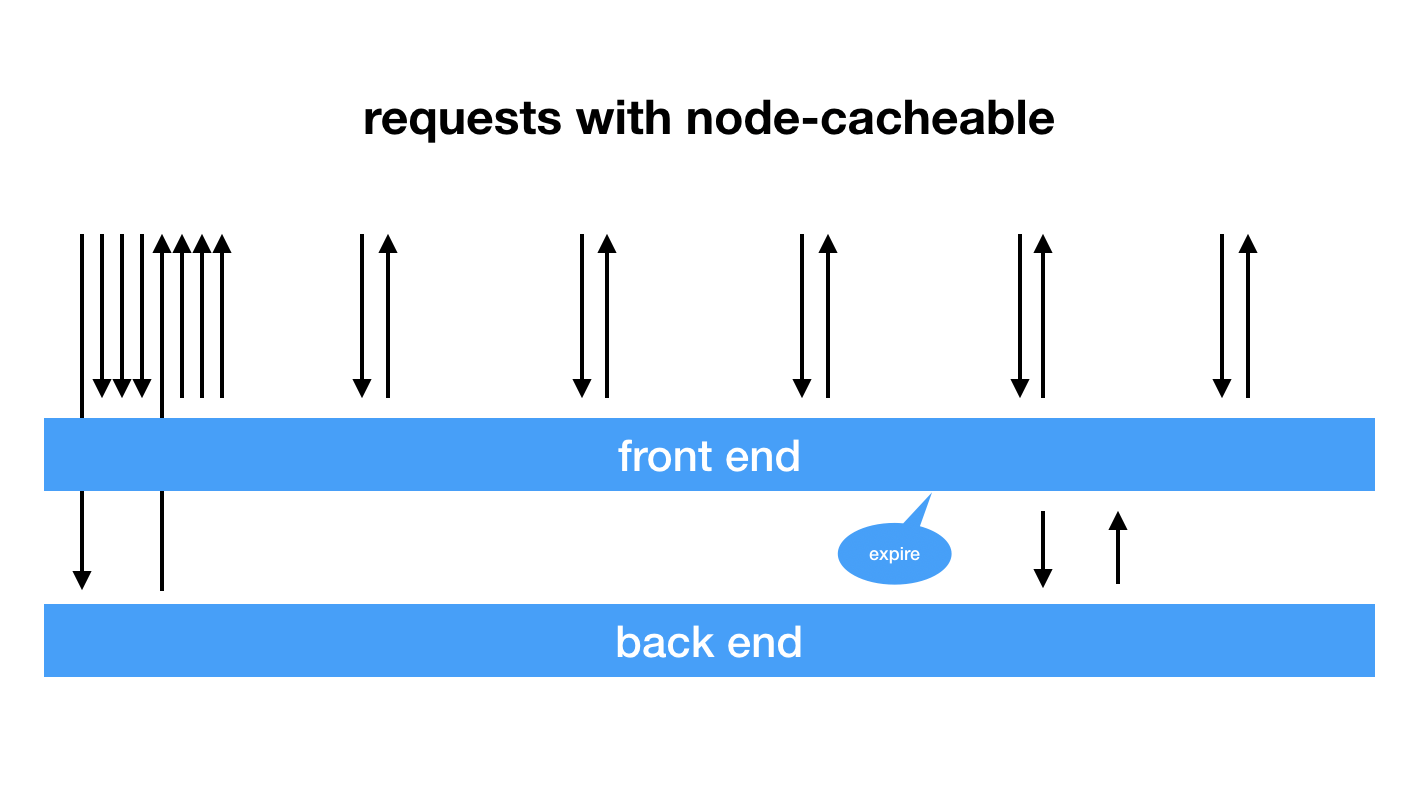
When there's no cache in memory, it initiates a back-end call and set a lock in the memory so that the following requests can only wait for the back-end call to finish. Once the first back-end call returns a value, the value is set as as cache, and the locked requests will also use this value as response.
When the cached value expired, it will still be in memory for a while (ttl seconds). A following request will get an immediate return from the cache, and node-cacheable will initiate a back-end call to refresh the cache.
So if you use node-cacheable, there will only be 1 back-end call at the same time, no matter how many front-end requests.
Install
npm i --save node-cacheable
works like a decorator
require('node-cacheable').cacheable(ttl)(loadFunction)
example:
const { cacheable } = require('node-cacheable');
async function getName(id) {
console.log('getting name for ' + id);
return 'name' + id;
}
getName = cacheable(60)(getName);
getName(1).then(console.log);
getName(1).then(console.log);
Basic Usage
new Cacheable(loadFunction, ttl = 30)
where ttl is in seconds
example:
const Cacheable = require('node-cacheable');
const dataloader = new Cacheable((user_id) => {
return db.getUser(user_id);
}, 30);
router.get('/getUser', async ctx => {
ctx.body = dataloader.load(ctx.query.user_id);
});
Advanced Usage
Cacheable class provides two methods to manipulate the cache.
clear cache: instance.clear(key)
set cache manually: instance.prime(key, value)
License
MIT





