node-mac-notifier
A native Node module that lets you create macOS notifications from Node.js, without dishing out to a separate process.
This is useful for desktop applications built with Electron (or something similar), as it adheres to the HTML5 Notification API.
Installation
npm install node-mac-notifier
Usage
Ensure that this module is called from a renderer process; it will have no effect in the main process.
Works with Electron >=0.37.7.
const Notification = require('node-mac-notifier');
const notification = new Notification('Hello from node-mac-notifier', { body: 'It works!' });
notification.addEventListener('click', () => console.log('Got a click'));
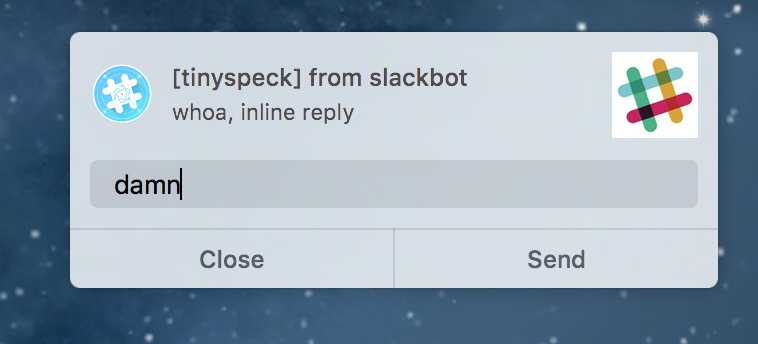
In addition to the standard click event, these notifications also support a (non-standard) reply event. To enable the reply button, set canReply in the options argument. The user's response is included as a parameter on the event:
const notification = new Notification('Wow, replies!', { canReply: true });
notification.addEventListener('reply', ({ response }) => {
  console.log(`User entered: ${response}`);
});
API
new Notification(title, options)
title (string) (required)
The title of the notification.
options (Object)
Additional parameters to the notification.
-
options.id (string)
A string identifying the notification. Maps to NSUserNotification.identifier. A notification with an id matching a previously delivered notification will not be shown. If not provided, defaults to a RFC4122 v4 string. Note that if you repeatedly create notifications with the same ID, only the first instance will be shown and future instances will not appear until that instance is closed.
-
options.body (string)
The body text. Maps to NSUserNotification.informativeText.
-
options.subtitle (string)
The subtitle text. Maps to NSUserNotification.subtitle.
-
options.icon (string)
A URL with image content. Maps to NSUserNotification.contentImage. Should be an absolute URL.
-
options.soundName (string)
The name of a sound file to play once the notification is delivered. Maps to NSUserNotification.soundName. Set to default to use NSUserNotificationDefaultSoundName, or leave undefined for a silent notification.
-
options.canReply (bool)
If true, this notification will have a reply action button, and can emit the reply event. Maps to NSUserNotification.hasReplyButton.
-
options.bundleId (string)
Set this to override the NSBundle.bundleIdentifier used for the notification. This is a brute force way for your notifications to take on the appropriate app icon.
close()
Dismisses the notification immediately.





