OBJY - Abstract, powerful JavaScript objects
An object-driven programming framework, that uses behaviour-driven objects for building use cases.
FULL DOCUMENTATION
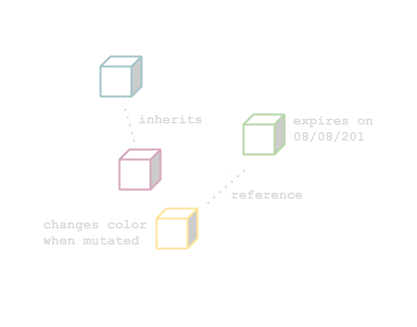
OBJY Objects:
- are plain JavaScript objects
- have dynamic origins
- have behaviour
- and more...
Installing
Node
npm install objy
Browser
<script src="https://cdn.jsdelivr.net/npm/objy/dist/browser.js">
Quick example
Programming on OBJY is done in two simple steps:
- Define an object family (a bucket of objects)
- Build and handle objects and tell them what to do.
OBJY.define({
name: "object",
pluralName: "objects"
})
OBJY.object({
expired: false,
expiration_date: {
date: "12/31/2022",
action: () => {
obj.setProperty('expired', true).update();
}
},
maintenance: {
interval: "1PY",
action: () => {
console.log('annually maintenence');
}
}
})
Handling objects
Objects are handled using an OBJY wrapper: OBJY.object().
var myObj = OBJY.object({
name: "Hello"
}).add();
myObj.name = "Hello World";
myObj.addProperty('color', 'blue');
myObj.remove();
Date or interval-based events:
Events can either have a date or an interval. OBJY takes care of running the associated action.
OBJY.object({
   ...
   expiration_date: {
      date: "12/31/2022",
      action: () => {
         obj.setProperty('expired', true).update();
      }
   },
   maintenance: {
      interval: "1PY",
      action: () => {
         console.log('annually maintenence');
      }
   }
})
Handlers
Use onCreate, onChange or onDelete to capture these events and OBJY runs a custom action.
OBJY.object({
   ...
   onDelete: {
      quit: {
         action: () => {
            console.log('Im now gone...')
         }}
   }
})
Inheritance
OBJY.object({
_id: 123,
type: "yogurt"
})
OBJY.object({
...
inherits: [123],
})
Querying objects
Every object you create lives inside the OBJY instance. For accessing and working with all your objects, OBJY offers the following built-in query API:
OBJY.objects({json query}).get(objects => {
console.log(objects)
})
Custom Mappers
OBJY.define({
...
storage: OBJY.customStorage({
add: () => {},
getById: () => {},
...
}),
processor: OBJY.customProcessor({
execute: (action) => {},
...
}),
observer: OBJY.customObserver({
run: () => {}
})
})





