



A CLI tool to make it easier to add certificates locally
Easily fetch any certificate, create, view and remove aliases and add the certificate locally using one command
Usage
The goal of this CLI is to make it easier to add certificates locally to your machine especially in Windows.
If you are using a security software that acts as a proxy then you won't be able to execute git clone until you add the certificate of gitlab.com or github.com locally in your machine, and the certificates gets updated more than once so, this operation has to be done frequently. It basically solves this issue Unable to get local issuer certificate.
Requires Node version: 13.2.0 and above
Example:

Installation
npm install -g pcer
Commands
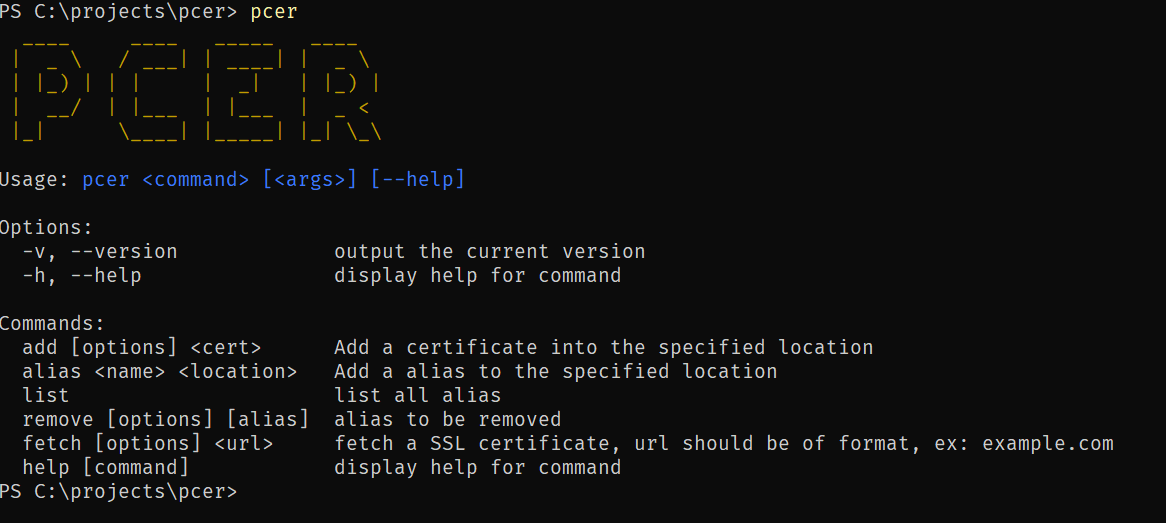
The command to use is pcer and then you can use the --help option to see a list of commands to use:
Help
$ pcer --help
  ____     ____   _____   ____
 |  _ \   / ___| | ____| |  _ \
 | |_) | | |     |  _|   | |_) |
 |  __/  | |___  | |___  |  _ <
 |_|      \____| |_____| |_| \_\

Usage: pcer <command> [<args>] [--help]

Options:
  -v, --version             output the current version
  -h, --help                display help for command

Commands:
  add [options] <cert>      Add a certificate into the specified location
  alias <name> <location>   Add a alias to the specified location
  list                      list all alias
  remove [options] [alias]  alias to be removed
  fetch [options] <url>     fetch a SSL certificate, url should be of format, ex: example.com
  help [command]            display help for command
Alias
The alias command takes two argument, the name of the alias and the location. This name would be used when you want to add certificates to the specified location, which is in this case bundle.crt.
$ pcer alias git "C:\Program Files\Git\mingw64\etc\ssl\certs\ca-bundle.crt"

Successfully added alias
List
The list command, will list all available aliases:
$ pcer list

╔═════╤══════════════════════════════════════════════════════════╗
║ git │ C:\Program Files\Git\mingw64\etc\ssl\certs\ca-bundle.crt ║
╚═════╧══════════════════════════════════════════════════════════╝
Remove
The remove command, will remove an alias that you have already added:
$ pcer remove git

Successfully deleted alias
Or you can even remove all the aliases by executing pcer remove --all
$ pcer remove --all

Successfully deleted all aliases
Add
The add command, will add your certificate locally to the file that you have specified when you created the alias. Make sure you use the -l flag and then you either specify a location like "C:\Program Files\Git\mingw64\etc\ssl\certs\ca-bundle.crt" or you just use the alias that you created, example git
$ pcer add C:/Users/p.haddad/Downloads/github.crt -l git


Certificate added successfully
Version Update❗
Fetch
The following command works, as of version pcer@0.6.7. You can now easily fetch any certificate of type CRT and add it locally through only one command:
$ pcer fetch github.com -l git

Certificate added successfully
The pcer fetch command takes the <url> as an argument without the www or the https and then, the location flag -l explained previously and an alias or the full path to where you want to save it.
Support!
Support the repository by joining the stargazers for this repo ⭐
License
Licensed under the MIT License.





