Launch Week Day 2: Introducing Reports: An Extensible Reporting Framework for Socket Data.Learn More
Socket
Book a DemoSign in
Socket

peertube-theme-bittube-light-mode-no-background

Package Overview
Dependencies
Maintainers
1
Versions
2
Alerts
File Explorer

Advanced tools

Socket logo

Install Socket

Detect and block malicious and high-risk dependencies

Install

peertube-theme-bittube-light-mode-no-background

BitTube light theme

latest
npmnpm
Version
2.3.2
Version published
Maintainers
1
Created
Source

BitTube light-theme (no background)

BitTube Light Theme for PeerTube. This is a light version without background.

How to install in your PeerTube instance

- Open a browser and go to your instance homepage. 
- Login as root (or your administrator user).
- Go to Administration panel from left menu.
- On navigation bar (top), click on 'Plugins/Themes'.
- A bit below, click on 'Search' button (next to 'Installed' button).
- Below this, click on 'Themes' button.
- In the searchbox below, you can type the name of the Theme to easy find it.
- Choose your Theme and click Install (cloud icon).
- Before see the changes, you will need to hard reload your browser.

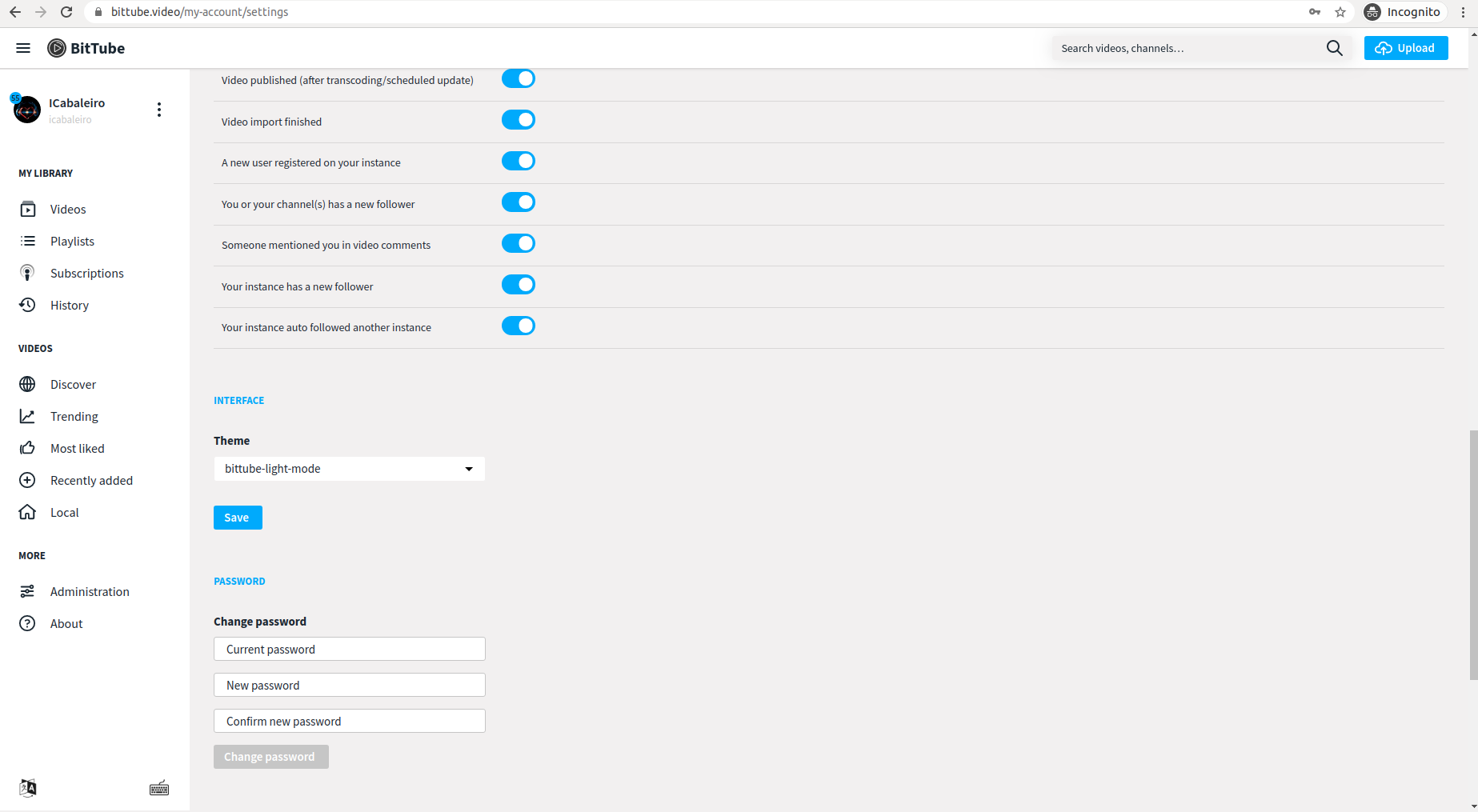
Example Screenshots

alt text

alt text

Keywords

peertube

FAQs

Package last updated on 04 May 2021

Did you know?

Socket

Socket for GitHub automatically highlights issues in each pull request and monitors the health of all your open source dependencies. Discover the contents of your packages and block harmful activity before you install or update your dependencies.

Install

Related posts