phantomas





Headless Chromium-based modular web performance metrics collector. And why phantomas? Well, because :)
Requirements
Installation
Via npm

npm install phantomas
This will install a recent version of Chromium supported by puppeteer module.
Via Docker
You can use phantomas Docker image:
docker pull macbre/phantomas:latest
Or you can fetch from GitHub's Containers registry
docker pull ghcr.io/macbre/phantomas:latest
Support
You can get support for phantomas via xs:code.
Usage example
const phantomas = require('phantomas'),
promise = phantomas('http://example.com/');
promise.
then(results => {
console.log('Metrics', results.getMetrics());
console.log('Offenders', results.getAllOffenders());
}).
catch(res => {
console.error(res);
});
promise.on('recv', response => {
console.log('Response: %s %s [%s]', response.method, response.url, response.contentType);
});
promise.on('domQuery', (type, query) => {
console.log('DOM query by %s - "%s"', type, query);
});
Or run ./examples/index.js.
Development version
To get the latest development version of phantomas (and install all required dependencies):
git clone git@github.com:macbre/phantomas.git
npm install
Running tests
First you need to start a local nginx container that will serve static assets used by integration tests suite. Then simply run npm t:
./test/server-start.sh
npm t
All pull requests that are filed for this repository will have tests run via GitHub Actions.
Having problems?
Please refer to /Troubleshooting.md
Features
- modular approach - each metric is generated by a separate "module"
- phantomas "core" acts as an events emitter that each module can hook into
- in-depth metrics such as: number of events bound via jQuery, calls to
window.writeor complex and duplicated CSS selectors (via analyze-css)
- JSON as an output format
- easy integration with other nodejs projects via CommonJS module (see API docs)
- metrics can be emitted from JavaScript code of the page phantomas is run against (thanks to helper functions available in window.__phantomas)
- device profiles allow phantomas to emulate mobile or tablet (by setting a proper user agent and viewport)
Contributors
All the contributors
Usage
phantomas comes as a CommonJS module (see API docs) that you can use in your nodejs projects.
You can also use it as a command line tool. Run phantomas -h for more details.
Metrics
Please refer to /docs/metrics.md file for a full, up-to-date list of all available modules and metrics that phantomas emits.
For developers
Let's make Web a bit faster!
Slides
Blogosphere
Introductions to phantomas and use cases:
Videos
Utilities
Use grunt to automate daily dev tasks, including your's application web performance, via these great tools:
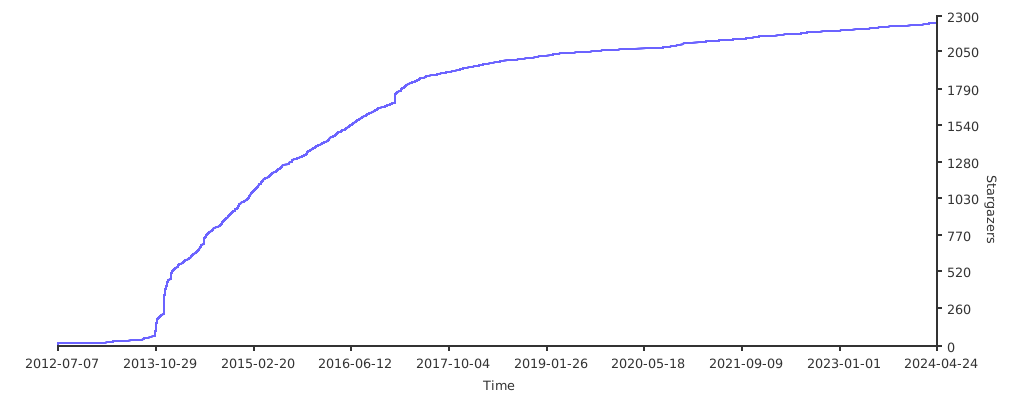
Stargazers over time