prompt-grid 


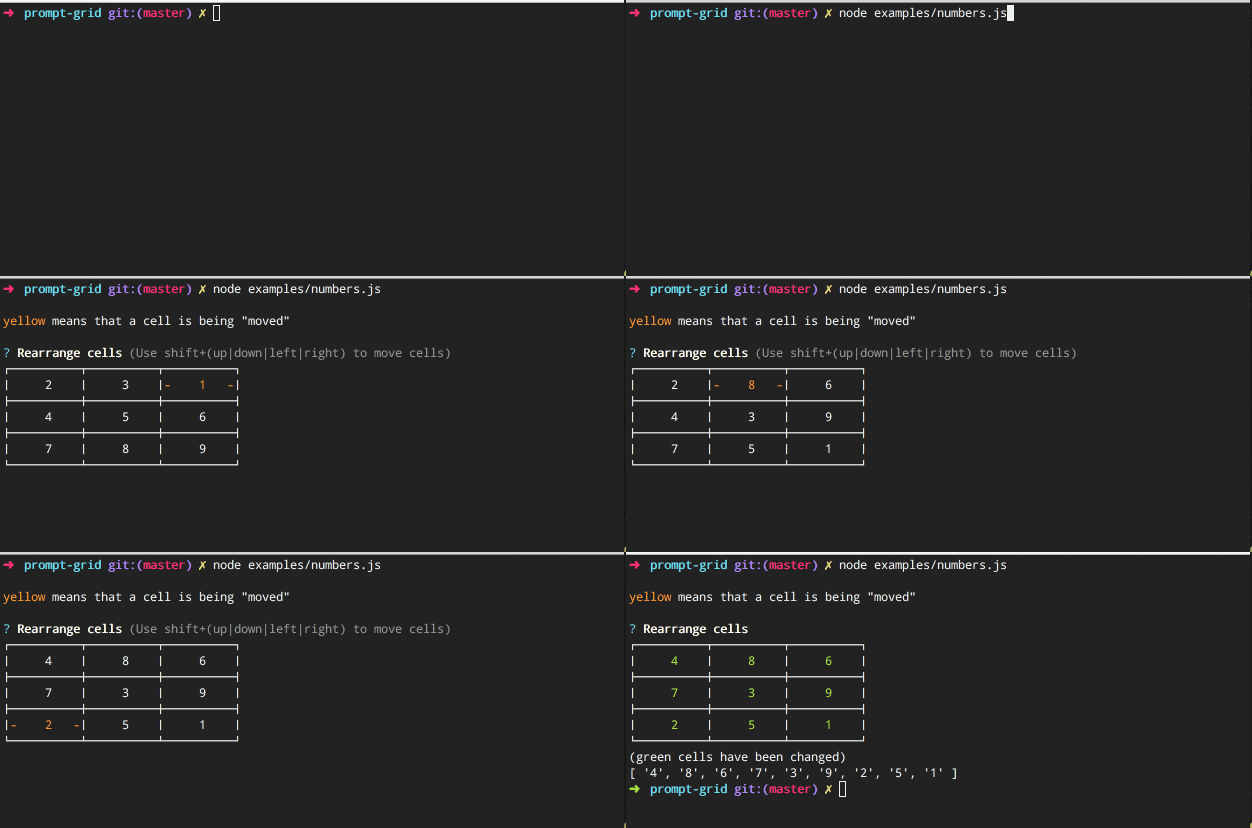
Prompt that allows the user to re-arrange the cells in a grid in the terminal.
If you like this project please consider starring it.
Install
Install with npm:
$ npm install --save prompt-grid
Usage
Pass an array of choices to create a grid:
var Prompt = require('./');
var prompt = new Prompt({
name: 'letters',
message: 'Re-order cells',
choices: ['A', 'B', 'C', 'D', 'E', 'F', 'G', 'H', 'I']
});
prompt.ask(function(answer) {
console.log(answer);
});
prompt.run()
.then(function(answer) {
console.log(answer);
});
Enquirer usage
Register the prompt as a plugin with enquirer:
var Enquirer = require('enquirer');
var enquirer = new Enquirer();

enquirer.register('readme', require('prompt-grid'));
Enquirer example
Enquirer supports either the declarative object-oriented (inquirer-style) question format or a more expressive format using the .question method.
Declarative
Inquirer-style declarative format (takes an array or object):
var questions = [
  {
    name: 'letters',
    type: 'grid',
    message: 'Hold shift+(up|right|down|left) to re-arrange cells',
    choices: ['A', 'B', 'C', 'D', 'E', 'F', 'G', 'H', 'I']
  }
];

enquirer.ask(questions)
  .then(function(answers) {
    console.log(answers)
  });
Expressive
Pre-define questions and easily compose prompts by passing the name(s) of the prompts to run:
enquirer.question('letters', {
  type: 'grid',
  message: 'Hold shift+(up|right|down|left) to re-arrange cells',
  choices: ['A', 'B', 'C', 'D', 'E', 'F', 'G', 'H', 'I']
});

enquirer
  .prompt(['letters'])
  .then(function(answers) {
    console.log(answers)
  });
About
Related projects
Contributing
Pull requests and stars are always welcome. For bugs and feature requests, please create an issue.
Running tests
Running and reviewing unit tests is a great way to get familiarized with a library and its API. You can install dependencies and run tests with the following command:
$ npm install && npm test
Author
Brian Woodward
License
Copyright © 2017, Brian Woodward.
Released under the MIT License.
This file was generated by verb-generate-readme, v0.6.0, on May 26, 2017.





