
Rabbitory CLI

Rabbitory command-line interface (CLI) streamlines the deployment of the Rabbitory Control Panel infrastructure on AWS. Effortlessly integrate with your AWS environment and automatically provision the resources needed to manage your RabbitMQ instances on the Cloud.
🛠 Features
Seamless AWS Integration
By using your AWS CLI configuration, Rabbitory provisions the Control Panel infrastructure in your preferred AWS user account. Rabbitory CLI also allows you to choose your preferred region for deploying this infrastructure with 20 different regions to choose from.
Deployment Automation
Rabbitory CLI handles the full deployment lifecycle of your Rabbitory infrastructure — with zero manual setup. It creates the following resources for you:
- ✔️ IAM Roles
- ✔️ IAM Instance Profiles
- ✔️ Security Groups
- ✔️ EC2 (Rabbitory Control Panel)
- ✔️ DynamoDB Tables
All Rabbitory AWS resources follow the principle of least privilege, meaning they are granted the minimum permissions needed to perform their tasks — nothing more.
Automated Rollback
If any step of the deployment process fails, Rabbitory CLI will automatically rollback all changes to leave your AWS environment clean and consistent.
📦 Installation
Prerequisites
Before installing Rabbitory, ensure that you have the following installed:
-
Node.js: Version 18 or higher. If you need to install Node.js, you can do so here.
-
npm: Node.js package manager, which comes bundled with Node.js.
-
AWS Command Line Interface (AWS CLI): This is essential for authenticating with your AWS account. If you haven't installed it yet, follow the AWS CLI Installation Guide. Ensure the AWS user you are authenticated with has the AdministratorAccess policy permission. After installing AWS CLI, please proceed to configure your AWS.
Installing Rabbitory CLI
Once your AWS credentials are set up, install the Rabbitory CLI by running the following command:
npm install rabbitory_cli -g
🐰 Usage
Deploying Rabbitory
Deploying your self-hosted Rabbitory Control Panel is as easy as running the following command:
rabbitory deploy
After entering this command, you'll be prompted to enter your preferred AWS global region, then your preferred AWS region code.
Your preferred region to deploy Rabbitory can be different from your AWS user authenticated region. Just ensure your authenticated user has access to your preferred deployment region.
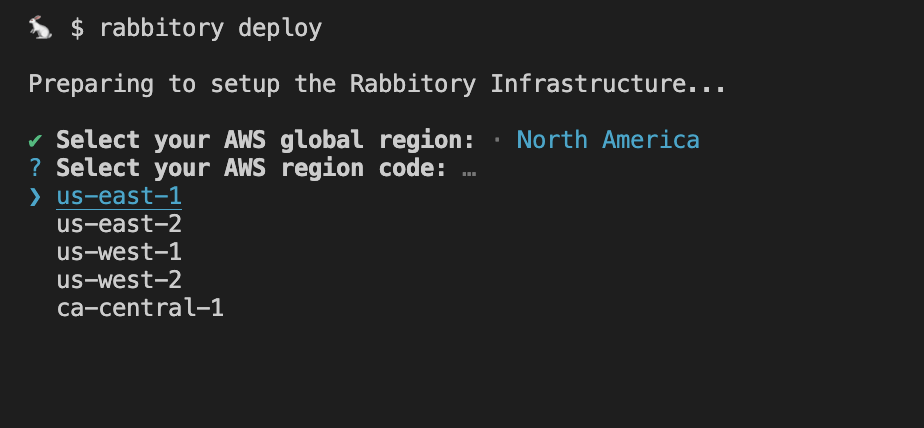
Now that a region has been selected, you'll be prompted to choose between deploying to the default public IP address provided by AWS or providing your own custom domain. See next section for more information on custom domain setup.
Upon deployment, Rabbitory spins up all the necessary AWS infrastructure for you to self-host your personal Rabbitory Control Panel, where you can create, configure, and manage your RabbitMQ instances. Once Rabbitory has been successfully deployed, you'll receive a link to your Control Panel. See Rabbitory Control Panel for more information.
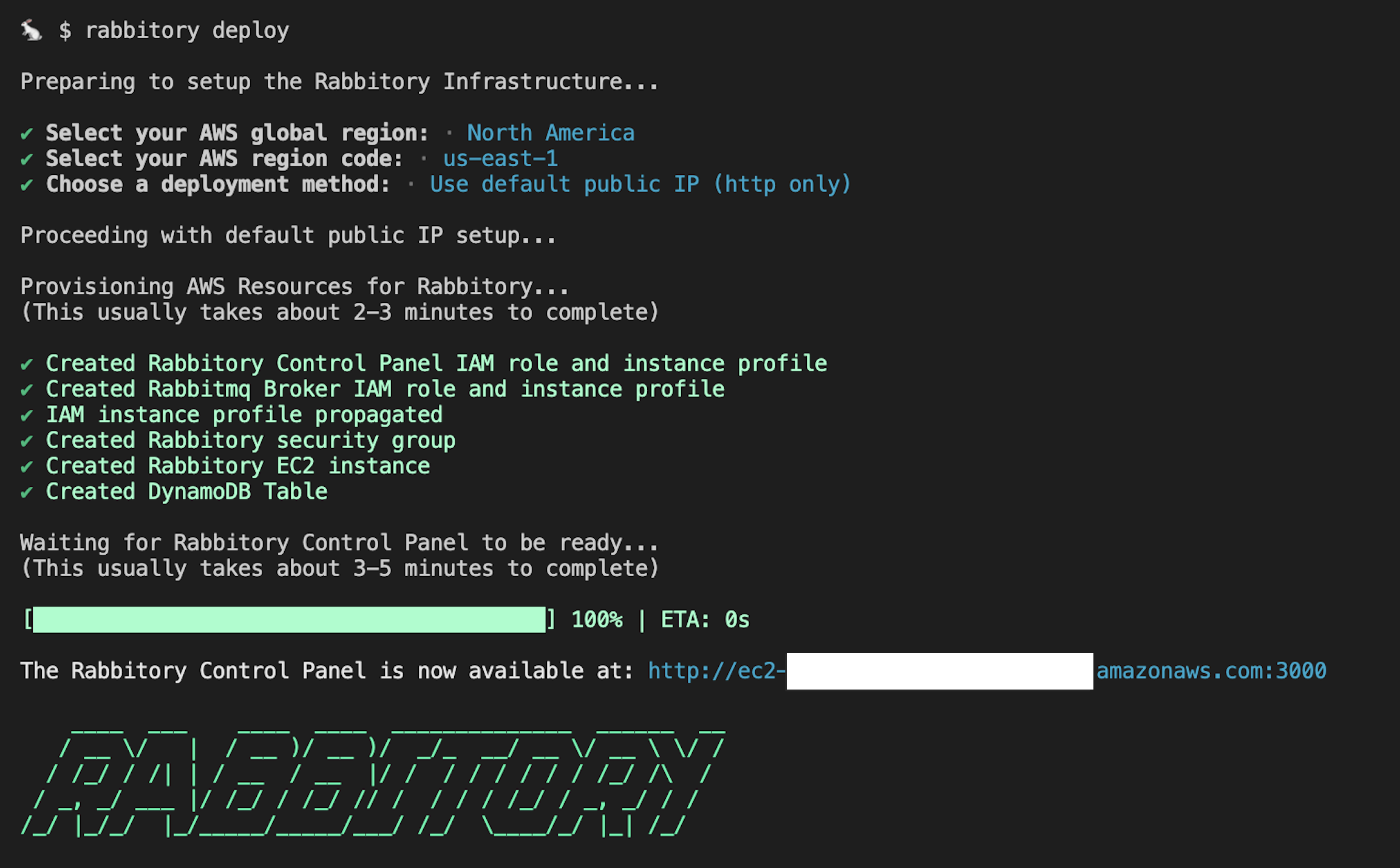
Custom Domain Setup
Using a custom domain provides secure HTTPS access and a professional URL for your Control Panel. If you choose the default public IP option, the Control Panel will only be accessible via HTTP.
If you opt to use a custom domain, you’ll be prompted to provide your domain name and email address. You’ll then need to update your domain registrar's nameservers with the ones provided. After DNS propagation (which may take up to 30 minutes), the deployment will automatically:
- Create Route 53 records for both your apex domain and www subdomain
- Set up SSL certificates using Let's Encrypt
- Configure Nginx with HTTPS
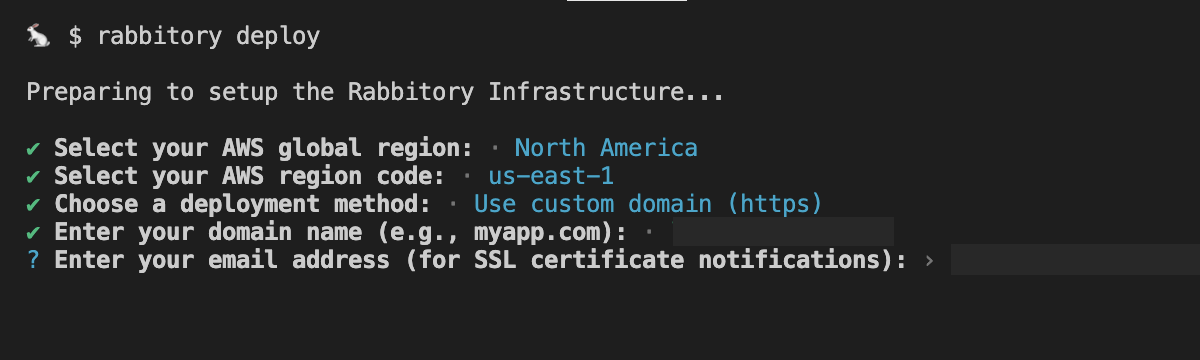
Your Rabbitory Control Panel will then be accessible via HTTPS at both your apex domain (https://yourdomain.com) and www subdomain (https://www.yourdomain.com).
Tearing down Rabbitory
If you need to teardown your Rabbitory Control Panel and all of its associated RabbitMQ instances, run the following command:
rabbitory destroy
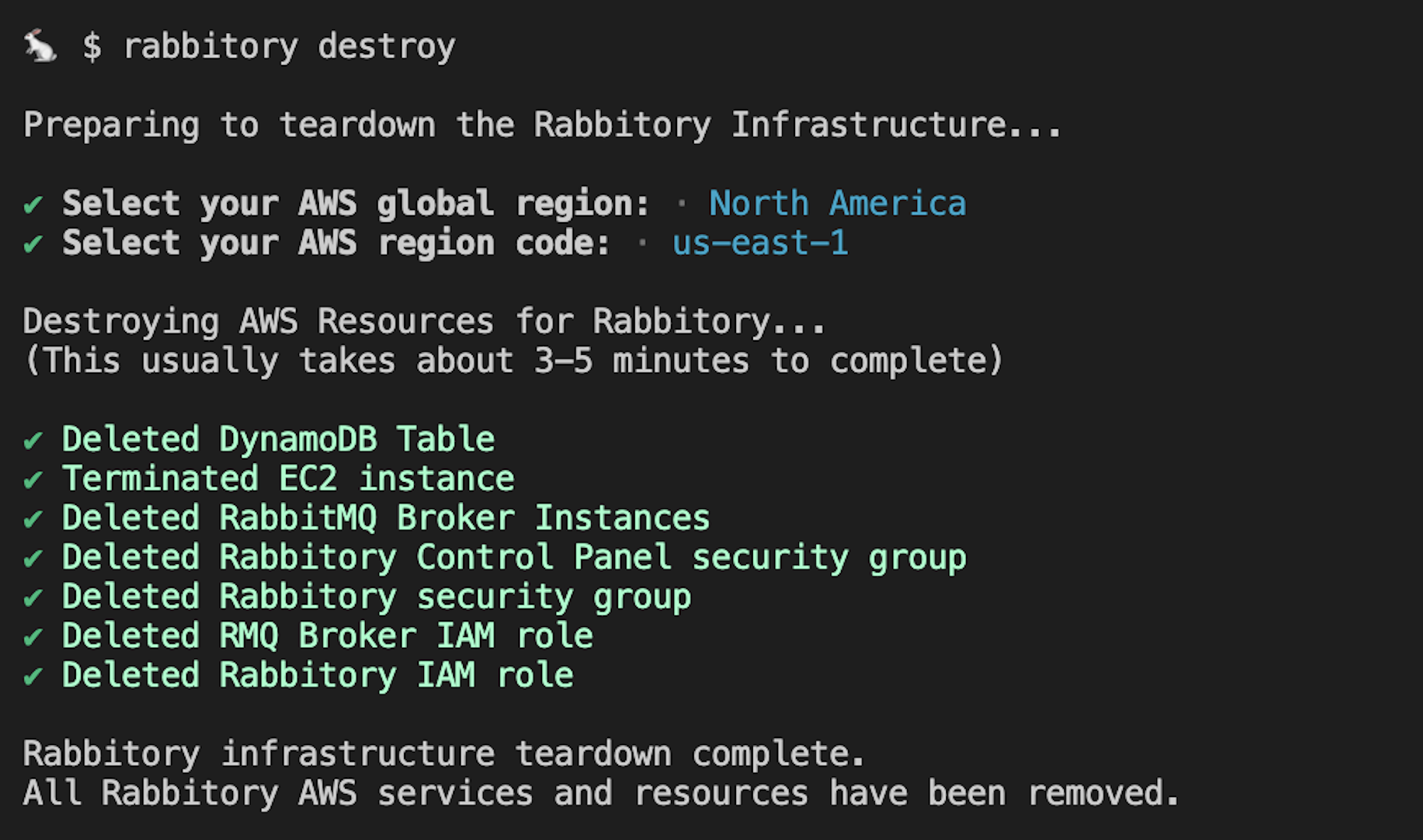
Tearing down Rabbitory involves selecting the global region and AWS region code where your Rabbitory Control Panel was initially deployed. Then, all AWS resources that were created will be automatically deleted for you, leaving you with a clean AWS environment.
🤝 Developed By: Jacqueline Amherst | Zijin Gong | Laren Cozart | Mason Abruzzesse





