New Research: Supply Chain Attack on Axios Pulls Malicious Dependency from npm.Details
Socket
Book a DemoSign in
Socket

react-design-editor

Package Overview
Dependencies
Maintainers
1
Versions
85
Alerts
File Explorer

Advanced tools

Socket logo

Install Socket

Detect and block malicious and high-risk dependencies

Install

react-design-editor

Design Editor Tools with React.js + ant.design + fabric.js

latest
Source
npmnpm
Version
0.0.86
Version published
Weekly downloads
220
-45.27%
Maintainers
1
Weekly downloads
 
Created
Source

React Design Editor

build

React Design Editor is a module for React, written in Javascript/Typescript which provides two primary features:

  • Image Editor - Create images in React, draw diagrams and arrange compositions using the image editor and save the result to one of several export formats, provides functionality similar to Powerpoint.
  • Business Process Modelling (BPM) - Design flowcharts and process workflows in React and export the model to JSON, which can be imported into the tool (load/save).

The module primarily uses the Ant Design, Fabric.js and React libraries, but a full list of required dependencies can be found below.

Try it out today - the project is being continually developed to support a variety of different functions.

View Demo

Feature List

  • Add, remove, resize, reorder, clone, copy/paste and drag/drop elements
  • Drawing capability, with polygon, line, arrows and link support
  • Preview mode, tooltips, group/ungroup and zoom functionality
  • Upload (with drag/drop), import and export to JSON or image
  • Image cropping, Image filters, alignment, alignment guides
  • Snap to grid, context menu, animation and video element
  • Various icons in icon picker and fonts from Google Fonts (20)
  • HTML/CSS/JS Element, iFrame element
  • Animation support, with Fade / Bounce / Shake / Scaling / Rotation / Flash effects
  • Code Editor with HTML / CSS / JS / Preview
  • Various interaction modes, including grasp, selection, ctrl + drag grab
  • Multiple layouts, with fixed, responsive, fullscreen and grid modes
  • SVG, Chart and GIF elements
  • Undo/Redo support
  • Wireframes - in development
  • Multiple Map - in development
  • Ruler - in development

Installation

Run npm install react-design-editor or yarn add react-design-editor

Getting Started

  • Clone this Project with git clone https://github.com/salgum1114/react-design-editor.git
  • Install dependencies with npm install or yarn
  • Run the App with npm start or yarn start
  • Open your web browser to http://localhost:4000

Ask AI

React Design Editor AI will help you understand this repository better.

Screenshots

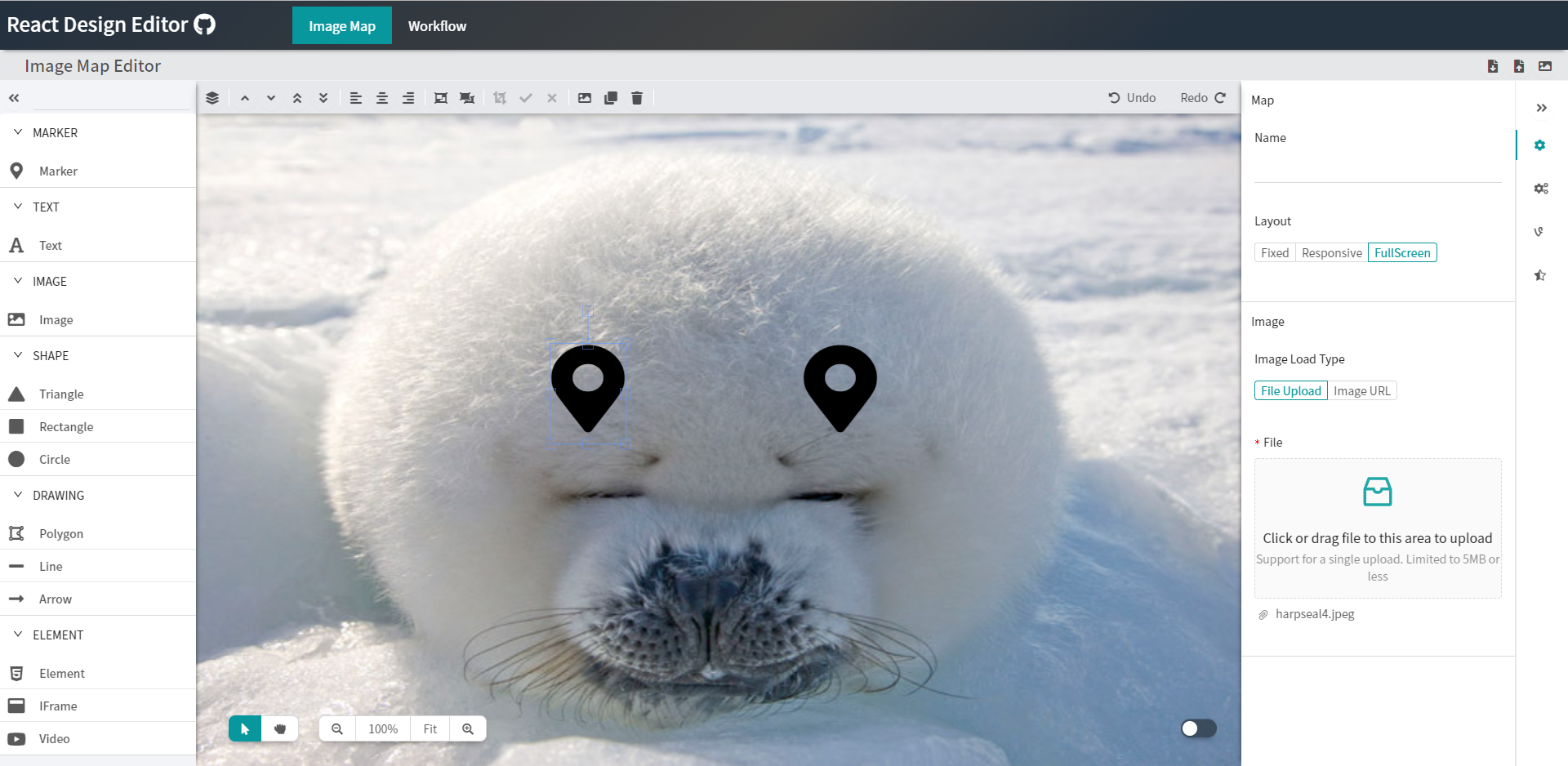
Image Map Editor

1. Fixed Layout Mode

fixed

2. Responsive Layout Mode

responsive

3. Full Screen Layout Mode

fullscreen

4. Preview Mode

preview

Workflow Editor

workflow

❤️ Sponsors and Backers

Sponsored by Workflows for Confluence

Dependencies

DependencyLicense(s)
ReactMIT
Ant DesignMIT
Fabric.jsMIT
MediaElement.jsMIT
React-AceMIT
interact.jsMIT
anime.jsMIT
Webpack 4MIT
BabelMIT
fontawesome5Icons (CC BY 4.0), Fonts (SIL OFL 1.1), Code (MIT)

Keywords

React.js

FAQs

Package last updated on 12 Feb 2026

Did you know?

Socket

Socket for GitHub automatically highlights issues in each pull request and monitors the health of all your open source dependencies. Discover the contents of your packages and block harmful activity before you install or update your dependencies.

Install

Related posts