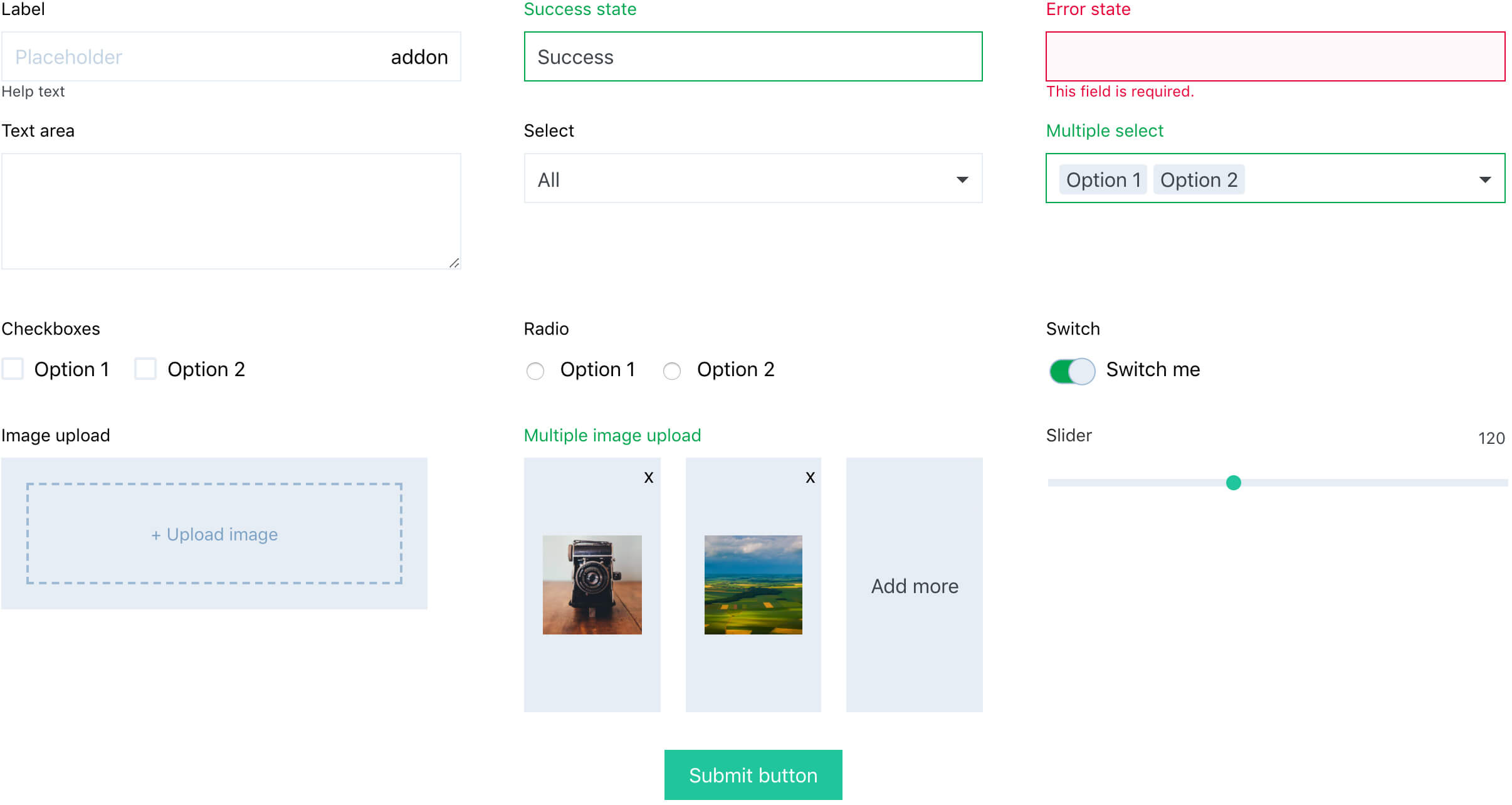
Create React forms just with a pure JSX code and let the react-form-component
manage its state for you. A themeable form library based on Context API, with a
selection of user friendly inputs and wide customization abilities to match your
design and functionality.
Quick start
Install
yarn add react-form-component
Use
- Wrap entitre app into
<FormThemeProvider>. Optionally define a custom theme in theme prop.
- Use
<Form> component anywhere in the app, declare all field names in a fields prop.
- Use any from built-in input widgets or build custom inputs to compose a form. Give each input a
name prop that corresponds with one defined in a fields prop of the ancestor <Form> component.
- Use
<FormButton> to trigger a submit function that returns all values formatted in a form of a simple javascript object.
import React from 'react'
import ReactDOM from 'react-dom'
import { FormThemeProvider } from 'react-form-component'
import BasicExampleForm from './BasicExampleForm'
const App = () =>
<FormThemeProvider>
<BasicExampleForm />
</FormThemeProvider>
ReactDOM.render(<App />, document.querySelector('#app'))
import React from 'react'
import ReactDOM from 'react-dom'
import Form, {
Input,
Select,
FormButton,
} from 'react-form-component'
const BasicExampleForm = () =>
<Form fields={['name', 'email', 'type']}>
<Input
name='name'
label='User name'
/>
<Input
name='email'
type='email'
label='E-mail'
/>
<Select
name='type'
label='Type of a user'
options={['Viewer', 'Moderator', 'Admin']}
/>
<FormButton
onClick={fields => console.log(fields)}
>Save</FormButton>
</Form>
export default BasicExampleForm
Features
- Built in form state management
- Wide range of UI form components
- Handles validation, success states, error state and error messages
- Customizable theme and notification labels
- Marking mandatory fields
- Loading state support for asynchronous operations
- Various ways for triggering submit action.
- Optional reseting of all fields after a successful submit (show docs)
- Values from all fields formatted as one object, well formatted for API calls
- Suppports nested structure of a form (Field groups)
- Built in, repleacable react-toastify notification plugin
- Cross-browser tested
- SSR support
- Easy way of custom inputs creation





