react-guify



React-guify is a thin wrapper around the simple GUI library guify.
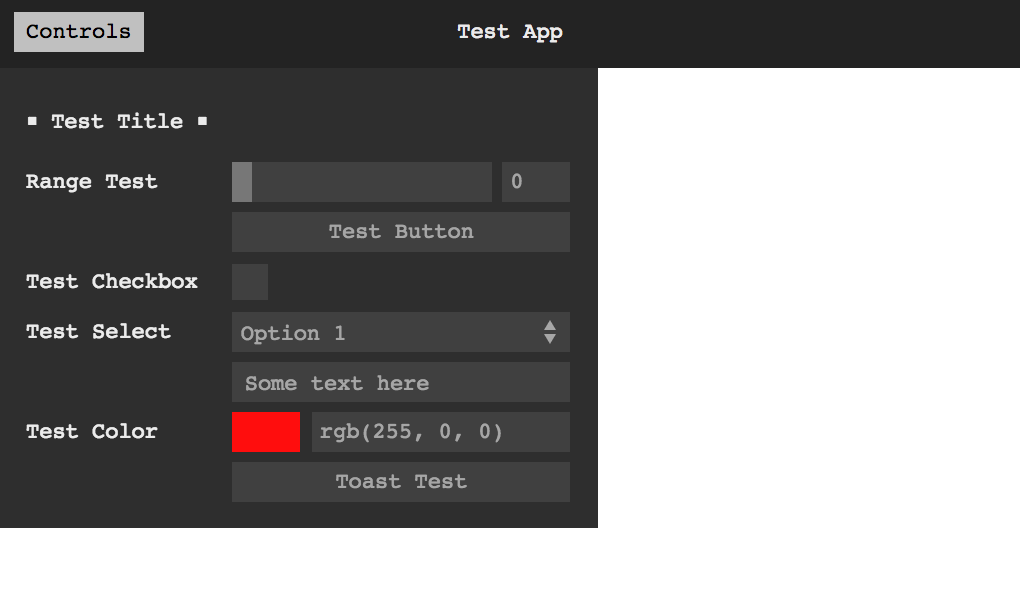
Demo
Installation
yarn add guify react-guify
npm install guify react-guify
Example
function App() {
  const [state, setState] = React.useState(initialState)
  const gui = React.useRef()
  return (
    <GuiPanel
      ref={gui}
      data={state}
      setData={setState}
      barMode="above"
      theme="light"
    >
      <GuiButton
        label="Toast"
        action={() => {
          gui.current.Toast('Current date: ' + Date.now())
        }}
      />
      <GuiText property="name" />
      <GuiTitle label="Options" />
      <GuiFile label="Select File" property="file" />
      <GuiDisplay property="name" />
      <GuiCheckbox property="checkeds" />
      <GuiColor property="color" />
      <GuiFolder label="Bounds Folder" open={true}>
        <GuiRange
          label="bounds"
          property="bounds"
          scale="log"
          onChange={value => console.log({ value })}
        />
        <GuiSelect property="movement" options={options} />
        <GuiInterval property="interval" min={5} max={70} />
      </GuiFolder>
    </GuiPanel>
  )
}
Api
Components exports
React-guify creates and exports React components that allow you to structure the GUI with React nodes.
You can pass all options from guify as props to these components. For now components will not respond to props update.
Read guify docs for more.
Main panel
GuiPanel: guify main panel.
In addition to the native options from guify, the panel requires two additional props:
data: the data object bound to components.setData: the function the panel will call to update your data when values change.
Data-bound components
GuiCheckbox: a checkboxGuiRange: a number selectorGuiInterval: an interval selectorGuiColor: a color selectorGuiSelect: an option selectorGuiText: a free-text entryGuiDisplay: displays a variableGuiFile: a file selector
Action components
GuiButton: a button with an action
Organizational components:
GuiTitle: shows a titleGuiFolder: a folder grouping different components
Toast
guify has a nice toast feature that React-guify tries to implement seamlessly. The panel component will pass back a ref to you, which will include the original gui object created by guify.
function ToastExample() {
  const [state, setState] = React.useState(initialState)
  const gui = React.useRef()
  return (
    <GuiPanel ref={gui} data={state} setData={setState}>
      <GuiButton
        label="Toast"
        action={() => gui.current.Toast('Hello from Toast')}
      />
    </GuiPanel>
  )
}
Todo List