Due to ListView is deprecated, This component is based on React Native SectionList.
Install:
npm install react-native-alphabet-sectionlist --save
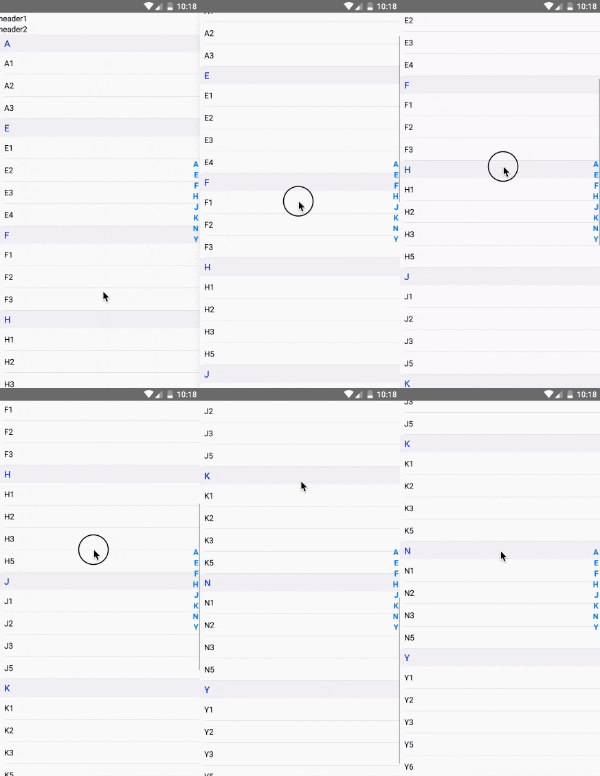
Usage
The most basic way to use this component is as follows:
<AlphabetSectionList
data={this.state.data}
renderItem={this.renderItem}
renderHeader={this.renderHeader}
renderSectionHeader={this.renderSectionHeader}
sectionHeaderStyle={{ paddingVertical: 5 }}
sectionHeaderTextStyle={{ fontSize: 16, color: 'blue' }}
/>
You can find a more complete example below
Example
import React from 'react';
import {
  View,
  Text,
} from 'react-native';
import AlphabetSectionList from 'react-native-alphabet-sectionlist';

class App extends React.Component {

  constructor(props) {
    super(props);

    this.state = {
      data: {
        'A': [{ name: 'A1' }, { name: 'A2' }, { name: 'A3' }],
        "E": [{ name: 'E1' }, { name: 'E2' }, { name: 'E3' }, { name: 'E4' }],
        'F': [{ name: 'F1' }, { name: 'F2' }, { name: 'F3' }],
        'H': [{ name: 'H1' }, { name: 'H2' }, { name: 'H3' }, { name: 'H5' }],
        'J': [{ name: 'J1' }, { name: 'J2' }, { name: 'J3' }, { name: 'J5' }],
        'K': [{ name: 'K1' }, { name: 'K2' }, { name: 'K3' }, { name: 'K5' }],
        'N': [{ name: 'N1' }, { name: 'N2' }, { name: 'N3' }, { name: 'N5' }],
        'Y': [{ name: 'Y1' }, { name: 'Y2' }, { name: 'Y3' }, { name: 'Y5' }, { name: 'Y6' }],
      },
    }

  }

  renderItem = ({ item }) => {
    return (
      <View style={{
        marginLeft: 10,
        paddingVertical: 10,
        borderBottomColor: 'lightgray',
        borderBottomWidth: 0.5
      }}>
        <Text>{item.name}</Text>
      </View>
    )
  }

  renderHeader = () => {
    return (
      <View>
        <Text>header1</Text>
        <Text>header2</Text>
      </View>
    )
  }

  renderSectionHeader = ({ section: { title } }) => {
    return (
      <View style={{
        paddingLeft: 10,
        backgroundColor: '#f1f2f3',
        paddingVertical: 5,
      }}>
        <Text style={{ color: 'blue' }}>{title}</Text>
      </View>
    )
  }

  render() {
    return (
      <View style={{ flex: 1 }}>
        <AlphabetSectionList
          data={this.state.data}
          renderItem={this.renderItem}
          renderHeader={this.renderHeader}
          // custom section header
          renderSectionHeader={this.renderSectionHeader}
          // default section header styles
          // sectionHeaderStyle={{ paddingVertical: 5 }}
          // sectionHeaderTextStyle={{ fontSize: 16, color: 'blue' }}
        />
      </View>
    )
  }
}

export default App;





