Install
Install the node module:
npm install --save react-native-android-slidingtabstrip
Then link the native code into your Android project:
react-native link
Usage
This library provides two views that can be used together with any native Android ViewPager, typically you'll just use the official React Native provided ViewPagerAndroid.
SlidingTabViewPagerAndroid
This is a wrapper view. You must place inside it a single ViewPager (e.g. ViewPagerAndroid) and a single SlidingTabStripAndroid.
This view doesn't do any rendering of its own, it exists purely to create an association between the tab strip and the view pager.
SlidingTabStripAndroid
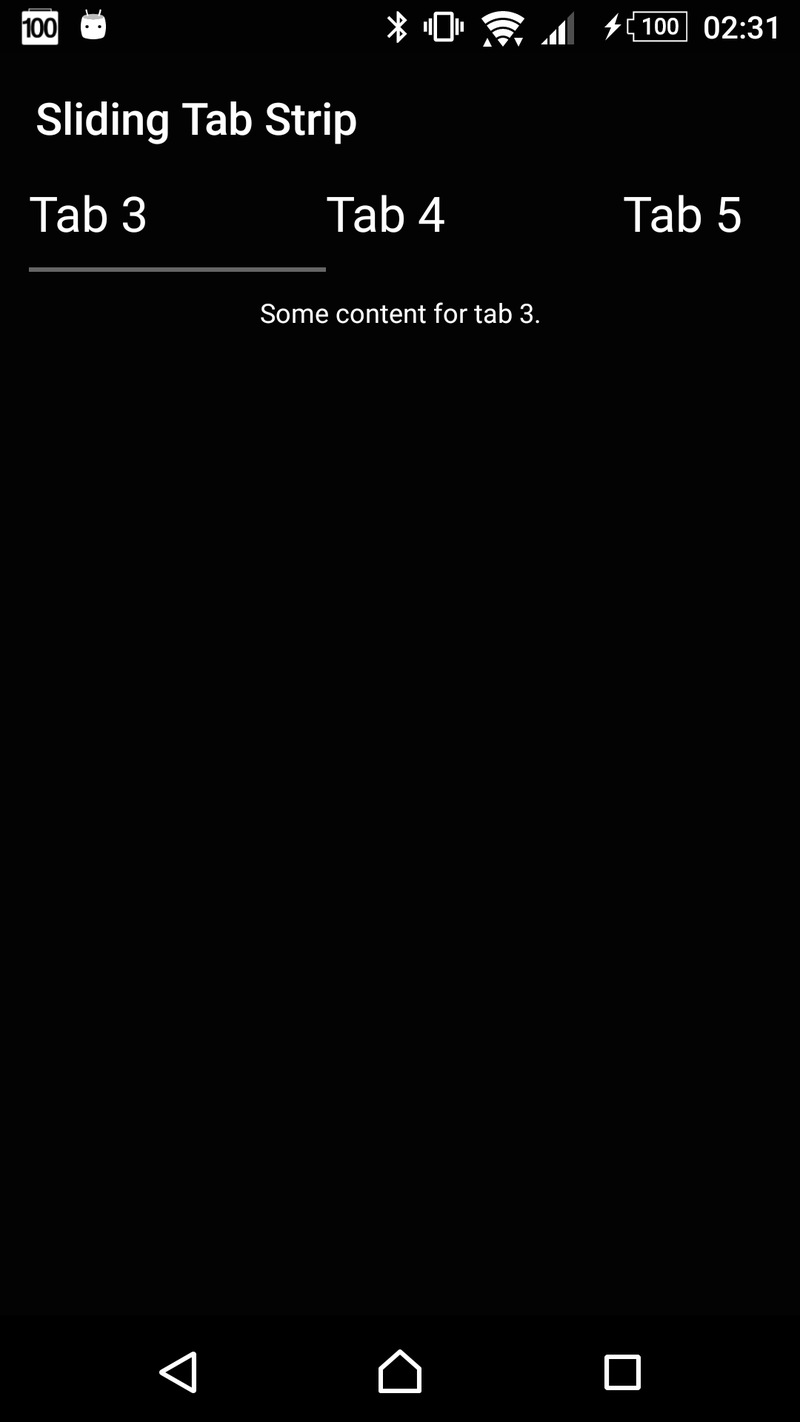
This is your container for your tabs. You can place any views you like within it as children and they will be rendered with a selected tab indicator and tab dividers, both of which can be customised or disabled.
NOTE: SlidingTabStripAndroid must have the same number of children as the associated view pager.
Properties
| removeClippedSubviews | boolean | Experimental: When true, offscreen child views (whose overflow value is hidden) are removed from their native backing superview when offscreen. This can improve scrolling performance on long lists. The default value is true. Note: Inherited behaviour from ScrollView. |
| endFillColor | color | Sometimes a sliding tab strip takes up more space than its content fills. When this is the case, this prop will fill the rest of the tab strip with a color to avoid setting a background and creating unnecessary overdraw. This is an advanced optimization that is not needed in the general case. Note: Inherited behaviour from ScrollView. |
| scrollOffset | number | Instead of scrolling exactly to the start of the selected tab, offset the our scroll X by this amount (rounded to the nearest pixel). |
| indicatorHeight | number | Height of the selected tab indicator. |
| dividerInset | number | Inset the tab dividers from the top and bottom of the view by this amount. |
| dividerWidth | number | Width of the tab dividers. |
| indicatorColor | color | Color of the selected tab indicator. |
| dividerColor | color | Color of the tab dividers. |
Example Usage
  render() {
    let tabs = [
      {
        title: 'Tab 1',
        content: 'Hello, World!'
      },
      {
        title: 'Tab 2',
        content: 'This is a straight-forward sliding tab strip implementation for Android.'
      },
      {
        title: 'Tab 3',
        content: 'Some content for tab 3.'
      },
      {
        title: 'Tab 4',
        content: 'Some content for tab 4.'
      },
      {
        title: 'Tab 5',
        content: 'Some content for tab 5.'
      },
      {
        title: 'Tab 6',
        content: 'Some content for tab 6.'
      }
    ]

    return (
      <SlidingTabViewPagerAndroid style={{flex: 1}}>
        <SlidingTabStripAndroid>
          {tabs.map((tab, index) =>
            <Text key={index} style={{color: '#fff', paddingVertical: 6, paddingHorizontal: 40, fontSize: 22}}>
              {tab.title}
            </Text>
          )}
        </SlidingTabStripAndroid>
        <ViewPagerAndroid style={{flex: 1}}>
          {tabs.map((tab, index) =>
            <View style={{flex: 1, justifyContent: 'center', alignItems: 'stretch'}} key={index}>
              <Text key={index} style={{flex: 1, color: '#fff', fontSize: 12, textAlign: 'center', margin: 10}}>
                {tab.content}
              </Text>
            </View>
          )}
        </ViewPagerAndroid>
      </SlidingTabViewPagerAndroid>
    )
  }
Screenshot