react-native-app-intro
react-native-app-intro is a react native component implementing a parallax effect welcome page using base on react-native-swiper , similar to the one found in Google's app like Sheet, Drive, Docs...
react-native-app-intro Screen Capture
Example code
Support ios、android


Designed by Freepik
Installation
$ npm i react-native-app-intro --save
Basic Usage
You can use pageArray quick generation your app intro with parallax effect. With the basic usage, the Android status bar will be updated to match your slide background color.
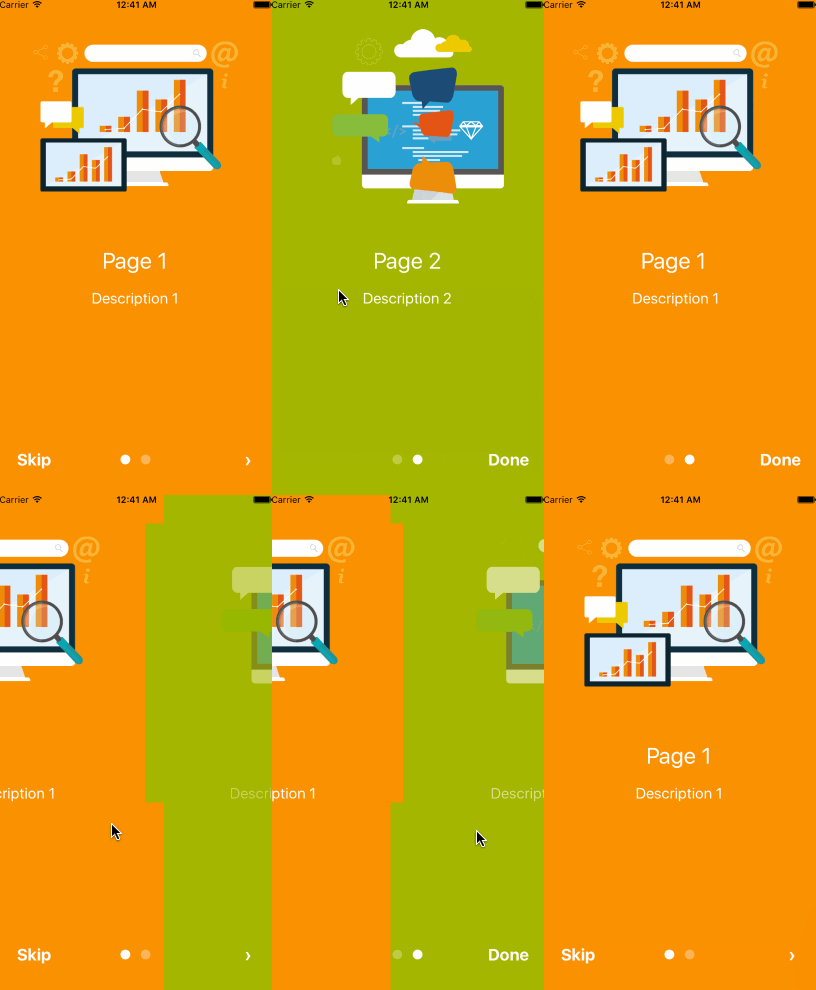

import React, { Component } from 'react';
import { AppRegistry, Alert } from 'react-native';
import AppIntro from 'react-native-app-intro';

class Example extends Component {
  onSkipBtnHandle = (index) => {
    Alert.alert('Skip');
    console.log(index);
  }
  doneBtnHandle = () => {
    Alert.alert('Done');
  }
  nextBtnHandle = (index) => {
    Alert.alert('Next');
    console.log(index);
  }
  onSlideChangeHandle = (index, total) => {
    console.log(index, total);
  }
  render() {
    const pageArray = [{
      title: 'Page 1',
      description: 'Description 1',
      img: 'https://goo.gl/Bnc3XP',
      imgStyle: {
        height: 80 * 2.5,
        width: 109 * 2.5,
      },
      backgroundColor: '#fa931d',
      fontColor: '#fff',
      level: 10,
    }, {
      title: 'Page 2',
      description: 'Description 2',
      img: require('../assets/some_image.png'),
      imgStyle: {
        height: 93 * 2.5,
        width: 103 * 2.5,
      },
      backgroundColor: '#a4b602',
      fontColor: '#fff',
      level: 10,
    }];
    return (
      <AppIntro
        onNextBtnClick={this.nextBtnHandle}
        onDoneBtnClick={this.doneBtnHandle}
        onSkipBtnClick={this.onSkipBtnHandle}
        onSlideChange={this.onSlideChangeHandle}
        pageArray={pageArray}
      />
    );
  }
}

AppRegistry.registerComponent('Example', () => Example);
Advanced Usage
If you need customized page like my Example, you can pass in View component into AppIntro component and set level. Remember any need use parallax effect component, Need to be <View level={10}></View> inside.
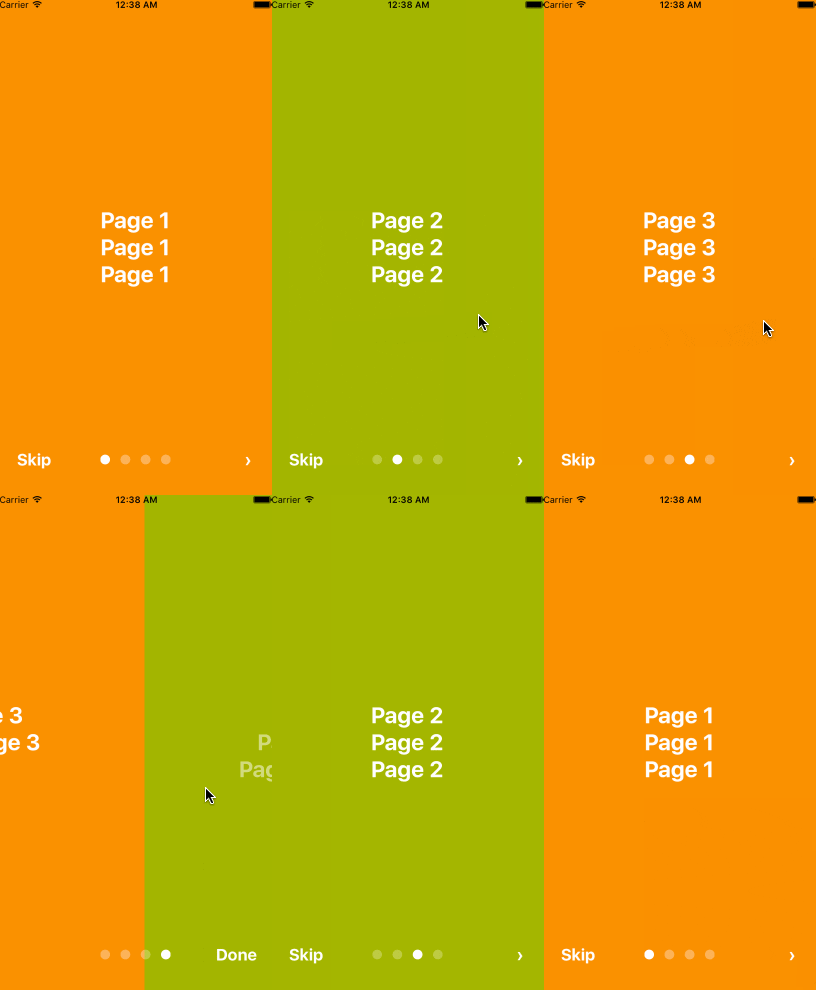
import React, { Component } from 'react';
import {
  AppRegistry,
  StyleSheet,
  Text,
  View,
} from 'react-native';
import AppIntro from 'react-native-app-intro';

const styles = StyleSheet.create({
  slide: {
    flex: 1,
    justifyContent: 'center',
    alignItems: 'center',
    backgroundColor: '#9DD6EB',
    padding: 15,
  },
  text: {
    color: '#fff',
    fontSize: 30,
    fontWeight: 'bold',
  },
});

class Example extends Component {

  render() {
    return (
      <AppIntro>
        <View style={[styles.slide,{ backgroundColor: '#fa931d' }]}>
          <View level={10}><Text style={styles.text}>Page 1</Text></View>
          <View level={15}><Text style={styles.text}>Page 1</Text></View>
          <View level={8}><Text style={styles.text}>Page 1</Text></View>
        </View>
        <View style={[styles.slide, { backgroundColor: '#a4b602' }]}>
          <View level={-10}><Text style={styles.text}>Page 2</Text></View>
          <View level={5}><Text style={styles.text}>Page 2</Text></View>
          <View level={20}><Text style={styles.text}>Page 2</Text></View>
        </View>
        <View style={[styles.slide,{ backgroundColor: '#fa931d' }]}>
          <View level={8}><Text style={styles.text}>Page 3</Text></View>
          <View level={0}><Text style={styles.text}>Page 3</Text></View>
          <View level={-10}><Text style={styles.text}>Page 3</Text></View>
        </View>
        <View style={[styles.slide, { backgroundColor: '#a4b602' }]}>
          <View level={5}><Text style={styles.text}>Page 4</Text></View>
          <View level={10}><Text style={styles.text}>Page 4</Text></View>
          <View level={15}><Text style={styles.text}>Page 4</Text></View>
        </View>
      </AppIntro>
    );
  }
}
AppRegistry.registerComponent('Example', () => Example);
And in Android, image inside view component, view need width、height.
<View style={{
  position: 'absolute',
  top: 80,
  left: 30,
  width: windows.width,
  height: windows.height,
}} level={20}
>
  <Image style={{ width: 115, height: 70 }} source={require('./img/1/c2.png')} />
</View>
Properties
| dotColor | string | 'rgba(255,255,255,0.3)' | Bottom of the page dot color |
| activeDotColor | string | '#fff' | Active page index dot color |
| rightTextColor | string | '#fff' | The bottom right Text Done、> color |
| leftTextColor | string | '#fff' | The bottom left Text Skip color |
| onSlideChange | (index, total) => {} | | function to call when the pages change |
| onSkipBtnClick | (index) => {} | | function to call when the Skip button click |
| onDoneBtnClick | func | | function to call when the Done button click |
| onNextBtnClick | (index) => {} | | function to call when the Next '>' button click |
| doneBtnLabel | string、Text element | Done | The bottom right custom Text label |
| skipBtnLabel | string、Text element | Skip | The bottom left custom Text label |
| nextBtnLabel | string、Text element | › | The bottom left custom Text label |
| pageArray | array | | In the basic usage, you can input object array to render basic view example: [[{title: 'Page 1', description: 'Description 1', img: 'https://goo.gl/uwzs0C', imgStyle: {height: 80 * 2.5, width: 109 * 2.5 }, backgroundColor: '#fa931d', fontColor: '#fff', level: 10 }] , level is parallax effect level ,if you use pageArray you can't use custom view |
| defaultIndex | number | 0 | number of the index of the initial index |
| showSkipButton | bool | true | a boolean defining if we should render the skip button |
| showDoneButton | bool | true | a boolean that defines if we should render the done button |
Children View Properties
| level | number | | parallax effect level |





