



New Research: Supply Chain Attack on Axios Pulls Malicious Dependency from npm.Details
Socket
Book a DemoSign in
Socket

react-native-baidumap-sdk

Package Overview
Dependencies
Maintainers
1
Versions
30
Alerts
File Explorer

Advanced tools

Socket logo

Install Socket

Detect and block malicious and high-risk dependencies

Install

react-native-baidumap-sdk

React Native BaiduMap SDK for Android + iOS

latest
Source
npmnpm
Version
0.6.0
Version published
Maintainers
1
Created
Source

react-native-baidumap-sdk npm version build status

React Native BaiduMap SDK for Android + iOS.

你可以下载安装 example.apk 看看实际中的效果。

注意:RN v0.53+ 存在一些 bug(主要影响 iOS 自定义 View),建议使用 RN v0.52。

安装

用法

基本用法

import { MapView } from 'react-native-baidumap-sdk'

render() {
  return <MapView center={{ latitude: 39.2, longitude: 112.4 }} />
}

显示卫星图

<MapView satellite />

监听地图事件

import { MapView } from 'react-native-baidumap-sdk'

render() {
  return (
    <MapView
      onLoad={() => console.log('onLoad')}
      onClick={point => console.log(point)}
      onStatusChange={status => console.log(status)}
    />
  )
}

定位并关联定位图层

import { MapView, Location } from 'react-native-baidumap-sdk'

await Location.init()
Location.addLocationListener(location => this.setState({ location }))
Location.start()

state = { location: null }

render() {
  return <MapView location={this.state.location} locationEnabled />
}

添加标记

<MapView>
  <MapView.Marker
    color="#2ecc71"
    title="This is a marker"
    onPress={this.onPress}
  />
</MapView>

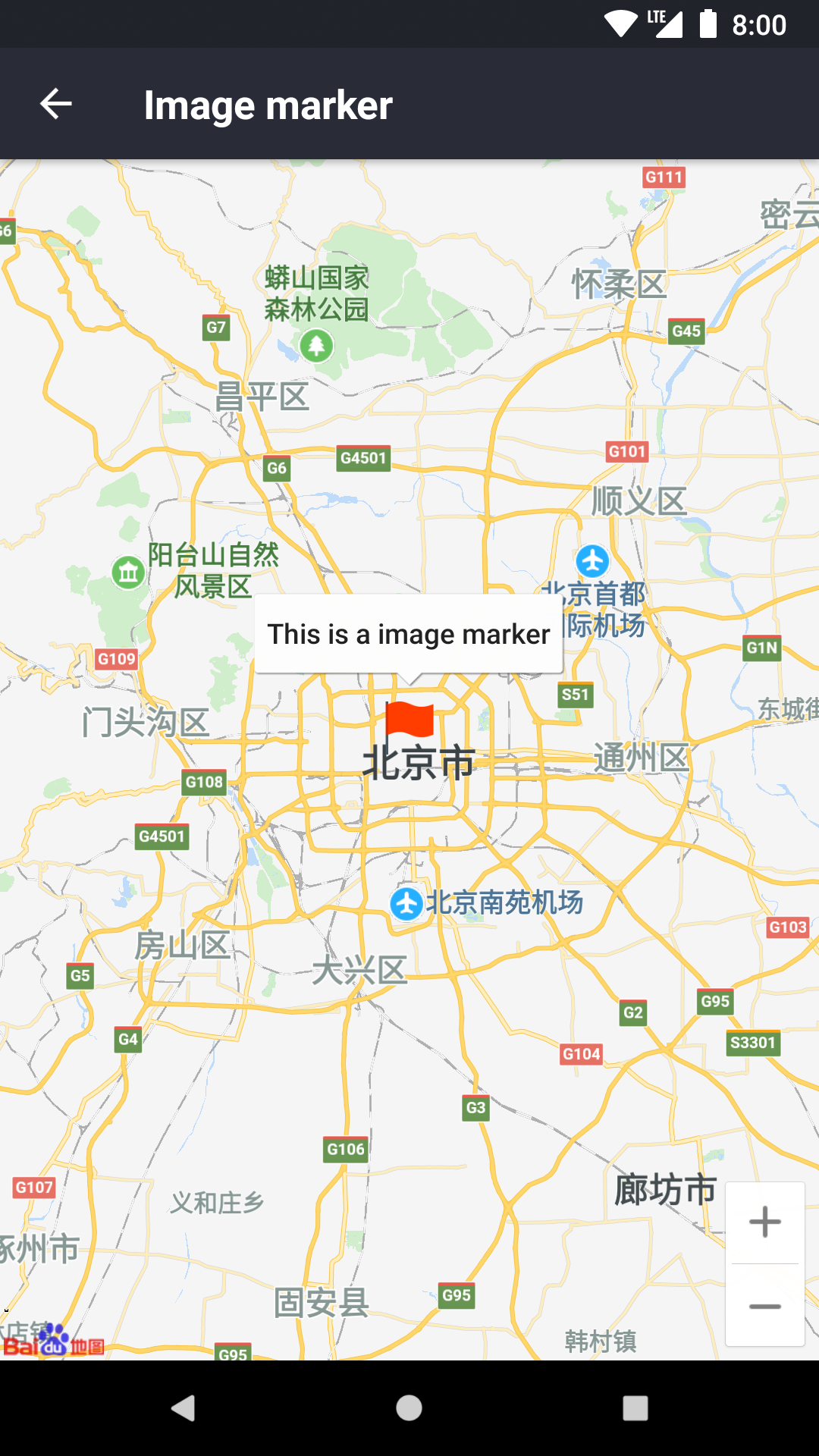
添加自定义图片标记

<MapView>
  <MapView.Marker
    title="This is a image marker"
    image="flag"
    coordinate={{ latitude: 39, longitude: 113 }}
  />
</MapView>

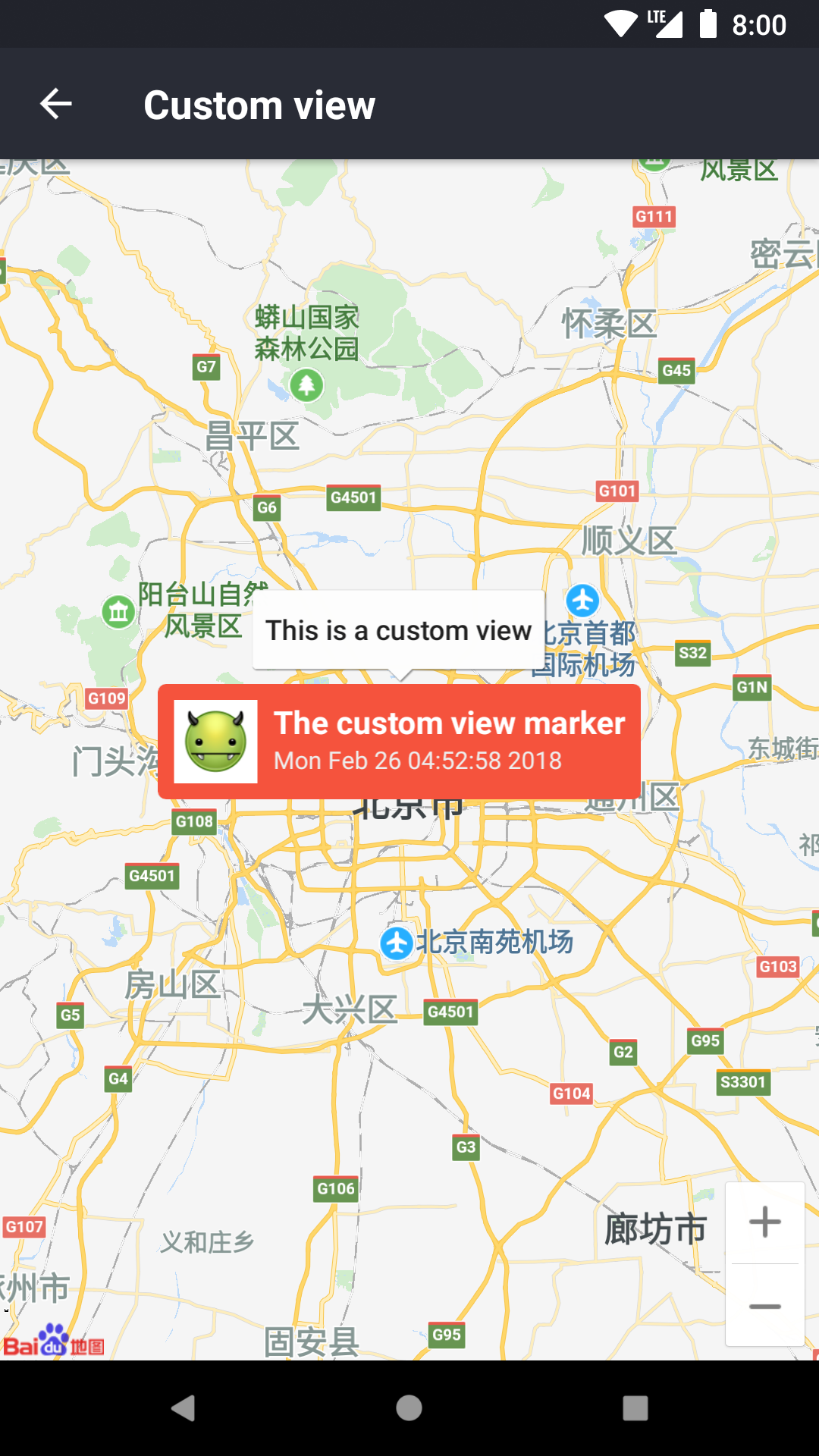
添加自定义 View 标记

<MapView>
  <MapView.Marker
    icon={() => (
      <View>
        <Image source={image} />
        <Text>This is a custom marker</Text>
      </View>
    )}
  />
</MapView>

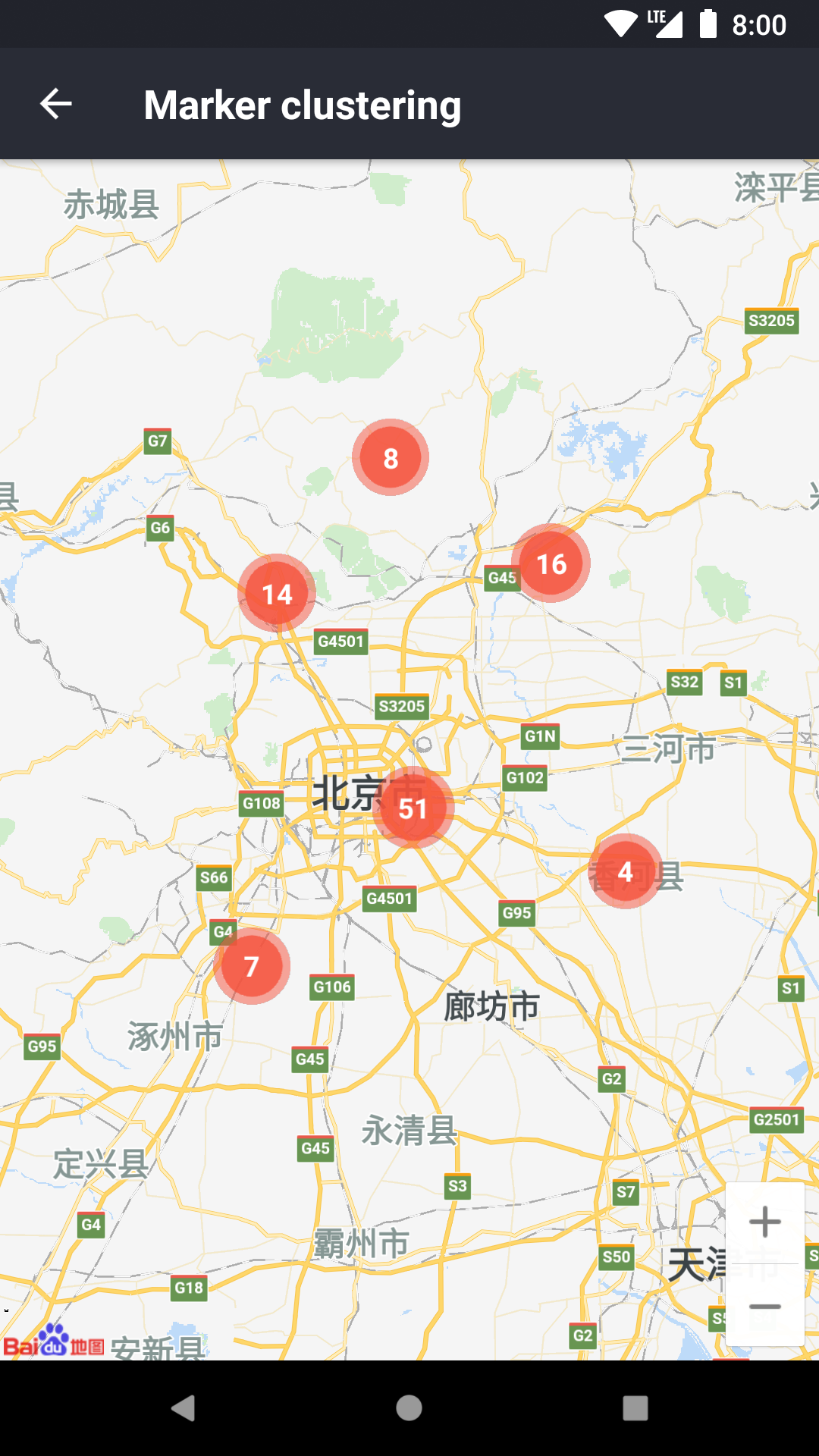
点聚合

onStatusChange = status => this.cluster.update(status)

renderMarker = item => (
  <MapView.Marker
    key={item.extra.key}
    coordinate={item.coordinate}
  />
)

render() {
  return (
    <MapView onStatusChange={this.onStatusChange}>
      <MapView.Cluster
        ref={ref => this.cluster = ref}
        markers={this.markers}
        renderMarker={this.renderMarker}
      />
    </MapView>
  )
}

显示热力图

points = [
  {
    latitude: 39,
    longitude: 113,
    intensity: 16,
  },
  ...
]

<MapView>
  <MapView.HeatMap
    points={this.points}
    radius={20}
    opacity={0.5}
  />
</MapView>

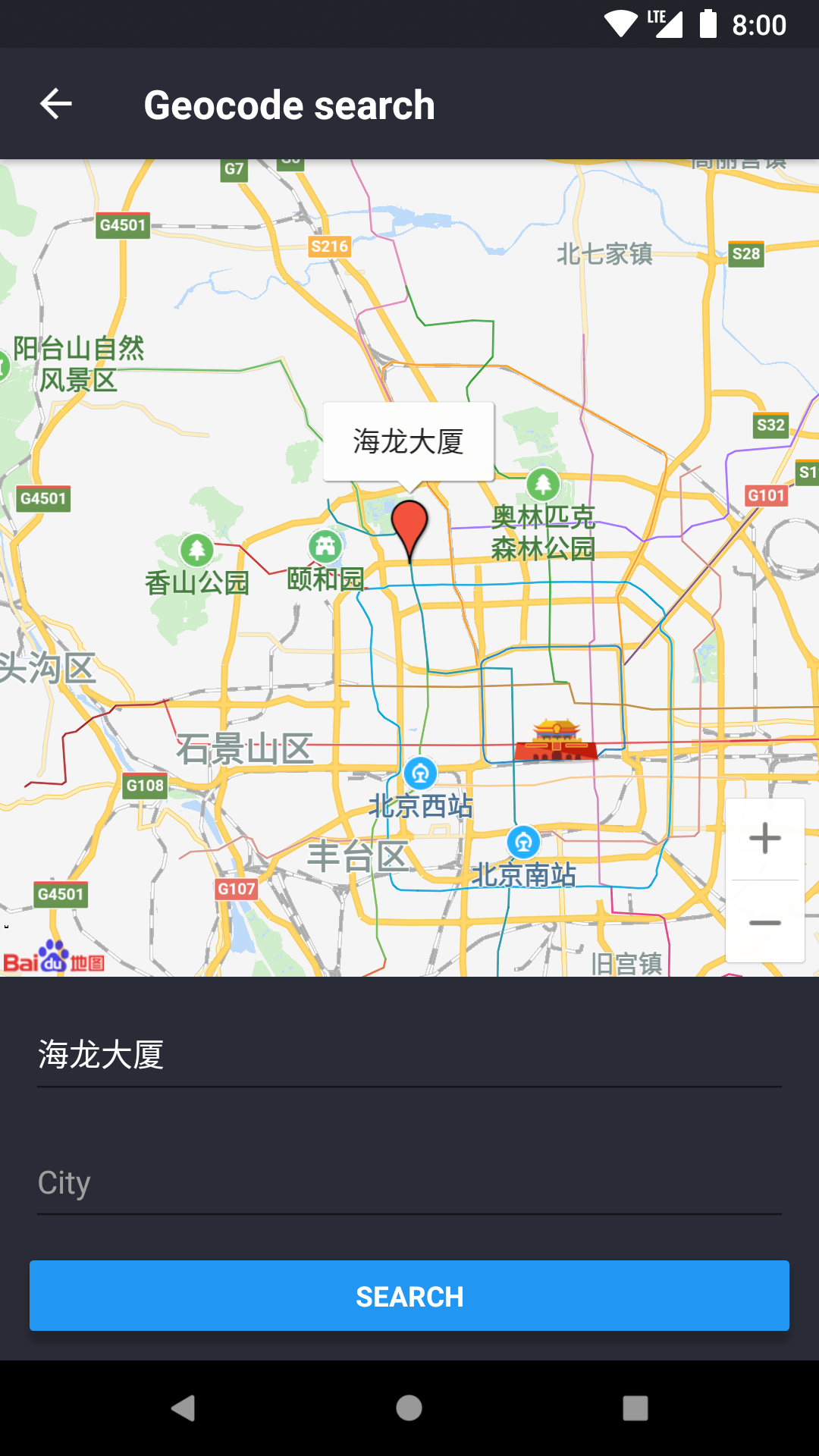
地理编码/逆地理编码

import { Geocode } from 'react-native-baidumap-sdk'

const searchResult = await Geocode.search('海龙大厦')
const reverseResult = await Geocode.reverse({ latitude: 39, longitude: 113 })

需要注意,以上例子简写了一些属性,并不能直接使用,更多实际的例子请参考:example

接口文档

JS 代码有完善的类型标注,建议结合源代码一起阅读,特别是需要知道具体参数、返回值类型的时候。

Keywords

react-native

FAQs

Package last updated on 13 Sep 2018

Did you know?

Socket

Socket for GitHub automatically highlights issues in each pull request and monitors the health of all your open source dependencies. Discover the contents of your packages and block harmful activity before you install or update your dependencies.

Install

Related posts

