an alternative to react-native Picker component, cross-platform, iOS style menu for react-native.
Preview
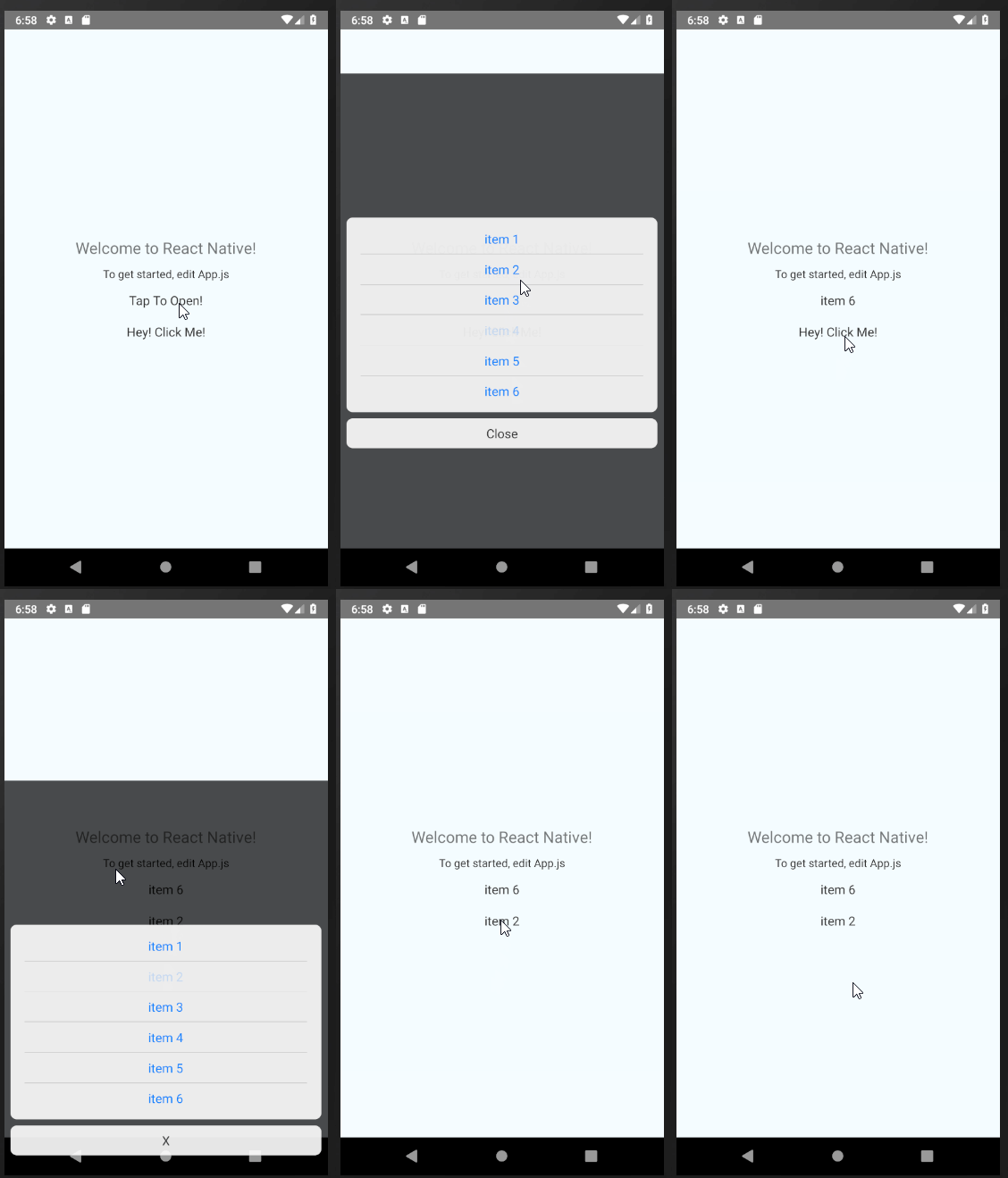
Installation
npm install --save react-native-menu-list
Properties
data | No | [] | array of items to be shown in menu list | |
onChange | Yes | () => {} | callback function, when the users has selected an option | |
keyExtractor | Yes | (data) => data.key | | |
labelExtractor | Yes | (data) => data.label | | |
firstTitleText | Yes | Tap Top Open! | text that is shown on the button before selection | |
style | Yes | style | style of main container | |
itemButtonStyle | Yes | style | . | |
itemButtonTextStyle | Yes | style | . | |
itemStyle | Yes | style | . | |
itemTextStyle | Yes | style | . | |
itemContainerStyle | Yes | style | . | |
childrenViewStyle | Yes | style | . | |
openButtonStyle | Yes | style | . | |
closeContainerStyle | Yes | style | . | |
closeStyle | Yes | style | . | |
closeTextStyle | Yes | style | . | |
closeText | Yes | Close | text of the close button. | |
disabled | Yes | false | menu is not able to show up if disabled is set to true. | |
selectedKey | Yes | '' | Key of item to be selected on start up | |
Example
export default class App extends React.Component {

    data = [
        { id: 0, name: "item 1" },
        { id: 1, name: "item 2" },
        { id: 0, name: "item 3" },
        { id: 1, name: "item 4" },
        { id: 0, name: "item 5" },
        { id: 1, name: "item 6" }
    ];

    data2 = [
        { number: 0, label: "item 1" },
        { number: 1, label: "item 2" },
        { number: 0, label: "item 3" },
        { number: 1, label: "item 4" },
        { number: 0, label: "item 5" },
        { number: 1, label: "item 6" }
    ];

    render() {
        return (
            <View>
                <MenuList
                    data={this.data}
                />

                <MenuList
                    data={this.data2}
                    keyExtractor={item => item.number}
                    labelExtractor={item => item.label}
                />
            </View>
        );
    }
}





