


Security News
The Hidden Blast Radius of the Axios Compromise
The Axios compromise shows how time-dependent dependency resolution makes exposure harder to detect and contain.
By Ahmad Nassri - Apr 01, 2026
react-native-navigation-apps
Advanced tools
Open & Navigate With External Navigation Apps (Waze,GoogleMaps,iOS Maps) from react native
Open & Navigate With External Navigation Apps (Waze,GoogleMaps,iOS Maps) from react native
A react native component for using navigation apps like waze google maps and ios maps to navigate by address or latitude and longitude
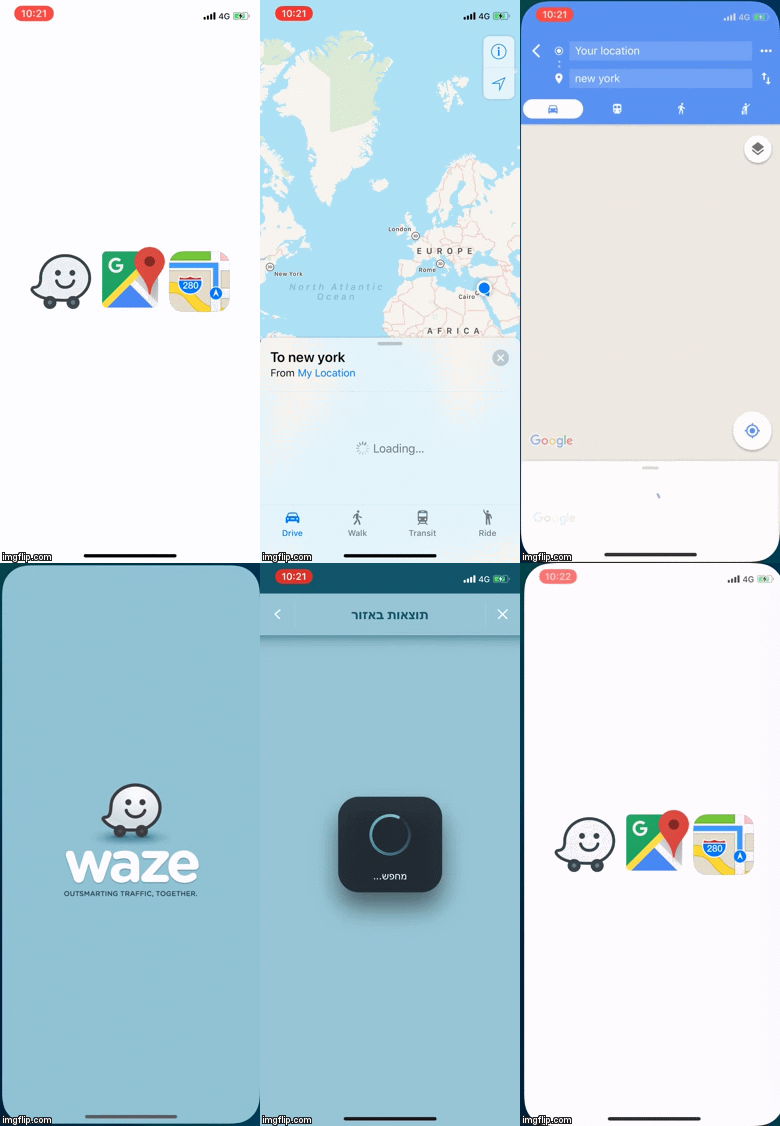
npm -i --save react-native-navigation-apps
yarn add react-native-navigation-apps
import {NavigationApps,actions,googleMapsTravelModes} from "react-native-navigation-apps";

      <NavigationApps
                    iconSize={50}
                    row
                    address='some default address to navigate' // address to navigate by for all apps
                    waze={{address:'',lat:'',lon:'',action: actions.navigateByAddress}} // specific settings for waze
                    googleMaps={{search,lat:'',lon:'',action: actions.navigateByAddress,travelMode:googleMapsTravelModes.driving}} // specific settings for google maps
                    maps={{search,lat:'',lon:'',action: actions.navigateByAddress,travelMode:mapsTravelModes.driving}} // specific settings for maps
                />
Each app (waze,google maps,ios maps) has its own configuration an action address lat lon and icon
For google maps and ios maps also have travelMode (driving,walking,transit)
Action can be :
navigateByAddress -- navigate to an address by address (text)
navigateByLatAndLon -- navigate to an address by Latitude and Longitude
searchLocationByLatAndLon -- only search an address (not navigate) by Latitude and Longitude
travelMode can be :
driving
walking
transit
| Prop | Description | Default |
|---|---|---|
row | align navigation apps as row | false |
viewMode | Set navigation apps display as modal , view or sheet mode | view |
iconSize | icon size of the navigation app | 100 |
modalProps | react native modal props | {} |
modalContainerStyle | Styling modal container | {} |
modalBtnCloseContainerStyle | Styling the modal close button container | {} |
modalBtnCloseStyle | Styling the modal close button | {} |
modalBtnCloseTextStyle | Styling the modal close button text | {} |
modalBtnOpenStyle | Styling the modal open button | {} |
modalBtnOpenTextStyle | Styling the modal open button text | {} |
modalBtnOpenTitle | Title for the the modal open button | '' |
modalBtnCloseTitle | Title for the modal close button | '' |
actionSheetBtnOpenTitle | Title for the the action sheet open button | open action sheet |
actionSheetCloseTitle | Title for the action sheet close button | close action sheet |
actionSheetBtnOpenTextStyle | Styling the action sheet open button text | {} |
actionSheetBtnOpenStyle | Styling the action sheet open button | {} |
address | Set the default address for the navigation apps | '' |
waze | Set configuration for waze : action address lat lon and icon ... if address not set waze will take the address from the default address prop | address:'',action:navigateByAddress,lat:'',lon:'' |
googleMaps | Set configuration for google maps action address lat lon icon and travelMode ... if address not set google maps will take the address from the default address prop | address:'',action:navigateByAddress,lat:'',lon:travelMode:'driving' |
maps | Set configuration for ios maps action address lat lon icon and travelMode ... if address not set ios maps will take the address from the default address prop | address:'',action:navigateByAddress,lat:'',lon:'',travelMode:'driving' |
To use waze and google maps on iOS devices you must add this lines to the info.plist file
<key>LSApplicationQueriesSchemes</key>
	<array>
		<string>comgooglemaps</string>
		<string>waze</string>
	</array>
FAQs
Did you know?

Socket for GitHub automatically highlights issues in each pull request and monitors the health of all your open source dependencies. Discover the contents of your packages and block harmful activity before you install or update your dependencies.
Security News
The Axios compromise shows how time-dependent dependency resolution makes exposure harder to detect and contain.

Research
A supply chain attack on Axios introduced a malicious dependency, plain-crypto-js@4.2.1, published minutes earlier and absent from the project’s GitHub releases.

Research
Malicious versions of the Telnyx Python SDK on PyPI delivered credential-stealing malware via a multi-stage supply chain attack.