React-Native Pdf Renderer



⚛ A zoomable, blazing fast, zero dependencies, pure native, typed PDF Renderer for Android and iOS.
It uses PdfRenderer for Android and PdfKit for iOS.
Why another PDF renderer?
The main reason why I create this library is to avoid using third-party native dependencies, like com.github.TalbotGooday:AndroidPdfViewer, com.github.mhiew:android-pdf-viewer, react-native-blob-util or even react-native-webview.
But why?
Every React Native developer knows (or will discover soon) the pain of updating the React Native ecosystem when a new version of Android or iOS comes out, so here we want to avoid this pain as much as possible.
Requirements
- React Native >= 0.71.0
- iOS >= 12.0
- Android >= API 21
Install
Install dependency package
yarn add react-native-pdf-renderer
Or
npm i -S react-native-pdf-renderer
Go to the folder your-project/ios and run pod install, and you're done.
Android specific (optional)
Customize the androidx.recyclerview:recyclerview version by setting ext in your android/build.gradle file.
Example:
buildscript {
  ext {
    recyclerviewVersion = "1.2.1"
  }
  ...
}
Basic usage
There is only one component that you need to use to render the PDF file.
import PdfRendererView from 'react-native-pdf-renderer';

const App = () => {
  return (
    <SafeAreaView style={{flex: 1}}>
      <PdfRendererView
        style={{backgroundColor: 'red'}}
        source="file:///path/to/local/file.pdf"
        distanceBetweenPages={16}
        maxZoom={5}
        onPageChange={(current, total) => {
          console.log(current, total);
        }}
      />
    </SafeAreaView>
  );
}

export default App;
The source prop must point to a file stored inside the device memory.
If the file is online, you can use some third-party library like expo-file-system, rn-fetch-blob, or react-native-blob-util to download and save it locally.
For more details, see the Sample Project.
PdfRendererView props
| source | string | | Path to a file stored on the device. |
| distanceBetweenPages | number | 16 | Distance in DPI between pages. |
| maxZoom | number | 5 | Max zoom scale. |
| maxPageResolution | number | 2048 | (Android only) Max page resolution (width/height) in pixels when zooming. Defined to prevent Android crash when zooming too much: https://github.com/douglasjunior/react-native-pdf-renderer/issues/26 . |
| singlePage | boolean | false | Renders only the first page without scroll. (useful for display thumbnail) |
| onPageChange | (current: number, total: number) => void | | Invoked on pages scroll. |
| onError | () => void | | Invoked when an error occurs. |
| style | StyleProp<ViewStyle> | | Styles to be applied to the native view. |
Limitations
Page interactions
Because Android renders the PDF page as a full image, it does not support text selection, accessibility, or handling links.
If any of these features are important for your product, we recommend adding a button to open the PDF in an external PDF viewer.
Size measuring
The PdfRendererView is flex: 1 by default, so you need to make sure that your parents Views are flex: 1 or have a fixed width/height.
Border radius
The borderRadius style is ignored by React Native custom view in Android and crashes on iOS. (read more #1)
If you need borderRadius, the best option is to wrap the PdfRendererView in another View.
<View style={{ flex: 1, borderRadius: 24, overflow: 'hidden' }}>
  <PdfRendererView
    // ...
  />
</View>
Android crash when zooming too much
To prevent Android from crashing when zooming too much, we have a maxPageResolution prop that limits the page resolution when zooming. (read more #26)
If you are receiving the error java.lang.RuntimeException: Canvas: trying to draw too large(134806560bytes) bitmap, try to reduce the maxPageResolution prop.
Mock with jest
jest.mock('react-native-pdf-renderer', () => require('react-native-pdf-renderer/dist/mock'));
Contribute
New features, bug fixes, and improvements are welcome! For questions and suggestions use the issues.


Thanks to
This lib is only possible thanks to the community help:
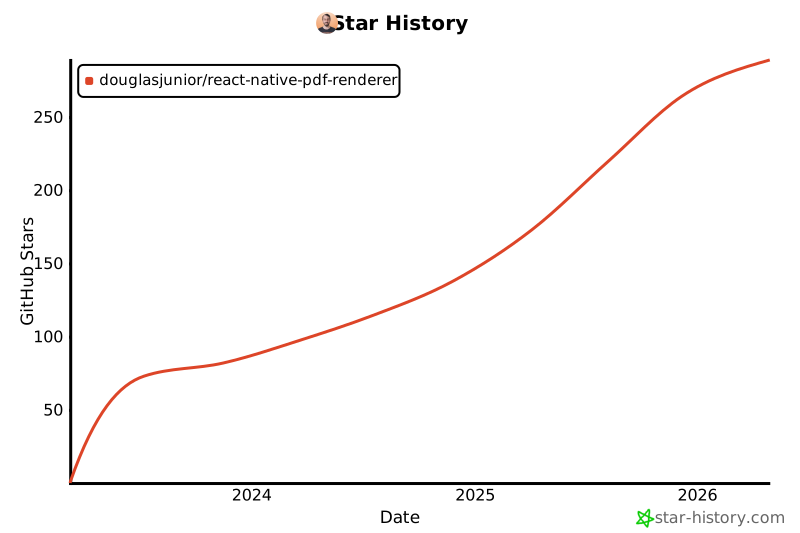
Star History
License
The MIT License (MIT)

Copyright (c) 2023 Douglas Nassif Roma Junior
See the full license file.






