New Research: Supply Chain Attack on Axios Pulls Malicious Dependency from npm.Details →

react-native-pullview
Advanced tools

react-native-pullview - npm Package Compare versions
+173
| 'use strict'; | ||
| import React, { Component } from 'react'; | ||
| import { | ||
| View, | ||
| Text, | ||
| RefreshControl, | ||
| PanResponder, | ||
| Animated, | ||
| Easing, | ||
| Dimensions, | ||
| ActivityIndicator, | ||
| } from 'react-native'; | ||
| import styles from './style/index.css'; | ||
| const padding = 2; //scrollview与外面容器的距离 | ||
| const pullOkMargin = 100; //下拉到ok状态时topindicator距离顶部的距离 | ||
| const defaultTopIndicatorHeight = 30; //顶部刷新指示器的高度 | ||
| const isDownGesture = (x, y) => { | ||
| if (Math.abs(x) / Math.abs(y) <= 1) { //纵向 | ||
| if (y > 0) { | ||
| return true; | ||
| } | ||
| } | ||
| return false; | ||
| }; | ||
| const isUpGesture = (x, y) => { | ||
| if (Math.abs(x) / Math.abs(y) <= 1) { //纵向 | ||
| if (y < 0) { | ||
| return true; | ||
| } | ||
| } | ||
| return false; | ||
| } | ||
| export default class extends Component { | ||
| constructor(props) { | ||
| super(props); | ||
| this.defaultScrollEnabled = !(this.props.onPulling || this.props.onPullOk || this.props.onPullRelease); //定义onPull***属性时scrollEnabled为false | ||
| var topIndicatorHeight = this.props.topIndicatorHeight ? this.props.topIndicatorHeight : defaultTopIndicatorHeight; | ||
| this.defaultXY = {x: 0, y: topIndicatorHeight * -1}; | ||
| this.pullOkMargin = this.props.pullOkMargin ? this.props.pullOkMargin : pullOkMargin; | ||
| this.state = Object.assign({}, props, { | ||
| pullPan: new Animated.ValueXY(this.defaultXY), | ||
| scrollEnabled: this.defaultScrollEnabled, | ||
| height: 0, | ||
| topIndicatorHeight: topIndicatorHeight, | ||
| }); | ||
| this.onScroll = this.onScroll.bind(this); | ||
| this.onLayout = this.onLayout.bind(this); | ||
| this.isPullState = this.isPullState.bind(this); | ||
| this.resetDefaultXYHandler = this.resetDefaultXYHandler.bind(this); | ||
| this.panResponder = PanResponder.create({ | ||
| onStartShouldSetPanResponder: this.onShouldSetPanResponder.bind(this), | ||
| onMoveShouldSetPanResponder: this.onShouldSetPanResponder.bind(this), | ||
| onPanResponderGrant: () => {}, | ||
| // onPanResponderMove: Animated.event([null, {dy: this.state.pullPan.y}]), | ||
| onPanResponderMove: this.onPanResponderMove.bind(this), | ||
| onPanResponderRelease: this.onPanResponderRelease.bind(this), | ||
| onPanResponderTerminate: this.onPanResponderRelease.bind(this), | ||
| }); | ||
| } | ||
| onShouldSetPanResponder(e, gesture) { | ||
| if (!isDownGesture(gesture.dx, gesture.dy) && !isUpGesture(gesture.dx, gesture.dy)) { //非向上 或向下手势不响应 | ||
| return false; | ||
| } | ||
| if (this.props.onPulling || this.props.onPullOk || this.props.onPullRelease) { | ||
| return !this.state.scrollEnabled; | ||
| } | ||
| return false; | ||
| } | ||
| onPanResponderMove(e, gesture) { | ||
| if (isUpGesture(gesture.dx, gesture.dy)) { //向上滑动 | ||
| if(this.isPullState()) { | ||
| this.resetDefaultXYHandler() | ||
| } else { | ||
| this.scroll.scrollTo({x:0, y: gesture.dy * -1}); | ||
| } | ||
| return; | ||
| } else if (isDownGesture(gesture.dx, gesture.dy)) { //下拉 | ||
| this.state.pullPan.setValue({x: this.defaultXY.x, y: this.defaultXY.y + gesture.dy / 3}); | ||
| if (gesture.dy < this.state.topIndicatorHeight * 2 + this.pullOkMargin) { | ||
| if (!this.state.pulling) { | ||
| this.props.onPulling && this.props.onPulling(this.resetDefaultXYHandler); | ||
| } | ||
| this.setState({pulling: true, pullok: false, pullrelease: false}); //正在下拉 | ||
| } else { | ||
| if (!this.state.pullok) { | ||
| this.props.onPullOk && this.props.onPullOk(this.resetDefaultXYHandler); | ||
| } | ||
| this.setState({pulling: false, pullok: true, pullrelease: false}); //下拉到位 | ||
| } | ||
| } | ||
| } | ||
| onPanResponderRelease(e, gesture) { | ||
| if (this.state.pulling || this.state.pullok) { | ||
| if (!this.state.pullrelease) { | ||
| this.props.onPullRelease && this.props.onPullRelease(this.resetDefaultXYHandler); | ||
| } | ||
| this.setState({pulling: false, pullok: false, pullrelease: true}); //完成下拉,已松开 | ||
| Animated.timing(this.state.pullPan, { | ||
| toValue: {x: 0, y: 0}, | ||
| easing: Easing.linear, | ||
| duration: 300 | ||
| }).start(); | ||
| } | ||
| } | ||
| onScroll(e) { | ||
| if (e.nativeEvent.contentOffset.y <= 0) { | ||
| this.setState({scrollEnabled: this.defaultScrollEnabled}); | ||
| } else if(!this.isPullState()) { | ||
| this.setState({scrollEnabled: true}); | ||
| } | ||
| } | ||
| isPullState() { | ||
| return this.state.pulling || this.state.pullok || this.state.pullrelease; | ||
| } | ||
| resetDefaultXYHandler() { | ||
| this.setState({pulling: false, pullok: false, pullrelease: false}); | ||
| this.state.pullPan.setValue(this.defaultXY); | ||
| } | ||
| componentWillUpdate(nextProps, nextState) { | ||
| if (nextProps.isPullEnd && this.state.pullrelease) { | ||
| this.resetDefaultXYHandler(); | ||
| } | ||
| } | ||
| onLayout(e) { | ||
| this.setState({width: e.nativeEvent.layout.width}); | ||
| this.setState({height: e.nativeEvent.layout.height - padding}); | ||
| } | ||
| render() { | ||
| var refreshControl = this.props.refreshControl; | ||
| if (this.props.refreshControl == null && this.props.refreshing != null && this.props.onRefresh != null) { | ||
| refreshControl = <RefreshControl refreshing={this.props.refreshing} onRefresh={this.props.onRefresh} />; | ||
| } | ||
| var topIndicator; | ||
| if (this.props.topIndicatorRender == null) { | ||
| topIndicator = <View style={{flex: 1, flexDirection: 'row', justifyContent: 'center', alignItems: 'center', height: defaultTopIndicatorHeight}}> | ||
| <ActivityIndicator size="small" color="gray" /> | ||
| {this.state.pulling ? <Text>下拉刷新...</Text> : null} | ||
| {this.state.pullok ? <Text>松开刷新......</Text> : null} | ||
| {this.state.pullrelease ? <Text>玩命刷新中......</Text> : null} | ||
| </View>; | ||
| } else { | ||
| var {pulling, pullok, pullrelease} = this.state; | ||
| topIndicator = this.props.topIndicatorRender(pulling, pullok, pullrelease); | ||
| } | ||
| var scrollable = this.getScrollable(refreshControl); | ||
| return ( | ||
| <View style={styles.wrap} onLayout={this.onLayout}> | ||
| <Animated.View ref={(c) => {this.ani = c;}} style={[this.state.pullPan.getLayout()]}> | ||
| {topIndicator} | ||
| <View {...this.panResponder.panHandlers} style={{width: this.state.width, height: this.state.height}}> | ||
| {scrollable} | ||
| </View> | ||
| </Animated.View> | ||
| </View> | ||
| ); | ||
| } | ||
| } |
+44
| 'use strict'; | ||
| import React, { Component } from 'react'; | ||
| import { | ||
| ListView, | ||
| } from 'react-native'; | ||
| import Pullable from './Pullable'; | ||
| /** | ||
| 支持android&ios可以下拉刷新的PullList组件 | ||
| Demo: | ||
| import {PullList} from 'react-native-pullview'; | ||
| <PullList onPulling={} onPullOk={} onPullRelease={} isPullEnd={true} | ||
| topIndicatorRender={({pulling, pullok, pullrelease}) => {}} topIndicatorHeight={60} | ||
| {...ListView.props} | ||
| > | ||
| Demo2: | ||
| topIndicatorRender(pulling, pullok, pullrelease) { | ||
| return <View style={{flex: 1, flexDirection: 'row', justifyContent: 'center', alignItems: 'center', height: 60}}> | ||
| <ActivityIndicator size="small" color="gray" /> | ||
| {pulling ? <Text>下拉刷新2...</Text> : null} | ||
| {pullok ? <Text>松开刷新2......</Text> : null} | ||
| {pullrelease ? <Text>玩命刷新中2......</Text> : null} | ||
| </View>; | ||
| } | ||
| <PullList onPullRelease={this.props.onRefresh} topIndicatorRender={this.topIndicatorRender} topIndicatorHeight={60} {...ListView.props} /> | ||
| */ | ||
| export default class extends Pullable { | ||
| constructor(props) { | ||
| super(props); | ||
| } | ||
| getScrollable() { | ||
| return ( | ||
| <ListView ref={(c) => {this.scroll = c;}} scrollEnabled={this.state.scrollEnabled} onScroll={this.onScroll} {...this.props} /> | ||
| ); | ||
| } | ||
| } |
+64
| 'use strict'; | ||
| import React, { Component } from 'react'; | ||
| import { | ||
| ScrollView, | ||
| } from 'react-native'; | ||
| import Pullable from './Pullable'; | ||
| /** | ||
| 支持android&ios可以下拉刷新的PullView组件 | ||
| Demo: | ||
| import {PullView} from 'react-native-pullview'; | ||
| <PullView onPulling={} onPullOk={} onPullRelease={} isPullEnd={true} | ||
| topIndicatorRender={({pulling, pullok, pullrelease}) => {}} topIndicatorHeight={60} | ||
| > | ||
| Demo2: | ||
| topIndicatorRender(pulling, pullok, pullrelease) { | ||
| return <View style={{flex: 1, flexDirection: 'row', justifyContent: 'center', alignItems: 'center', height: 60}}> | ||
| <ActivityIndicator size="small" color="gray" /> | ||
| {pulling ? <Text>下拉刷新2...</Text> : null} | ||
| {pullok ? <Text>松开刷新2......</Text> : null} | ||
| {pullrelease ? <Text>玩命刷新中2......</Text> : null} | ||
| </View>; | ||
| } | ||
| <PullView onPullRelease={this.props.onRefresh} topIndicatorRender={this.topIndicatorRender} topIndicatorHeight={60} > | ||
| <Children /> | ||
| </PullView> | ||
| Demo3: | ||
| onRefresh() { | ||
| this.setState({refreshing: true}); | ||
| return new Promise((resolve) => { | ||
| setTimeout(() => {resolve()}, 9000); | ||
| }).then(() => { | ||
| this.setState({refreshing: false}) | ||
| }) | ||
| // setTimeout(() => { | ||
| // this.setState({refreshing: false}); | ||
| // }, 3000); | ||
| } | ||
| <PullView refreshControl={} onRefresh={this.onRefresh} refreshing={this.state.refreshing}> | ||
| <Children /> | ||
| </PullView> | ||
| */ | ||
| export default class extends Pullable { | ||
| constructor(props) { | ||
| super(props); | ||
| } | ||
| getScrollable(refreshControl) { | ||
| return ( | ||
| <ScrollView ref={(c) => {this.scroll = c;}} refreshControl={refreshControl} scrollEnabled={this.state.scrollEnabled} onScroll={this.onScroll}> | ||
| {this.props.children} | ||
| </ScrollView> | ||
| ); | ||
| } | ||
| } |
+7
-209
@@ -1,211 +0,9 @@ | ||
| 'use strict'; | ||
| 'use strict'; | ||
| import React, { Component } from 'react'; | ||
| import { | ||
| View, | ||
| Text, | ||
| ScrollView, | ||
| RefreshControl, | ||
| PanResponder, | ||
| Animated, | ||
| Easing, | ||
| Dimensions, | ||
| ActivityIndicator, | ||
| } from 'react-native'; | ||
| import PullView from './PullView'; | ||
| import PullList from './PullList' | ||
| import styles from './style/index.css'; | ||
| const padding = 2; //scrollview与外面容器的距离 | ||
| const pullOkMargin = 100; //下拉到ok状态时topindicator距离顶部的距离 | ||
| const defaultTopIndicatorHeight = 30; //顶部刷新指示器的高度 | ||
| const isDownGesture = (x, y) => { | ||
| if (Math.abs(x) / Math.abs(y) <= 1) { //纵向 | ||
| if (y > 0) { | ||
| return true; | ||
| } | ||
| } | ||
| return false; | ||
| }; | ||
| const isUpGesture = (x, y) => { | ||
| if (Math.abs(x) / Math.abs(y) <= 1) { //纵向 | ||
| if (y < 0) { | ||
| return true; | ||
| } | ||
| } | ||
| return false; | ||
| } | ||
| /** | ||
| 支持android可以下拉刷新的scrollview组件 | ||
| Demo: | ||
| import PullView from 'react-native-pullview'; | ||
| <PullView onPulling={} onPullOk={} onPullRelease={} isPullEnd={true} | ||
| topIndicatorRender={({pulling, pullok, pullrelease}) => {}} topIndicatorHeight={60} | ||
| > | ||
| Demo2: | ||
| topIndicatorRender(pulling, pullok, pullrelease) { | ||
| return <View style={{flex: 1, flexDirection: 'row', justifyContent: 'center', alignItems: 'center', height: 60}}> | ||
| <ActivityIndicator size="small" color="gray" /> | ||
| {pulling ? <Text>下拉刷新2...</Text> : null} | ||
| {pullok ? <Text>松开刷新2......</Text> : null} | ||
| {pullrelease ? <Text>玩命刷新中2......</Text> : null} | ||
| </View>; | ||
| } | ||
| <PullView onPullRelease={this.props.onRefresh} topIndicatorRender={this.topIndicatorRender} topIndicatorHeight={60} ></PullView> | ||
| Demo3: | ||
| onRefresh() { | ||
| this.setState({refreshing: true}); | ||
| return new Promise((resolve) => { | ||
| setTimeout(() => {resolve()}, 9000); | ||
| }).then(() => { | ||
| this.setState({refreshing: false}) | ||
| }) | ||
| // setTimeout(() => { | ||
| // this.setState({refreshing: false}); | ||
| // }, 3000); | ||
| } | ||
| <PullView refreshControl={} onRefresh={this.onRefresh} refreshing={this.state.refreshing}></PullView> | ||
| */ | ||
| export default class extends Component { | ||
| constructor(props) { | ||
| super(props); | ||
| this.defaultScrollEnabled = !(this.props.onPulling || this.props.onPullOk || this.props.onPullRelease); //定义onPull***属性时scrollEnabled为false | ||
| var topIndicatorHeight = this.props.topIndicatorHeight ? this.props.topIndicatorHeight : defaultTopIndicatorHeight; | ||
| this.defaultXY = {x: 0, y: topIndicatorHeight * -1}; | ||
| this.pullOkMargin = this.props.pullOkMargin ? this.props.pullOkMargin : pullOkMargin; | ||
| this.state = Object.assign({}, props, { | ||
| pullPan: new Animated.ValueXY(this.defaultXY), | ||
| scrollEnabled: this.defaultScrollEnabled, | ||
| height: 0, | ||
| topIndicatorHeight: topIndicatorHeight, | ||
| }); | ||
| this.onScroll = this.onScroll.bind(this); | ||
| this.onLayout = this.onLayout.bind(this); | ||
| this.isPullState = this.isPullState.bind(this); | ||
| this.resetDefaultXYHandler = this.resetDefaultXYHandler.bind(this); | ||
| this.panResponder = PanResponder.create({ | ||
| onStartShouldSetPanResponder: this.onShouldSetPanResponder.bind(this), | ||
| onMoveShouldSetPanResponder: this.onShouldSetPanResponder.bind(this), | ||
| onPanResponderGrant: () => {}, | ||
| // onPanResponderMove: Animated.event([null, {dy: this.state.pullPan.y}]), | ||
| onPanResponderMove: this.onPanResponderMove.bind(this), | ||
| onPanResponderRelease: this.onPanResponderRelease.bind(this), | ||
| onPanResponderTerminate: this.onPanResponderRelease.bind(this), | ||
| }); | ||
| } | ||
| onShouldSetPanResponder(e, gesture) { | ||
| if (!isDownGesture(gesture.dx, gesture.dy) && !isUpGesture(gesture.dx, gesture.dy)) { //非向上 或向下手势不响应 | ||
| return false; | ||
| } | ||
| if (this.props.onPulling || this.props.onPullOk || this.props.onPullRelease) { | ||
| return !this.state.scrollEnabled; | ||
| } | ||
| return false; | ||
| } | ||
| onPanResponderMove(e, gesture) { | ||
| if (isUpGesture(gesture.dx, gesture.dy)) { //向上滑动 | ||
| if(this.isPullState()) { | ||
| this.resetDefaultXYHandler() | ||
| } else { | ||
| this.scroll.scrollTo({x:0, y: gesture.dy * -1}); | ||
| } | ||
| return; | ||
| } else if (isDownGesture(gesture.dx, gesture.dy)) { //下拉 | ||
| this.state.pullPan.setValue({x: this.defaultXY.x, y: this.defaultXY.y + gesture.dy / 3}); | ||
| if (gesture.dy < this.state.topIndicatorHeight * 2 + this.pullOkMargin) { | ||
| if (!this.state.pulling) { | ||
| this.props.onPulling && this.props.onPulling(this.resetDefaultXYHandler); | ||
| } | ||
| this.setState({pulling: true, pullok: false, pullrelease: false}); //正在下拉 | ||
| } else { | ||
| if (!this.state.pullok) { | ||
| this.props.onPullOk && this.props.onPullOk(this.resetDefaultXYHandler); | ||
| } | ||
| this.setState({pulling: false, pullok: true, pullrelease: false}); //下拉到位 | ||
| } | ||
| } | ||
| } | ||
| onPanResponderRelease(e, gesture) { | ||
| if (this.state.pulling || this.state.pullok) { | ||
| if (!this.state.pullrelease) { | ||
| this.props.onPullRelease && this.props.onPullRelease(this.resetDefaultXYHandler); | ||
| } | ||
| this.setState({pulling: false, pullok: false, pullrelease: true}); //完成下拉,已松开 | ||
| Animated.timing(this.state.pullPan, { | ||
| toValue: {x: 0, y: 0}, | ||
| easing: Easing.linear, | ||
| duration: 300 | ||
| }).start(); | ||
| } | ||
| } | ||
| onScroll(e) { | ||
| if (e.nativeEvent.contentOffset.y <= 0) { | ||
| this.setState({scrollEnabled: this.defaultScrollEnabled}); | ||
| } else if(!this.isPullState()) { | ||
| this.setState({scrollEnabled: true}); | ||
| } | ||
| } | ||
| isPullState() { | ||
| return this.state.pulling || this.state.pullok || this.state.pullrelease; | ||
| } | ||
| resetDefaultXYHandler() { | ||
| this.setState({pulling: false, pullok: false, pullrelease: false}); | ||
| this.state.pullPan.setValue(this.defaultXY); | ||
| } | ||
| componentWillUpdate(nextProps, nextState) { | ||
| if (nextProps.isPullEnd && this.state.pullrelease) { | ||
| this.resetDefaultXYHandler(); | ||
| } | ||
| } | ||
| onLayout(e) { | ||
| this.setState({width: e.nativeEvent.layout.width}); | ||
| this.setState({height: e.nativeEvent.layout.height - padding}); | ||
| } | ||
| render() { | ||
| var refreshControl = this.props.refreshControl; | ||
| if (this.props.refreshControl == null && this.props.refreshing != null && this.props.onRefresh != null) { | ||
| refreshControl = <RefreshControl refreshing={this.props.refreshing} onRefresh={this.props.onRefresh} />; | ||
| } | ||
| var topIndicator; | ||
| if (this.props.topIndicatorRender == null) { | ||
| topIndicator = <View style={{flex: 1, flexDirection: 'row', justifyContent: 'center', alignItems: 'center', height: defaultTopIndicatorHeight}}> | ||
| <ActivityIndicator size="small" color="gray" /> | ||
| {this.state.pulling ? <Text>下拉刷新...</Text> : null} | ||
| {this.state.pullok ? <Text>松开刷新......</Text> : null} | ||
| {this.state.pullrelease ? <Text>玩命刷新中......</Text> : null} | ||
| </View>; | ||
| } else { | ||
| var {pulling, pullok, pullrelease} = this.state; | ||
| topIndicator = this.props.topIndicatorRender(pulling, pullok, pullrelease); | ||
| } | ||
| return ( | ||
| <View style={styles.wrap} onLayout={this.onLayout}> | ||
| <Animated.View ref={(c) => {this.ani = c;}} style={[this.state.pullPan.getLayout()]}> | ||
| {topIndicator} | ||
| <View {...this.panResponder.panHandlers} style={{width: this.state.height, height: this.state.height}}> | ||
| <ScrollView ref={(c) => {this.scroll = c;}} refreshControl={refreshControl} scrollEnabled={this.state.scrollEnabled} onScroll={this.onScroll}> | ||
| {this.props.children} | ||
| </ScrollView> | ||
| </View> | ||
| </Animated.View> | ||
| </View> | ||
| ); | ||
| } | ||
| } | ||
| export { | ||
| PullView, | ||
| PullList | ||
| }; |
+1
-1
| { | ||
| "name": "react-native-pullview", | ||
| "version": "1.0.6", | ||
| "version": "1.0.7", | ||
| "description": "PullView component in React Native both for Android and iOS, pull to refresh", | ||
@@ -5,0 +5,0 @@ "main": "index.js", |
+35
-12
| # react-native-pullview | ||
| This is the `PullView` component in React Native both for Android and iOS, pull to refresh, very useful & easily | ||
| This is the `PullView` & `PullList` component in React Native both for Android and iOS, pull to refresh, very useful & easily! | ||
| This is a JavaScript-only implementation of `PullView` in React Native. Like `ScrollView`, this can host multiple components and views. Better than scrollview in Android, this PullView can be pull down, then show top indicator, the top indicator have three state: **pulling**, **pullok**, **pullrelease**. And more, you can use refreshControl to provide pull-to-refresh same as scrollview. | ||
| This is a JavaScript-only implementation of `PullView` & `PullList` in React Native. Like `ScrollView` and `ListView`, `PullView` can host multiple components and views, `PullList` can efficient display of vertically scrolling lists of changing data. Better than ScrollView & ListView in Android, this `PullView` & `PullList` can be pull down, then show top indicator, the top indicator have three state: **pulling**, **pullok**, **pullrelease**. And more, `PullView` also can make you use refreshControl to provide pull-to-refresh same as scrollview. `PullList` also can make you use any props like ListView. | ||
| ## Demo | ||
| Demo project: https://github.com/greatbsky/react-native-pullview-demo | ||
| `PullView` & `PullList` demo project: https://github.com/greatbsky/react-native-pullview-demo | ||
| ## `PullView` Demo | ||
| 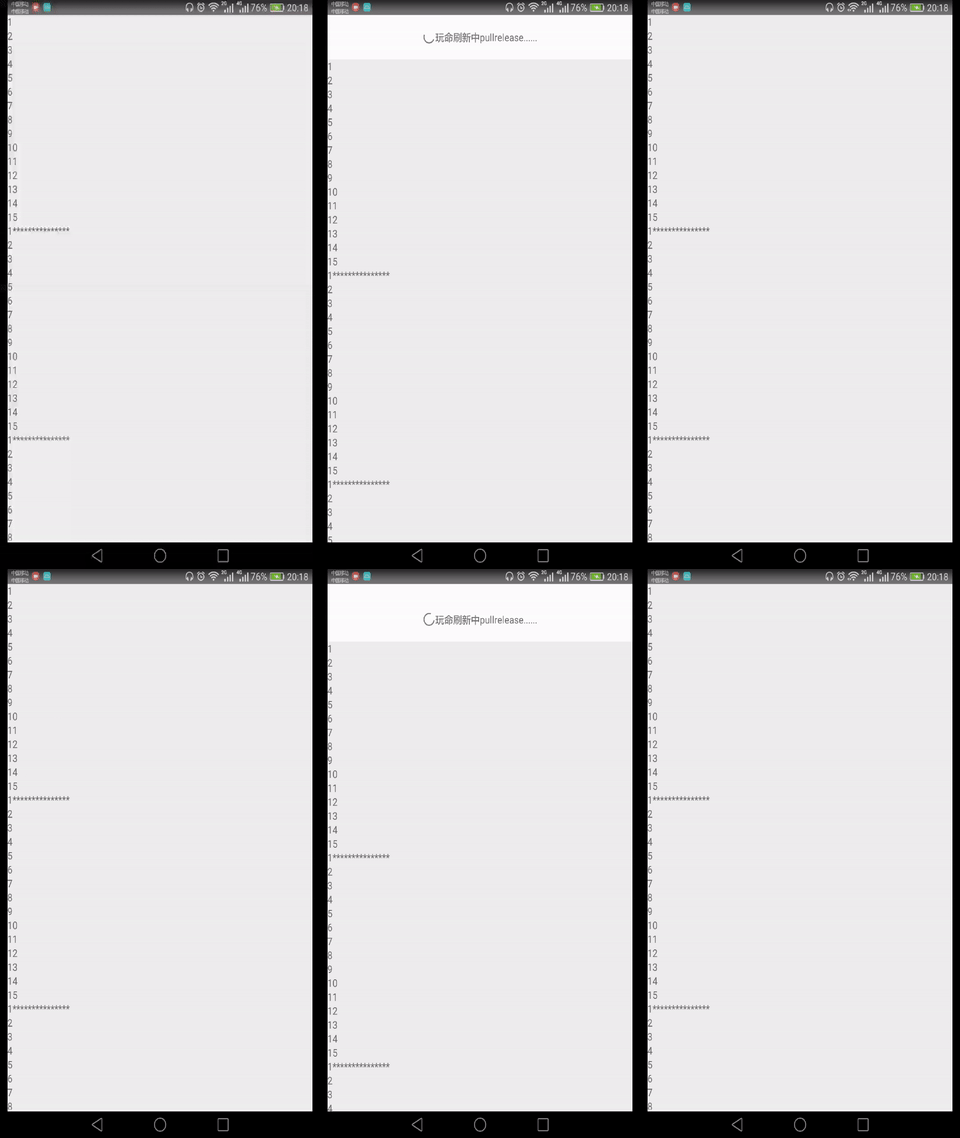 | ||
| ## Usage | ||
| ## `PullView` Usage | ||
| 1. Run `npm install react-native-pullview --save` | ||
| 2. Code like this: | ||
| ``` | ||
| import PullView from 'react-native-pullview'; | ||
| import {PullView} from 'react-native-pullview'; | ||
@@ -24,10 +25,32 @@ onPullRelease(resolve) { | ||
| <PullView onPullRelease={this.onPullRelease}> | ||
| //sth... | ||
| //<Children /> | ||
| </PullView> | ||
| ``` | ||
| 3. Full demo code visit: https://github.com/greatbsky/react-native-pullview-demo | ||
| 3. Full demo code: https://github.com/greatbsky/react-native-pullview-demo/blob/master/PullViewDemo/app.js | ||
| ## More configuration | ||
| **pull down props** | ||
| ## `PullList` Demo | ||
|  | ||
| ## `PullList` Usage | ||
| 1. Run `npm install react-native-pullview --save` | ||
| 2. Code like this: | ||
| ``` | ||
| import {PullList} from 'react-native-pullview'; | ||
| onPullRelease(resolve) { | ||
| //do something | ||
| resolve(); | ||
| } | ||
| <PullList onPullRelease={this.onPullRelease} {...and some ListView Props}/> | ||
| ``` | ||
| 3. Full demo code: https://github.com/greatbsky/react-native-pullview-demo/blob/master/PullListDemo/app.js | ||
| ## `PullView` & `PullList` configuration | ||
| **Pull down props for `PullView` & `PullList` ** | ||
| * **`onPulling`**: handle function when `pulling` | ||
@@ -40,4 +63,4 @@ * **`onPullOk`**: handle function when `pullok` | ||
| **other, refreshcontrol props** | ||
| support onRefresh & refreshing if you want to use refreshcontrol like scrollview. | ||
| **Just for `PullView`, refreshcontrol props** support onRefresh & refreshing if you want to use refreshcontrol like scrollview. | ||
| * **`onRefresh`**: Called when the view starts refreshing | ||
@@ -44,0 +67,0 @@ * **`refreshing`**: Whether the view should be indicating an active refresh. |
New alerts
Major refactor
Supply chain riskPackage has recently undergone a major refactor. It may be unstable or indicate significant internal changes. Use caution when updating to versions that include significant changes.
Found 1 instance in 1 package
Improved metrics
- Total package byte prevSize
15617
23.01%- Number of package files
9
50%- Lines of code
265
30.54%- Number of lines in readme file
73
46%Worsened metrics
- Number of medium supply chain risk alerts
1
Infinity%No dependency changes