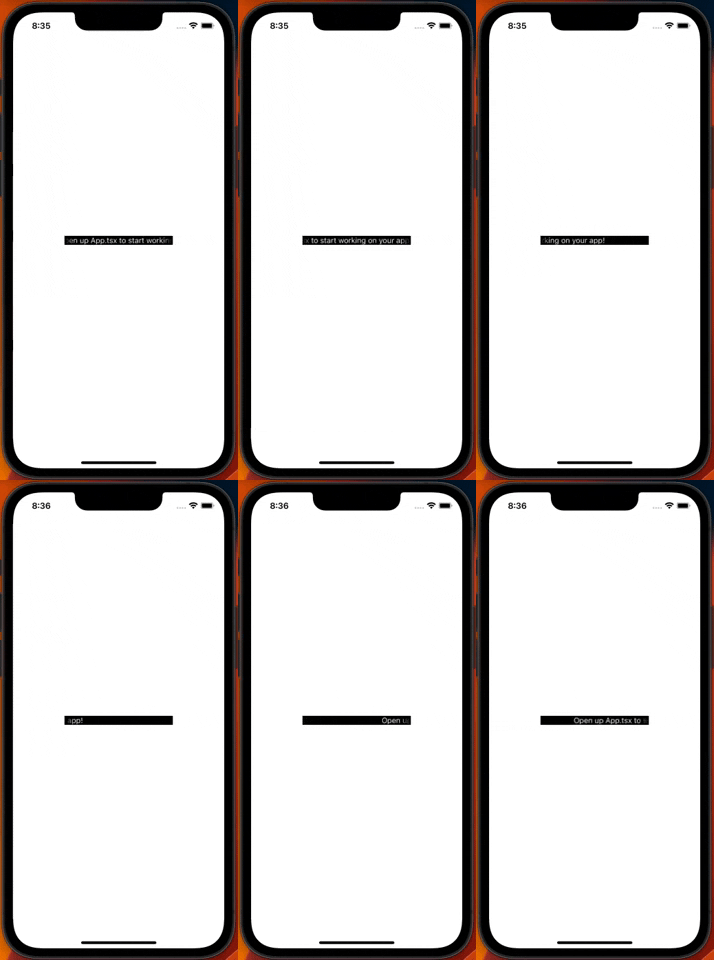
RevolvingText
RevolvingText is a React Native component that animates text to scroll horizontally from right to left in a never-ending loop. It is designed to handle text that overflows its container and provides a smooth scrolling experience to the user.
Installation
RevolvingText can be installed via NPM or Yarn:
npm install react-native-revolving-text @react-native-masked-view/masked-view react-native-reanimated react-native-linear-gradient react-native-text-dimensions --save
yarn add react-native-revolving-text @react-native-masked-view/masked-view react-native-reanimated react-native-linear-gradient react-native-text-dimensions
then run
npx pod-install
Usage
import React from "react";
import { StyleSheet, View } from "react-native";
import { RevolvingText } from "react-native-revolving-text";

const App = () => {
  return (
    <View style={styles.container}>
      <View style={styles.parentView}>
        <RevolvingText
          fontStyle={styles.text}
          speed={50}
          delayMs={4000}
          marginLeft={10}
          textColor={"white"}
          mode={"revolve"}
        >
          {
            "This text will continuously scroll to the left in a loop if the text is larger than its parent view"
          }
        </RevolvingText>
      </View>
    </View>
  );
};

export default App;

const styles = StyleSheet.create({
  container: {
    flex: 1,
    backgroundColor: "#fff",
    alignItems: "center",
    justifyContent: "center",
  },
  parentView: {
    backgroundColor: "black",
    width: 300,
    padding: 5,
    borderRadius: 4,
  },
  text: {
    fontFamily: "Helvetica",
    fontSize: 18,
    fontWeight: "600",
  },
});
});
Props
delayMs (optional) - The number of milliseconds to delay before the animation starts. Defaults to 4000.marginLeft (optional) - The amount of margin to add to the left of the text. Defaults to 0.speed (optional) - The speed of the animation. Arbitrary value. Defaults to 50.textColor (optional) - The color of the text. Defaults to black.fontStyle (optional) - An object containing any additional styles to be applied to the text component.mode (optional) - A string representing the 2 modes the component has. "revolve" continuously revolves the text, while "peek" animates back and forth so you can see the whole text. Defaults to "revolve".