React Native Search Engine
Alert the library is subject to change at least the next 2 months.
It is a type of search engine like the "html5's browsers input", it can be used to auto-complete words or to search for elements within an array or object.

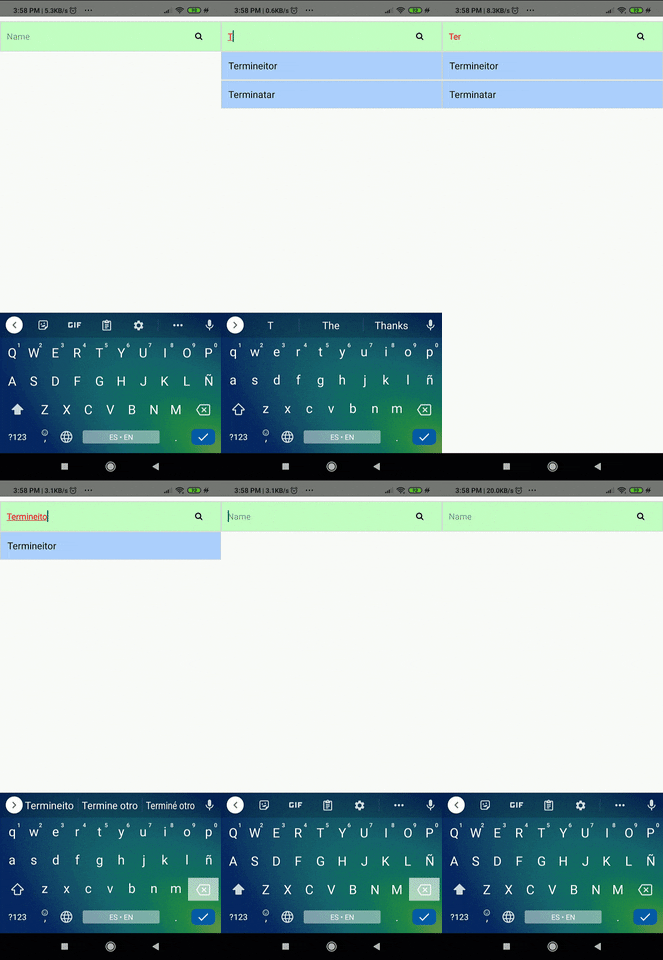
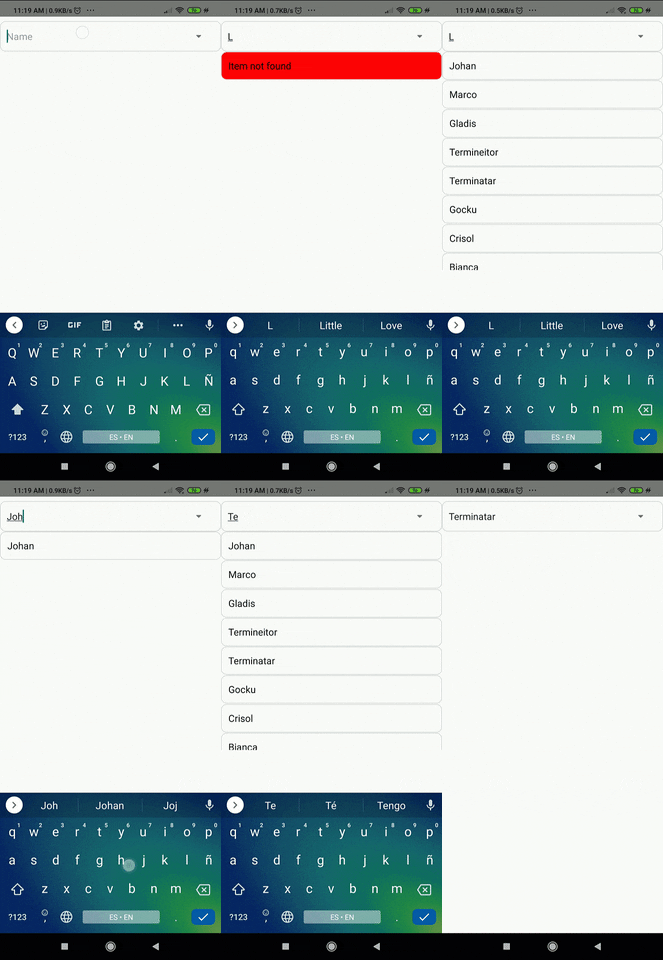
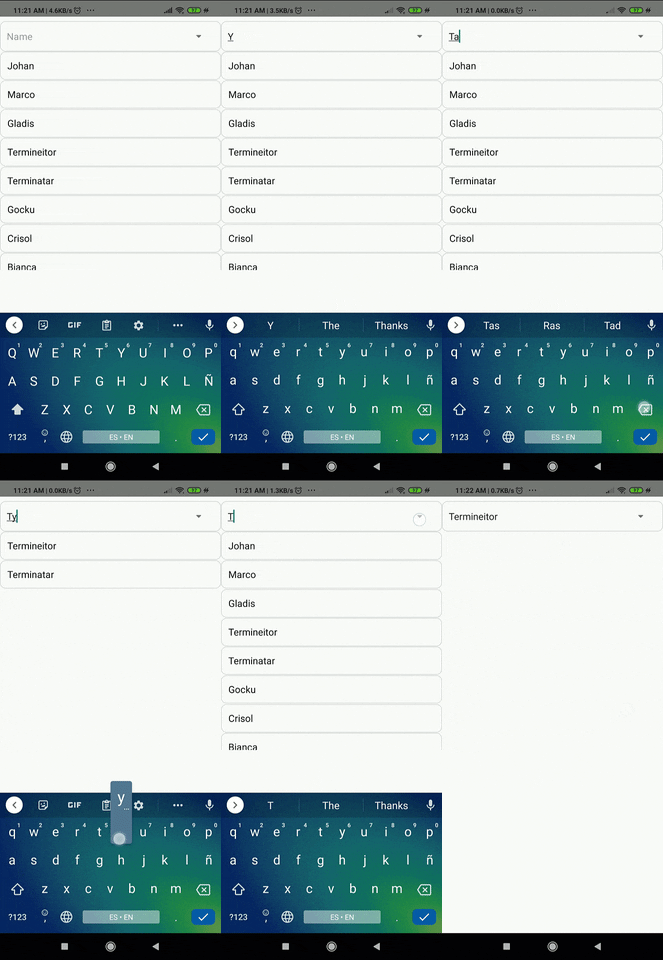
Documentation
React Native Search Engine Component
| searchKey | If you are working with an array of objects and you want to search by a specific property that all objects have in common, can put something like 'user.name' | "" | String | Optional |
| value | If you want me to submit an initial search | "" | String | Optional |
| data | The data to searching | [ ] | Array | Optional |
| textInfoStyle | Text information styles | { } | Object | Optional |
| buttonEnabled | If you want show or not the button | true | Boolean | Optional |
| showAllMode | If you want to show all options when it can't find anything | false | Boolean | Optional |
| showNoResults | Doesn't show the options, but the onChange Element gives me the filtered data | false | Boolean | Optional |
| textInputStyle | Input text styles | { } | Object | Optional |
| placeholder | Help text | 'Search' | String | Optional |
| containerInputStyle | Styles of input text containing | { } | Object | Optional |
| containerTextInfoStyle | Styles of information text containing | { } | Object | Optional |
| containerTextError | Styles of input text containing | { } | Object | Optional |
| textInfoStyleError | Styles of information text containing | { } | Object | Optional |
| containerScrollStyle | Text tag container stylesl | { } | Object | Optional |
| containerButtonStyle | Options display styles | { } | Object | Optional |
| containerIconStyle | Icon Styles | { } | Object | Optional |
| onChangeSearch | Get the text or object | onChangeSearch={object => setOption(object)} | Function | Optional |
| customizeComponentInput | Used to return an input component | customizeComponentInput | Object | Optional |
| customizComponenteResult | It is used to return an output component | ({ valueResult, element }) => < CustomizComponenteResult/> | Function | Optional |
| leftIcon | This is used to customize the icon | () => < leftIcon/> | Function | Optional |
| error | you can set if have or no error | false | Boolean | Optional |
When you want to customize the component you need set this customizeComponentInput object:
| InputCutom | It is the input component that you want to set | undefine | Array | Optional |
| addPropsInput | The properties that you want to pass to the custom component | undefine | Object | Optional |
Warning
Strings beginning with the following characters will not be found:
How Implement

Simpler way


<SearchEngine
data={data}
searchKey={'properties.emails.0'}
onChangeSearch={object => setOption(object)}
buttonEnabled={true}
placeholder={'email'}
/>
Complexer way

import { Icon } from 'native-base';
    <SearchEngine
      data={data}
      searchKey={'properties.emails.0'}
      onChangeSearch={object => setOption(object)}
      buttonEnabled={true}
      placeholder={'email'}
      containerIconStyle={styles.containerIconStyle}
      containerInputStyle={styles.containerInputStyle}
      containerScrollStyle={styles.containerScrollStyle}
      containerTextInfoStyle={styles.containerTextInfoStyle}
      containerButtonStyle={styles.containerButtonStyle}
      leftIcon={() => <Icon name="arrow-down" />}
    />
Example
EXAMPLE CODE
Make a donation
Author
Johan Navarro | https://johansolution.com
License
GNU ©