react-native-style-adaptive
Chinese | English



A tool library that helps you quickly adapt to different device styles for IOS and Android.
Some convenient adaptation tool methods have been implemented. And compatibility processing of the RN low version SafeAreaView component
Installing
npm install react-native-style-adaptive --save
API
initSize(size: Number)
Set the design size
Parameters
size - Design draft size to be set (without units), default 750px size
Example
import { initSize } from 'react-native-style-adaptive'
initSize(640)
returns - Return? The size of the design draft after setting is generally useless.
px2dp(px: Number)
Convert px to dp
Parameters
px - The px value to be calculated (without units)
Example
import { px2dp } from 'react-native-style-adaptive'
console.log(px2dp(750))
returns - Returns the value of the calculated dp
dp2px(dp: Number)
Convert dp to px
Parameters
dp - The dp value to be calculated (without units)
Example
import { dp2px } from 'react-native-style-adaptive'
console.log(dp2px(375))
returns - Returns the value of px after calculation
pixelRatio
Read only: Get the current device pixel density
Example
import { pixelRatio } from 'react-native-style-adaptive'
console.log(pixelRatio)
returns - Returns the current device pixel density value
originalWidth
Read only: Get the width of the current device? in portrait mode, regardless of whether the screen is rotated or not
Example
import { originalWidth } from 'react-native-style-adaptive'
console.log(originalWidth)
returns - Returns the width of the current device in portrait mode, regardless of whether the screen is rotated or not
originalHeight
Read only: Get the height of the current device? in portrait mode, regardless of whether the screen is rotated or not
Example
import { originalHeight } from 'react-native-style-adaptive'
console.log(originalHeight)
returns - Returns the height of the current device in portrait mode, regardless of whether the screen is rotated or not
deviceWidth()
Get the current device width, related to whether the screen is rotated
Example
import { deviceWidth } from 'react-native-style-adaptive'
console.log(deviceWidth())
returns - Returns the current width value of the device, whether relating to rotation of the screen, the return value of the landscape? Height of the apparatus
deviceHeight()
Get the current device height, related to whether the screen is rotated
Example
import { deviceHeight } from 'react-native-style-adaptive'
console.log(deviceHeight())
returns - Returns the current equipment, whether relating to rotation of the screen, the return value of the landscape? Device width
isIos
Read only: Determine if it is an Ios device
Example
import { isIos } from 'react-native-style-adaptive'
console.log(isIos)
returns - Return the judgment result, the Ios device returns true, the other returns false
isAndroid
Read only: Determine if it is an Android device
Example
import { isAndroid } from 'react-native-style-adaptive'
console.log(isAndroid)
returns - Return the judgment result, the Android device returns true, the other returns false
isPad
Read only: Determine if it is an iPad device
Example
import { isPad } from 'react-native-style-adaptive'
console.log(isPad)
returns - Return the judgment result, the iPad device returns true, the other returns false
isTVOS
Read only: Determine if it is an TVOS device
Example
import { isTVOS } from 'react-native-style-adaptive'
console.log(isTVOS)
returns - Return the judgment result, the TVOS device returns true, the other returns false
Version
Read only: Detect the version of the currently running Android platform
Example
import { Version } from 'react-native-style-adaptive'
console.log(Version)
returns - Returns the version of the currently running Android platform
isIPhoneX
Read only: Determine if it is an iphonex device
Example
import { isIPhoneX } from 'react-native-style-adaptive'
console.log(isIPhoneX)
returns - Return the judgment result, the iphonex device returns true, the other returns false
ifIPhoneX(iphoneXOptions, [iosOptions], [androidOptions])
Customize styles for ios iphonex android, accept any type of parameters, including functions
Parameters
iphoneXOptions - When the device is iphonex, the parameter can be a function type.
iosOptions - When the device is not the style of iphonex's ʻiosdevice, the parameter can be a function type androidOptions - When the device is in the style ofandroid`, the parameter can be a function type.
Example
import { StyleSheet } from 'react-native'
import { ifIPhoneX } from 'react-native-style-adaptive'

...

const styles = StyleSheet.create({
    container: {
        fontSize: 14
    },
    ...ifIPhoneX({
        backgroundColor: 'violet'
    }, {
        backgroundColor: 'brown'
    }, {
        backgroundColor: 'pink'
    })
})
- Function formal parameter
import { StyleSheet } from 'react-native'
import { ifIPhoneX } from 'react-native-style-adaptive'

...

const styles = StyleSheet.create({
    container: {
        fontSize: 14
    },
    ...ifIPhoneX(() => {
        return { backgroundColor: 'violet' }
    }, () => {
        if (Math.random() >= 0.5) {
            return { backgroundColor: 'brown' }
        } else {
            return { backgroundColor: 'red' }
        }
    })
})
returns - Returns the result of the hit, the object form returns Object, and the function form returns the value after return
isHorizontal()
Determine whether it is horizontal or not
Example
import { isHorizontal } from 'react-native-style-adaptive'
console.log(isIPhoneX())
returns - Returns the result of the judgment, the device returns true when the screen is horizontal, and the other returns false
ifHorizontal(horizontalOptions, [verticalOptions])
Customize styles based on device screen orientation, accepting any type of parameters, including functions
Parameters
horizontalOptions - When the device is in landscape mode, the parameter can be a function type.
verticalOptions - When the device is in portrait mode, the parameter can be a function type.
Example
import { StyleSheet } from 'react-native'
import { ifHorizontal } from 'react-native-style-adaptive'

...

const styles = StyleSheet.create({
    container: {
        fontSize: 14
    },
    ...ifHorizontal({
        backgroundColor: 'blue'
    }, {
        backgroundColor: 'violet'
    })
})
- Function formal parameter
import { StyleSheet } from 'react-native'
import { ifHorizontal } from 'react-native-style-adaptive'

...

const styles = StyleSheet.create({
    container: {
        fontSize: 14
    },
    ...ifHorizontal(() => {
        return { backgroundColor: 'violet' }
    }, () => {
        if (Math.random() >= 0.5) {
            return { backgroundColor: 'brown' }
        } else {
            return { backgroundColor: 'red' }
        }
    })
})
returns - Returns the result of the hit, the object form returns Object, and the function form returns the value after return
getStatusBarHeight([safe: boolean])
Get the current device statusBar height
Parameters
safe - Whether to get the safe height, the default is not the safe height (false)
Example
import { StyleSheet } from 'react-native'
import { getStatusBarHeight } from 'react-native-style-adaptive'

const styles = StyleSheet.create({
    header:{
        position: 'absolute',
        top: 0,
        left: 0,
        right: 0,
        padding:10,
        height: 60,
        backgroundColor: 'transparent',
        paddingTop: getStatusBarHeight()
    }
})
returns - Return to statusBar height: iphonex security height is 44 in horizontal screen state, unsafe height is 30, vertical screen status iphonex returns statusBar height is 0, other ios devices are 20, android device? Returns the current device statusBar height
getBottomSpace()
Get the safe height at the bottom of the device
Example
import { StyleSheet } from 'react-native'
import { getBottomSpace } from 'react-native-style-adaptive'

const styles = StyleSheet.create({
    footer: {
        position: 'absolute',
        top: 0,
        left: 0,
        right: 0,
        padding:10,
        height: 40,
        backgroundColor: 'transparent',
        marginBottom: getBottomSpace()
    },
})
returns - The bottom is highly safe, the horizontal screen iphonex device returns 34, the vertical iphonex device returns 21, and the other devices are 0
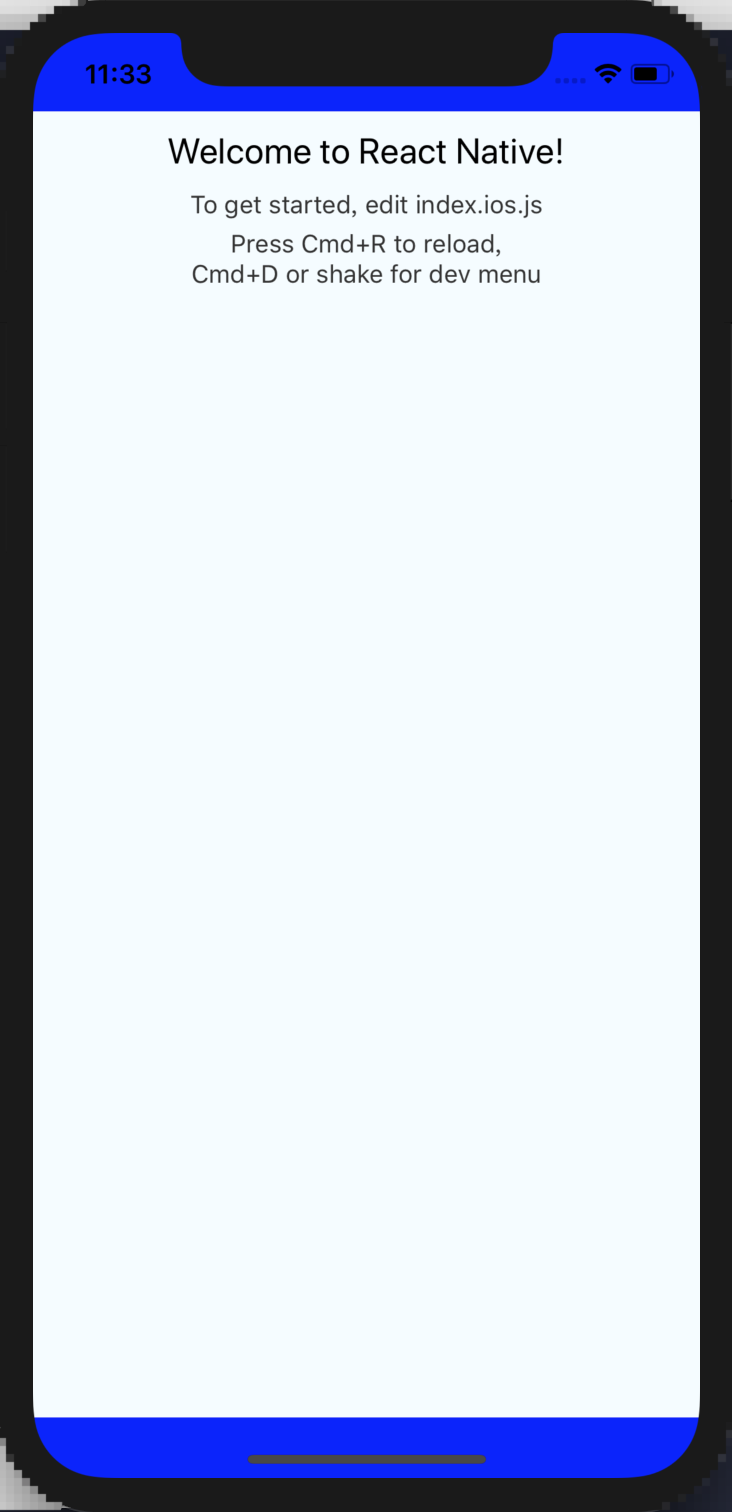
SafeAreaView
Compatible component SafeAreaView, high version uses react-native default component, low version uses compatible version
Example
import React, { Component } from 'react'
import { SafeAreaView } from 'react-native-style-adaptive'

export default class MyApp extends Component {
  render() {
    return (
      <SafeAreaView
        style={ { flex: 1, backgroundColor: 'blue'} }
      >
        ... //=> Page code
      </SafeAreaView>
    )
  }
}
reaact-native 0.44.3 validity check
Licence
MIT





