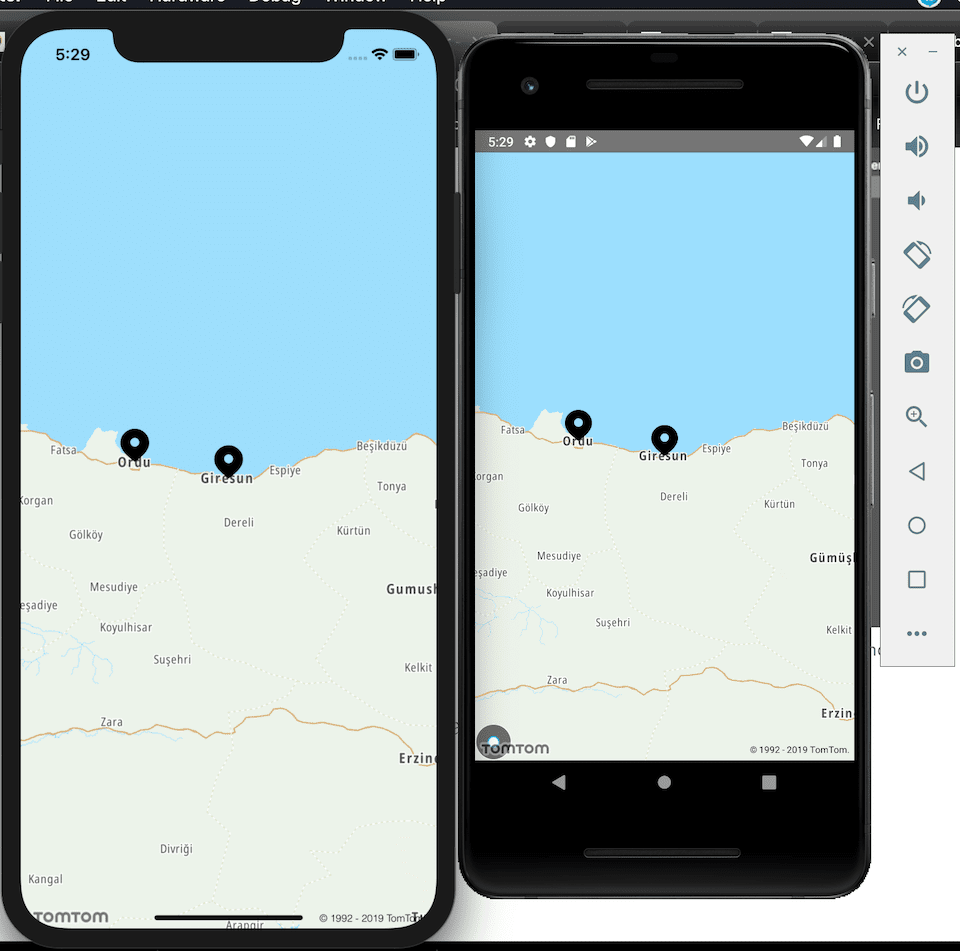
react-native-tomtom-maps
This library is in alpha release and may be unstable for production use.
Getting started
$ yarn add react-native-tomtom-maps
Installation
Need to make small changes in order for Tomtom maps to work.
Android
Add tools name space to <manifest /> element in AndroidManifest.xml
Also add android:allowBackup to application element in the same file
<manifest ...
    xmlns:tools="http://schemas.android.com/tools">
		....
>
<application ....
	...
	tools:replace="android:allowBackup"
	/>
Add Tomtom maven repository in build.gradle:
allprojects{
	repositories{
		...
			maven {
					url 'https://maven.tomtom.com:8443/nexus/content/repositories/releases/'
			}
		...
	}
}
IOS
Make sure that your target is IOS 10 and above. So make this change in your pod file.
platform :ios, '10.0'
This package uses Swift. So, in order to use it you need to create one empty Swift file with bridging header. You may remove this file later on. When you add a swift file, Xcode enables Swift for this project. Otherwise you can get compile errors.
Manual Linking
Manual installation is advised only if the auto linking does not work for some reason.
First try legacy linking method
$ react-native link react-native-tomtom-maps
If does not work try as below:
iOS
- In XCode, in the project navigator, right click
Libraries ➜ Add Files to [your project's name]
- Go to
node_modules ➜ react-native-tomtom-maps and add TomtomMaps.xcodeproj
- In XCode, in the project navigator, select your project. Add
libTomtomMaps.a to your project's Build Phases ➜ Link Binary With Libraries
- Run your project (
Cmd+R)<
Android
- Open up
android/app/src/main/java/[...]/MainApplication.java
- Add
import biz.aliustaoglu.tomtom.TomtomMapsPackage; to the imports at the top of the file
- Add
new TomtomMapsPackage() to the list returned by the getPackages() method
- Append the following lines to
android/settings.gradle:
include ':react-native-tomtom-maps'
project(':react-native-tomtom-maps').projectDir = new File(rootProject.projectDir, 	'../node_modules/react-native-tomtom-maps/android')
- Insert the following lines inside the dependencies block in
android/app/build.gradle:
compile project(':react-native-tomtom-maps')
Usage
import TomtomMaps from 'react-native-tomtom-maps';

<TomtomMaps
	onMapReady={() => alert('Map is ready!')}
	markers={[{ lat: 40.9175, lng: 38.3927, label: 'Giresun' }, { lat: 40.9862, lng: 37.8797, label: 'Ordu' }]}
	mapZoom={15}
	mapCenter={{ lat: 40.9175, lng: 38.3927 }}
	mapOptions={{
		tilesType: 'VECTOR',
		lang: 'tr-TR',
		perspective: '3D'
	}}
	style={StyleSheet.absoluteFillObject}
/>
Screenshots