


Security News
The Hidden Blast Radius of the Axios Compromise
The Axios compromise shows how time-dependent dependency resolution makes exposure harder to detect and contain.
By Ahmad Nassri - Apr 01, 2026
react-perfect-zoom
Advanced tools
React component which allow you to see exact part of image thumbnail in real dimensions next to it. Works also on mobile devices.



React component which allow you to see exact part of image thumbnail in real dimensions next to it. Works also on mobile devices.
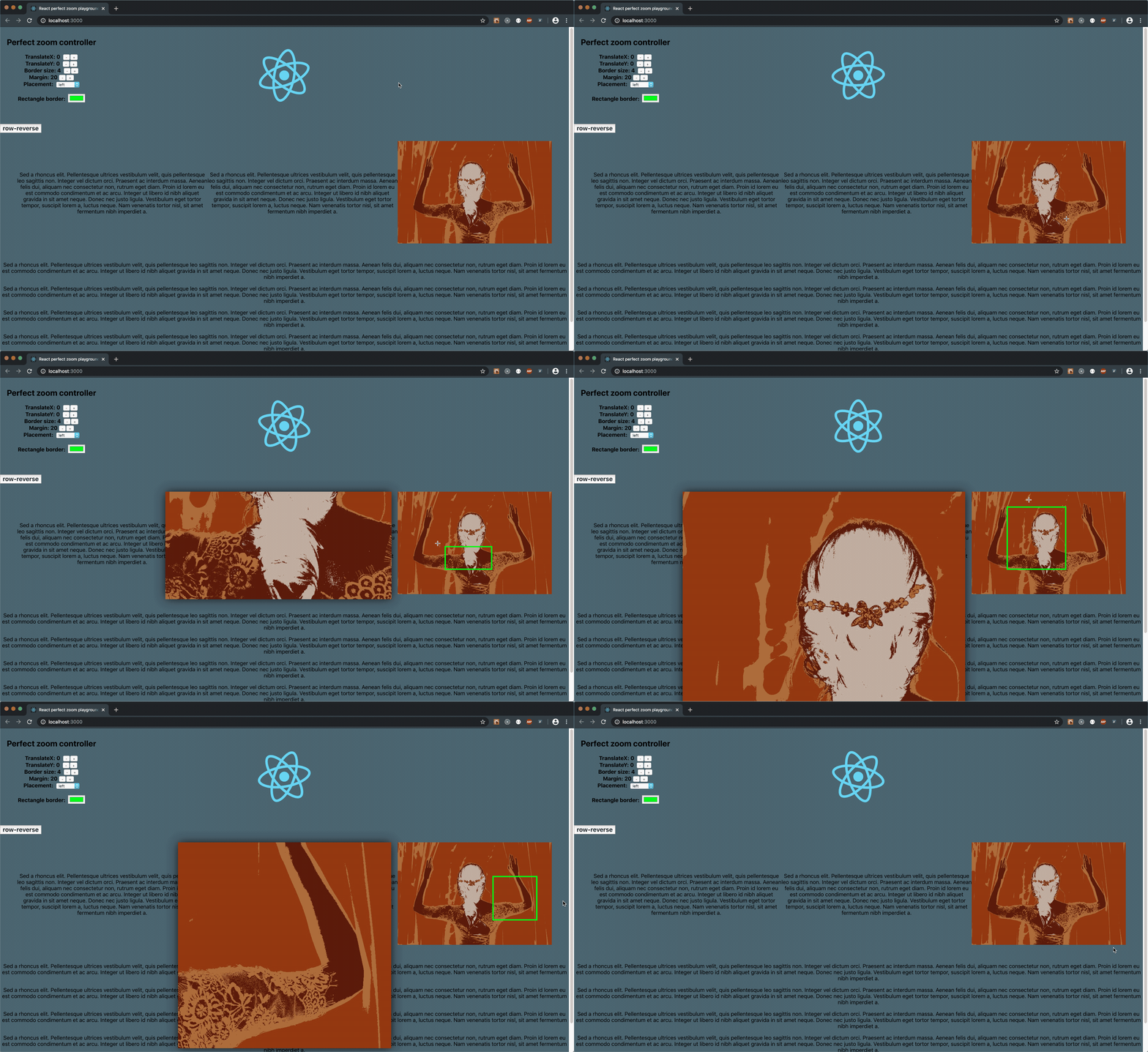
Documentation for versions < 1.0.0 can be found here v0.5.1
Demo available here: playground
Component is built in pure React without additional npm dependencies. From version 1.0.0 it's possible to use component in polymorfic way:
Wide range of props let you display image exactly where you want it. It works with either mouse or touch events. On desktop it's even possible to download zoomed image (use allowDownload props and simply press 'D' key while zooming).
To install component run command in root of your project
npm install react-perfect-zoom
or
yarn add react-perfect-zoom
import React from 'react';
import thumbnail from './assets/sample.jpg';
import largeImg from './assets/huge.png';
import PerfectZoom from 'react-perfect-zoom';

const Loader = ({ mousePosition }) =>
    <div className="custom-loader" style={{ position: 'absolute', ...mousePosition }} />

const SomeComponent = (props) => (
  <div style={{ display: 'flex', margin: 20 }}>
    <PerfectZoom
        source={{
          thumbnailURL: sample,
          thumbnailSize: [300, 500],
          imageURL: largeImg
        }}
        allowDownload
        loader={Loader}
        placement="right"
        align="center"
        margin={10}
        rectangleStyles={{
            color: '#cc00cc'
            size: 3
        }}
        translate={{
            x: 200,
            y: 100
        }}
    />
    <p> lorem ipsum (...) Cras et maximus lectus. </p>
  </div>
);
//
// Basic props
//

// essential props for component;
// passing thumbnailURL value ensures minimal configuration for the component.
// thumbnailSize determine dimensions of thumbnail (fallback value is set to [300, 500]),
// imageURL is source of orignal image, if no imageURL is provided then thumbnailURL will be treated as imageURL
source: {
    thumbnailURL: string,
    thumbnailSize: ?[number, number],
    imageURL: ?string
}

// placement of real image
placement: ?('left' | 'right' | 'top' | 'bottom') = 'right'

// margin between thumbnail and real image
margin: ?number = 20

// translation of real from its original position
translate: ?{ x: number, y: number }

// styles applied to rectangle
rectangleStyles: ?{ color: string, size: number }

// allow download cropped image
allowDownload: ?boolean = false

// alignment of real image relative to thumbnail
align: ?('start' | 'center' | 'end') = 'center'

// render props (current mouse position relative to thumbnail is returned back)
loader? func
Any kind of help is highly appreciated. Feel free to add any kind of issue and create feature request.
FAQs
React component which allow you to see exact part of image thumbnail in real dimensions next to it. Works also on mobile devices.
We found that react-perfect-zoom demonstrated a not healthy version release cadence and project activity because the last version was released a year ago. It has 1 open source maintainer collaborating on the project.
Did you know?

Socket for GitHub automatically highlights issues in each pull request and monitors the health of all your open source dependencies. Discover the contents of your packages and block harmful activity before you install or update your dependencies.
Security News
The Axios compromise shows how time-dependent dependency resolution makes exposure harder to detect and contain.

Research
A supply chain attack on Axios introduced a malicious dependency, plain-crypto-js@4.2.1, published minutes earlier and absent from the project’s GitHub releases.

Research
Malicious versions of the Telnyx Python SDK on PyPI delivered credential-stealing malware via a multi-stage supply chain attack.