
React perftool
A browser developer tools extension, which will help you to inspect the performance of React Js components.
Why
After React 16 release, react-addons-perf was no longer supported and I decided to create my own tool for inspecting the performance of my components.
The main thing for me was how many times my component was re-rendered (updated).I also measure the update time, using High-Resolution Time API.The developer panel itself was built on React.js.The extension is available in the chrome web store.


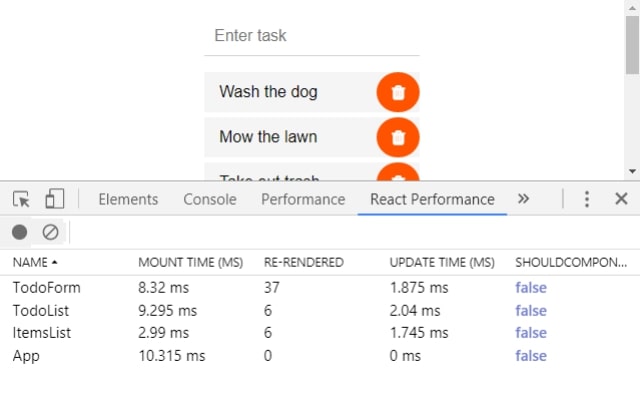
Usage
First of all, install the package from npm
via NPM
npm install react-perftool-extension --save-dev
or via YARN
yarn add react-perftool-extension --dev
UMD library exposed as ReactPerfToolExtension
https://unpkg.com/react-perftool-extension@latest
const perf = ReactPerfToolExtension;
Then you need to wrap the component and export it,you can use ES7 decorators.
import React from "react";
import perf from "react-perftool-extension";

@perf
export default class ClassName extends React.Component {
  ...
}
Note that package does not work with functional components.
There are two ways of profiling the performance of components. The first is profiling in real time, the second is the ordinary profiling.
Real-time profiling is performed by default
Real-time

Record

To disable profiling in real time, you need to go to the extension settings panel and uncheck the checkbox.
The package stores a global variable in window.
window.perfTool
You also need to set the LIVE_MONITORING property to false.
window.perfTool.options.LIVE_MONITORING = false;





