readable-proxy


Proxy server to retrieve a readable version of any provided url, powered by Node,
PhantomJS and Readability.js.
Installation
$ git clone https://github.com/n1k0/readable-proxy
$ cd readable-proxy
$ npm install
Run
Starts server on localhost:3000:
$ npm start
Note about CORS: by design, the server will allow any origin to access it, so browsers can consume it from pages hosted on a different domain.
Configuration
By default, the proxy server will use the Readability.js version it ships with; to override this, you can set the READABILITY_LIB_PATH environment variable to the absolute path to the library file on your local system:
$ READABILITY_LIB_PATH=/path/to/my/own/version/of/Readability.js npm start
Usage
Web UI
Just head to http://localhost:3000/, enter some URL and start enjoying both original and readable renderings side by side.
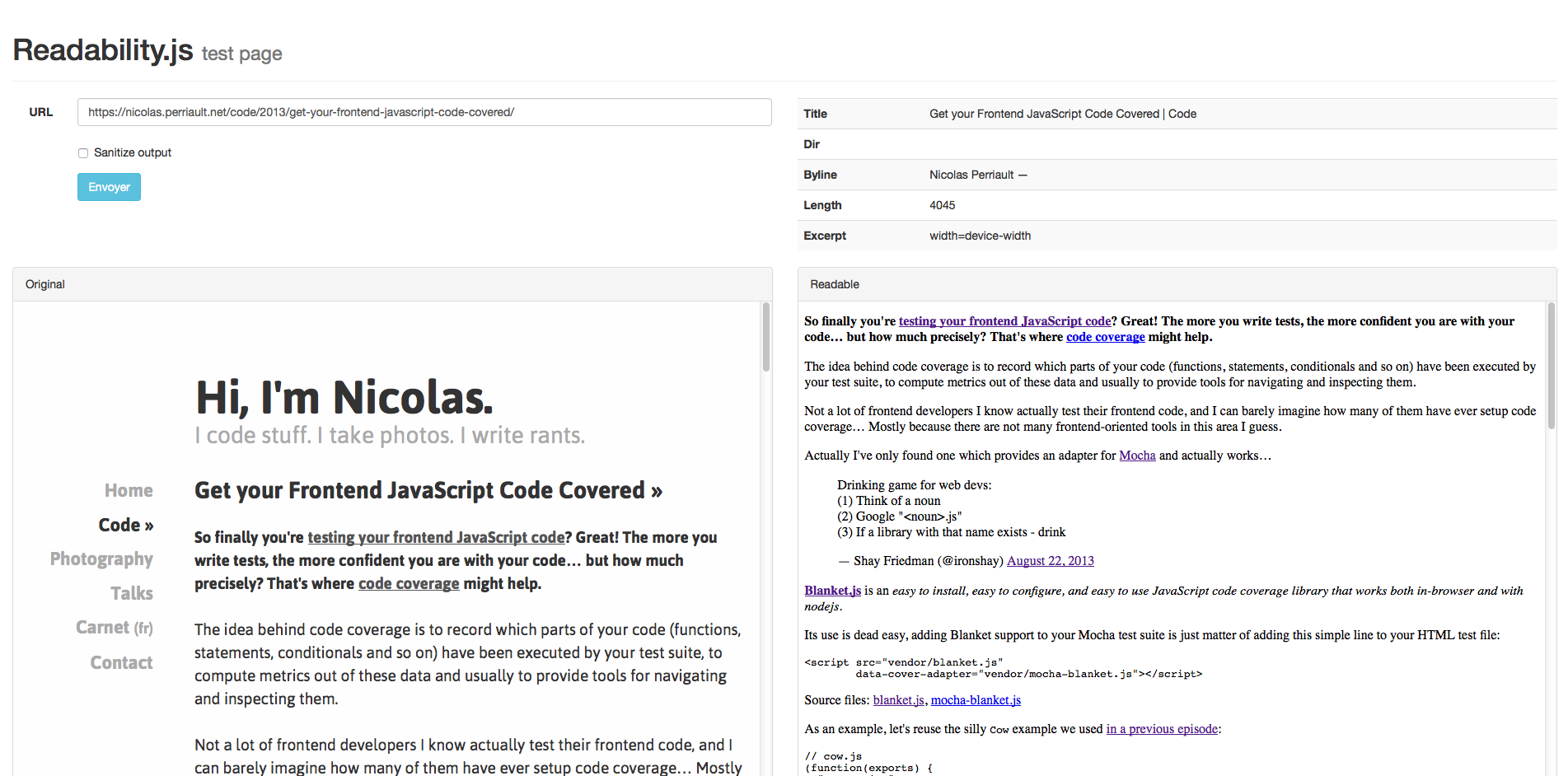
REST/JSON API
The HTTP Rest API is available under /api.
Disclaimer: Truly REST implementation is probably far from being considered achieved.
GET /api/get
Required parameters
url: The URL to retrieve retrieve readable contents from, eg. https://nicolas.perriault.net/code/2013/get-your-frontend-javascript-code-covered/.
Optional parameters
sanitize: A boolean string to enable HTML sanitization (valid truthy boolean strings: "1", "on", "true", "yes", "y"; everything else will be considered falsy):userAgent: A custom User Agent string. By default, it will use the PhantomJS one.
Note: Enabling contents sanitization loses Readability.js specific HTML semantics, though is probably safer for users if you plan to publish retrieved contents on a public website.
Example
Content sanitization enabled:
$ curl http://0.0.0.0:3000/api/get\?sanitize=y&url\=https://nicolas.perriault.net/code/2013/get-your-frontend-javascript-code-covered/
{
"byline":"Nicolas Perriault —",
"content":"<p><strong>So finally you're <a href=\"https://nicolas.perriault.net/code/2013/testing-frontend-javascript-code-using-mocha-chai-and-sinon/\">testing",
"length":2867,
"title":"Get your Frontend JavaScript Code Covered | Code",
"uri":"https://nicolas.perriault.net/code/2013/get-your-frontend-javascript-code-covered/",
"isProbablyReaderable": true
}
Content sanitization disabled (default):
$ curl http://0.0.0.0:3000/api/get\?url\=https://nicolas.perriault.net/code/2013/get-your-frontend-javascript-code-covered/
{
  "byline":"Nicolas Perriault —",
  "content":"<div id=\"readability-page-1\" class=\"page\"><section class=\"\">\n<p><strong>So finally you're…",
  "length":3851,
  "title":"Get your Frontend JavaScript Code Covered | Code",
  "uri":"https://nicolas.perriault.net/code/2013/get-your-frontend-javascript-code-covered/",
  "isProbablyReaderable": true
}
Note: the isProbablyReaderable property tells if Readability has determined if page contents were parseable or not.
Usage from node
scrape() function
The scrape function scrapes a URL and returns a Promise with the JSON result object described above:
var scrape = require("readable-proxy").scrape;
var url = "https://nicolas.perriault.net/code/2013/get-your-frontend-javascript-code-covered/";

scrape(url, {sanitize: true, userAgent: "My custom User-Agent string"})
  .then(console.error.log(console))
  .catch(console.error.bind(console));
Tests
$ npm test
License
MPL 2.0.





