rescript-blurhash
BlurHash implementation in ReScript language.
Usage in HTML
You can use this in plain html by simply inserting a script tag, then add data-blurhash attribute in image.
<script src="https://unpkg.com/rescript-blurhash@0.4.0/dist/production.min.js"></script>
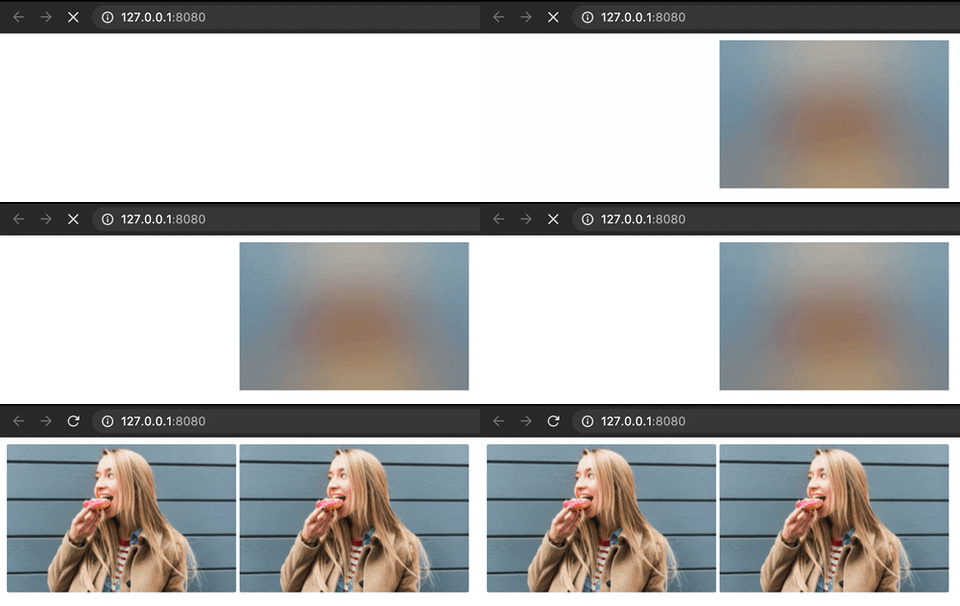
The script will automatically replace all images with data-blurhash attribute with the blurred version of the image. When the original image is loaded it will change back the blurred image with the original one.
<!DOCTYPE html>
<html lang="en">
  <head></head>
  <body>
    <img
      src="https://blurha.sh/assets/images/img1.jpg"
      style="width: 269px; height: 173px"
    />
    <img
      src="https://blurha.sh/assets/images/img1.jpg"
      data-blurhash="LEHV6nWB2yk8pyo0adR*.7kCMdnj"
      style="width: 269px; height: 173px"
    />
    <script src="https://unpkg.com/rescript-blurhash@0.4.0/dist/production.min.js"></script>
  </body>
</html>
In the gif below, the right image is with blurhash, and the left is without blurhash.
Usage in ReScript or ReasonML project
Installation
npm install --save rescript-blurhash
Then add rescript-blurhash to bs-dependencies in your bsconfig.json:
{
  ...
  "bs-dependencies": ["rescript-blurhash"]
}
Interface
type t = string;
type pixels = Js.TypedArray2.Uint8ClampedArray.t;
type dataURL = string;
type error =
  | ValidationError(string);

let decode:
  (~hash: t, ~width: int, ~height: int, ~punch: float) =>
  Belt.Result.t(pixels, error);

// This function can only run on browser environment
let toDataURL:
  (~hash: t, ~width: int, ~height: int) => Belt.Result.t(dataURL, error);

let encode:
  (
    ~pixels: pixels,
    ~width: int,
    ~height: int,
    ~componentX: int,
    ~componentY: int
  ) =>
  Belt.Result.t(t, error);
Example in rescript-react
@react.component
let make = () => {
  let dataURL =
    switch (
      BlurHash.toDataURL(
        ~hash="LEHV6nWB2yk8pyo0adR*.7kCMdnj",
        ~width=32,
        ~height=32,
      )
    ) {
    | Belt.Result.Ok(data) => data
    | Belt.Result.Error(_) => ""
    };

  <img
    src=dataURL
    style={ReactDOMRe.Style.make(~width="269px", ~height="173px", ())}
  />;
};





