Remember The Milk Command Line Interface
node module: rtm-cli
GitHub repo: dwaring87/rtm-cli
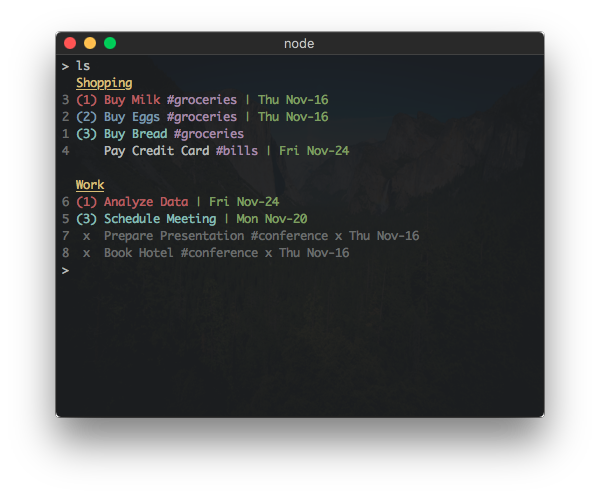
This Node module provides a command line interface, written in JavaScript,
for the popular Remember the Milk task list
manager.
Installation
NPM
If you already have Node installed, this program can be
installed via npm:
npm install -g rtm-cli
which will install the executable rtm into your $PATH.
Note: RTM CLI requires Node version >= 7.5.0
Executable Releases
Standalone executables, that do not require a pre-existing installation of Node,
are available in the Releases
page.
Usage
The main usage of the program:
  Usage: rtm [options] <command> [command arguments]


    Options:

      -V, --version            output the version number
      -p, --plain              do not use styled/colored text (overrides --color)
      -c, --color              force the use of styled/colored text
      -s, --status             toggle the display of the status spinner
      -x, --completed [value]  set display of completed tasks (true/false/number of days)
      -d, --hideDue [value]    hide tasks due more than n days from today (false/number of days)
      -f, --config [file]      specify configuration file
      -v, --verbose            print stack traces on errors
      -h, --help               output usage information


    Commands:

      add|a [task...]                     Add a new Task
      addList|al [name] [filter...]       Add a new List or Smart List
      addTags|at [index] [tags...]        Add one or more tags to a Task
      archiveList|arl [name...]           Archive a List
      comp|x [indices...]                 Complete one or more Tasks
      decPri|- [indices...]               Decrease the Priority of one or more Tasks
      due [index] [due...]                Set the Due Date of a Task
      edit [index] [name...]              Change the name of a Task
      incPri|+ [indices...]               Increase the Priority of one or more Tasks
      lists|l                             Display all lists
      login                               Add RTM User information
      logout                              Remove RTM User information
      ls [filter...]                      List all tasks sorted first by list then by priority
      lsd [filter...]                     List all tasks sorted first by due date then by priority
      lsp [filter...]                     List all tasks sorted first by priority then due date
      move|mv [index] [list...]           Move Task to a different List
      planner [options] [filter...]       Display tasks in a weekly planner (--start: sun, mon, today)
      postpone|pp [indices...]            Postpone one or more Tasks
      pri|p [index] [priority]            Change Task Priority
      remove|rm [indices...]              Remove one or more Tasks
      removeList|rml [name...]            Remove a List
      removeTags|rmt [index] [tags...]    Remove one or more tags from a Task
      renameList|mvl [oldName] [newName]  Rename a List
      reset                               Reset cached task indices
      setUrl|su [index] [url]             Set the URL of a Task
      tags|t                              Display all tags
      uncomp|unc [indices...]             Mark one or more Tasks as not complete
      url [options] [index...]            Display the associated URL of a Task
      whoami                              Display RTM user information
      overdue                             Display incomplete tasks that are overdue
Interactive Mode
An interactive mode is started when no commands are given to rtm, which
allows commands to be given sequentially.
Use the quit command to leave the interactive mode.
Full Usage Information
For full documentation on the usage of the built-in commands and options,
see the Command Reference.
Configuration
RTM CLI has a number of properties that can be configured using a separate JSON configuration
file. The default user configuration file is located at $HOME/.rtm.json but can be changed
using the --config <file> option.
Currently, the configuration can customize:
- the formats of displayed dates
- styled text output for different task properties
- the display of completed tasks
- the display of tasks with due dates in the future
- custom aliases for existing commands
- these are useful for applying commonly used RTM advanced search
filters to display commands
- ex:
overdue = ls dueBefore:today AND status:incomplete
For full documentation on the configuration properties, see the
Configuration Reference.
Plugins
RTM CLI supports adding additional commands through plugins.
Available Plugins:
For information on installing plugins, see the
Plugin Reference.
For information on creating commands, see the Creating Commands section
in the Project Wiki.





