SafeView



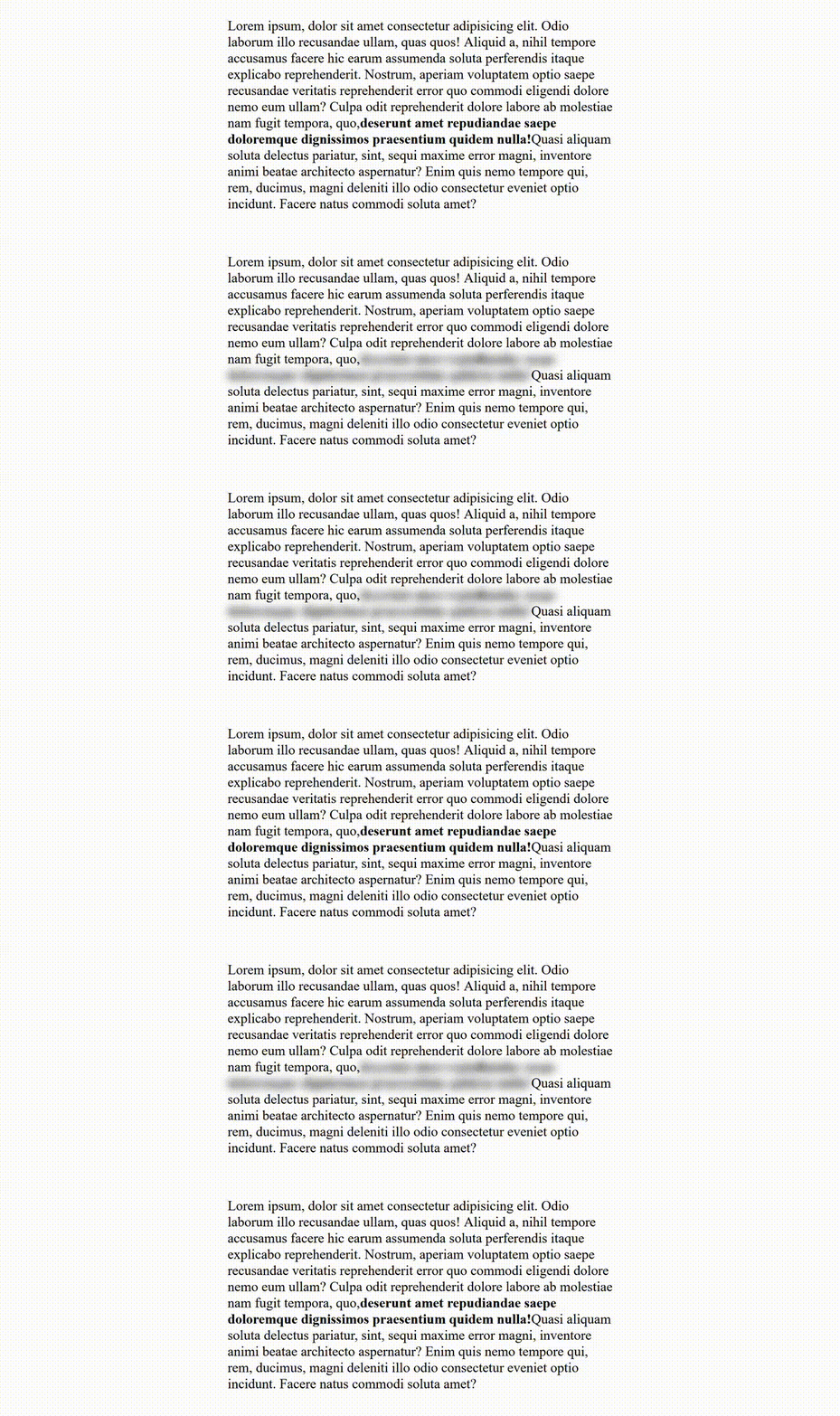
SafeView is a component that allows you to hide sensitive information in your app visually, for presentation purposes, and more.
Installation
with NPM:
npm install safeview
with Yarn:
yarn add safeview
Usage
A basic example of using the base component, all you need to do is import and then wrap your app with it.
import SafeView from 'safeview';

const App = () => {
  return (
        <SafeView>
            // Your React App
        </SafeView>;
  )
};
Specify which element you would like to hide with the property data-safe="true".
const MyComponent = () => {
    return (
        <div>
            <span data-safe>
                // Sensitive info
            <span>
        </div>
    )
}
After you mark the chosen elements you can press Shift + S to filter them out.
S is the default key, but you can change that in the component's props.
API
<SafeView>
The <SafeView> component is the main element of the library and where you control all the functionality besides which element to hide.
interface SafeViewProps {
accessKey?: React.HTMLAttributes<HTMLButtonElement>['accessKey'];
filter?: 'hidden' | 'blur' | 'black';
className?: string;
}
Targeting elements to hide
In order to specify to SafeView which element you would like to hide, you need to target it with the property data-safe="true".
<p data-safe>{ sensitive information }</p>
License
SafeView is freely distributable under the terms of the MIT license.





