Requirements
Usage
You can use one of the following AI providers to generate SEO data:
OPENAI_API_KEY
npx seo-ai config set OPENAI_API_KEY=<your-key>
MISTRAL_API_KEY
npx seo-ai config set MISTRAL_API_KEY=<your-key>
GROQ_API_KEY
- Go to the Groq Console and generate your API key.
- Set the key:
npx seo-ai config set GROQ_API_KEY=<your-key>
Run
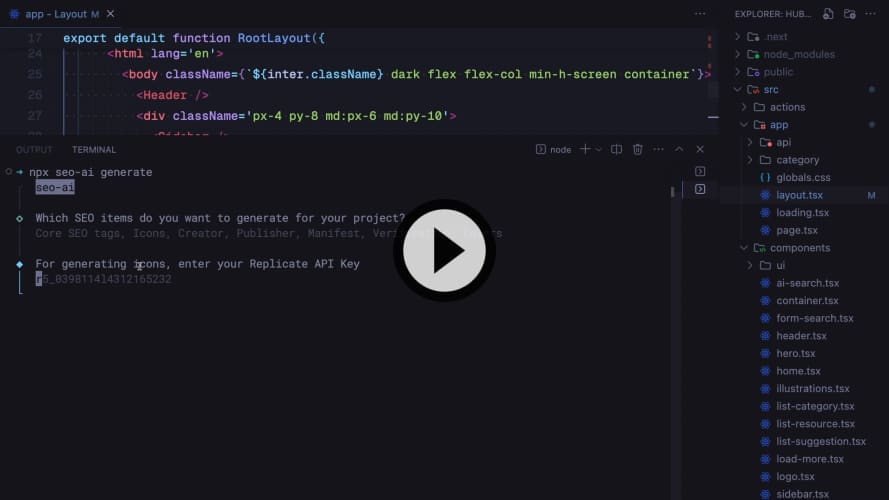
npx seo-ai@latest generate
CLI
[!NOTE]
When running the CLI on a Next.js projects, it will create a medatata object according to the Next.js docs, if you still want to generate HTML meta tags, use the --html or -h option.
npx seo-ai [options] [command]

Options:
-v, --version                 Outputs the seo-ai version.

Commands:
generate [tags] [options]     Generates an object metadata or HTML meta tags
config [arguments]            Sets API Keys configuration
Generate
npx seo-ai@latest generate [tags] [options]
Arguments:
[tags] SEO tags to be generated. See [Available Tags](
Options:
-h, --html Generates HTML meta tags
npx seo-ai generate core icons creator
Config
npx seo-ai config [arguments]
Arguments:
set [arguments] Sets an API Key. Available providers: OPENAI_API_KEY and MISTRAL_API_KEY
get [arguments] Retrieves an API Key using `mistral` or `openai`
clear Clears all API Keys
npx seo-ai config set OPENAI_API_KEY=<your-key>
npx seo-ai config get openai
npx seo-ai config clear
Available Tags
core | Generate meta tags: title, description, keywords, openGraph, twitter, robots, category, generator,applicationName |
icons | Define icon meta tags. It uses DALL-E 2, so you'll be prompted for a OpenAI Key |
metadataBase | Set the base URL for metadata relative paths. Available only for Next.js projects |
authors | List authors of the content |
creator | Identify the creator of the content |
publisher | Specify the publisher of the content |
classification | Provide the classification of the content |
bookmarks | Define bookmarks for the web application |
assets | Specify the assets related to the content |
archives | List archives related to the content |
referrer | The referrer setting for the document |
alternates | The canonical and alternate URLs for the document |
formatDetection | Indicates if devices should try to interpret various formats and make actionable links out of them |
manifest | Specify a link to the web application's manifest file |
verification | The common verification tokens for the document |
viewport | The viewport setting for the document |
Stack
- Vercel AI SDK: Tools to build AI-powered products.
- tsup: A TypeScript-focused module bundler.
- chalk: Chalk is a library for styling terminal text with color and formatting options, making console output more visually appealing and readable.
- commander: Commander is a feature-rich library for creating command-line interfaces (CLIs) in Node.js.
- @clack/prompts: Prompts is a library that creates elegant terminal spinners and loading indicators.
- zod: TypeScript-first schema validation with static type inference.
Run Locally
1.Clone the seo-ai repository:
git clone https://github.com/xavimondev/seo-ai
2.Install the dependencies:
pnpm install
3.Start the development:
pnpm dev
Contributors

License
MIT.