



Product
Socket for Jira Is Now Available
Socket for Jira lets teams turn alerts into Jira tickets with manual creation, automated ticketing rules, and two-way sync.
By Jeppe Hasseriis - Apr 20, 2026
sharing-btn
Advanced tools





Social Sharing Buttons
![IT Man - Tech #31 - Sharing Button - Web Component using Stencil [Vietnamese]](https://i.ytimg.com/vi/jZUm2bHyF90/hqdefault.jpg)
<script async type='module' src='https://unpkg.com/sharing-btn@0.1.4/dist/esm/sharing-btn.js'></script>
<sharing-btn url="https://productsway.com" description="IT Man Channel"></sharing-btn>
Stencil is a compiler for building fast web apps using Web Components.
Stencil combines the best concepts of the most popular frontend frameworks into a compile-time rather than run-time tool. Stencil takes TypeScript, JSX, a tiny virtual DOM layer, efficient one-way data binding, an asynchronous rendering pipeline (similar to React Fiber), and lazy-loading out of the box, and generates 100% standards-based Web Components that run in any browser supporting the Custom Elements v1 spec.
Stencil components are just Web Components, so they work in any major framework or with no framework at all.
To start building a new web component using Stencil, clone this repo to a new directory:
git clone https://github.com/jellydn/sharing-btn.git sharing-btn
cd sharing-btn
git remote rm origin
and run:
npm install
npm start
To build the component for production, run:
npm run build
To verify output after build, run:
npx serve www
This will start a local development server and serve your project at the specified address (http://localhost:3000 by default).
Open a web browser and navigate to the specified address to view your project.
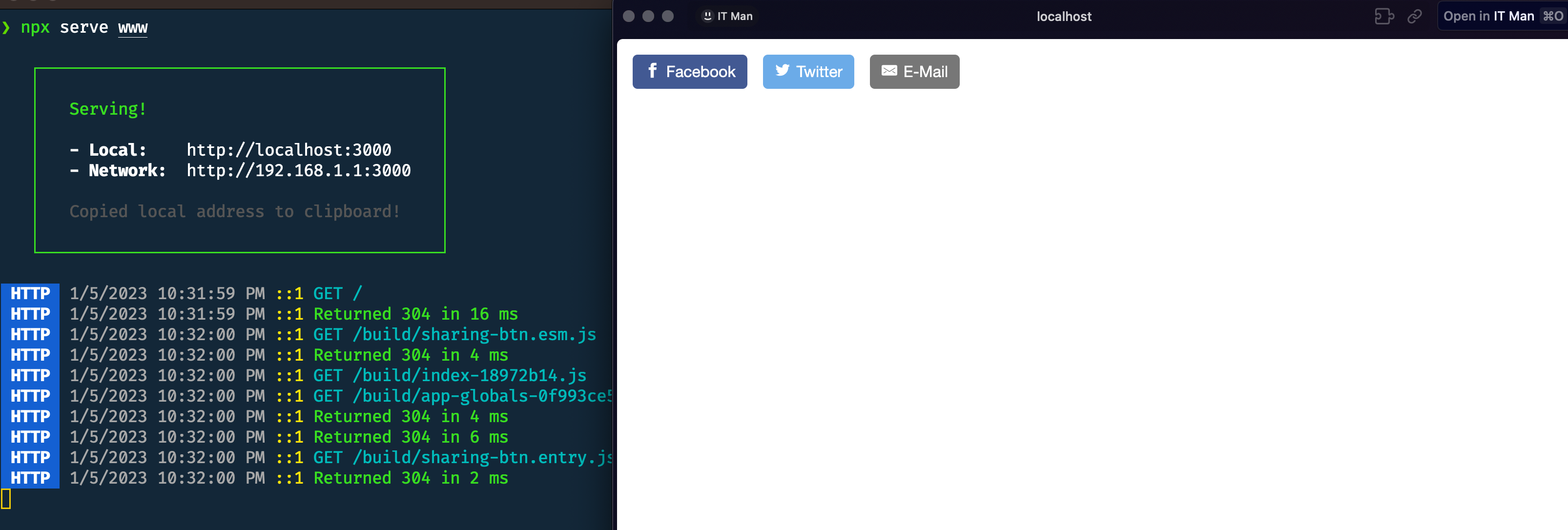
To run the unit tests for the components, run:
npm test
Need help? Check out our docs here.
When creating new component tags, we recommend not using stencil in the component name (ex: <stencil-datepicker>). This is because the generated component has little to nothing to do with Stencil; it's just a web component!
Instead, use a prefix that fits your company or any name for a group of related components. For example, all of the Ionic generated web components use the prefix ion.
There are three strategies we recommend for using web components built with Stencil.
The first step for all three of these strategies is to publish to NPM.
<script type='module' src='https://unpkg.com/sharing-btn@0.1.4/dist/esm/sharing-btn.js'></script> in the head of your index.htmlnpm install sharing-btn --save<script type='module' src='node_modules/sharing-btn/dist/sharing-btn.esm.js'></script> in the head of your index.htmlnpm install sharing-btn --saveimport sharing-btn;I would like to extend our gratitude to the following resources:
👤 Dung Huynh


This project is MIT licensed.
FAQs
Social Sharing Buttons
We found that sharing-btn demonstrated a not healthy version release cadence and project activity because the last version was released a year ago. It has 1 open source maintainer collaborating on the project.
Did you know?

Socket for GitHub automatically highlights issues in each pull request and monitors the health of all your open source dependencies. Discover the contents of your packages and block harmful activity before you install or update your dependencies.
Product
Socket for Jira lets teams turn alerts into Jira tickets with manual creation, automated ticketing rules, and two-way sync.

Company News
Socket won two 2026 Reppy Awards from RepVue, ranking in the top 5% of all sales orgs. AE Alexandra Lister shares what it's like to grow a sales career here.

Security News
NIST will stop enriching most CVEs under a new risk-based model, narrowing the NVD's scope as vulnerability submissions continue to surge.