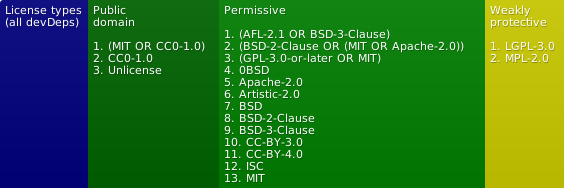
(see also licenses for dev. deps.)

getJSON
getJSON function similar to that of jQuery's.
If no callback or error-back is provided (or when an array of URLs is
supplied), a promise will be returned. If an array is provided along with
a callback, that callback will be executed before the promise is resolved.
You may use the file index-es.js to use the ES2017 await keyword for
Promise results, as well as take advantage of ES6 Module import:
try {
const [urlObj1, urlObj2] = await getJSON([url1, url2]);
} catch (err) {
}
simple-get-json also accepts an array of URLs (waiting for all to load):
const [obj1, obj2] = await getJSON([url1, url2]);
Alternatively, you can use regular then Promises:
getJSON([url1, url2]).then(function (objsArr) {
}, function (err) {
console.log('err', err);
});
Or use the old callback style.
getJSON(url, function (data) {
});
An optional third argument can be provided as an error-back (which will
be supplied the error message and originally supplied URL).
Install
npm install simple-get-json
Setup
Browser
<script src="node_modules/simple-get-json/dist/index.js"></script>
getJSON(...args);
or for ESM:
import {getJSON} from './node_modules/simple-get-json/dist/index-es.js';
import {getJSON} from 'simple-get-json';
Node (CJS)
const {getJSON} = require('simple-get-json');
See below for buildGetJSON usage.
Node (ESM)
In ESM Node, you can:
- Directly import the module (for use relative to the current working
directory):
import {getJSON} from 'simple-get-json';
- Build a version of
getJSON which works relative to the current file
(or some other URL):
import {buildGetJSON} from 'simple-get-json';

const getJSON = buildGetJSON({
  baseURL: import.meta.url
});
OR:
- Build a version of
getJSON which works relative to a specific file
directory:
import {buildGetJSON} from 'simple-get-json';

const getJSON = buildGetJSON({
  cwd: '/some/current/working/directory'
});
Todo
- Support named parameters ala jQuery
- Support rest of jQuery API
- Make local or URL loading optional for Node
See also