Skrull-JSON

Brings shapeshifting abilities to your JSON data.
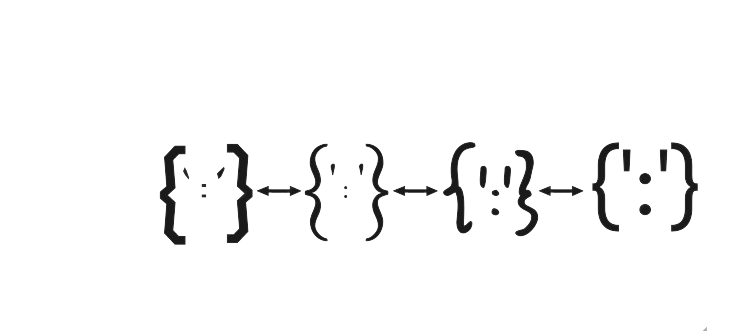
Skrull is a lightweight, efficient JavaScript utility for transforming JSON structures based on a given mapping. It provides a simple way to reshape JSON data
When should you use it?
When data schema in your system (S0) is different than multiple extenral systems S1, S2, ...Sn and you need to repeatedly transform data when interacting with these external systems.
Example - Integrating with Multiple Partners.
Features
- Flexible JSON Transformation: Transform JSON structures based on custom mapping rules.
- Nested Field Support: Easily map nested fields in your JSON data.
- Array Handling: Handles JSON arrays gracefully during the transformation process.
- Data Manipulation: Supports manipulation of data fields, such as concatenating fields.
Installation
Install TransformJson using npm:
npm install skrull-json
Example Usage
Import the Package
import transformJson from "skrull-json";
Basic Transformation
const inputJson = {
  name: "Harsh",
  age: "13"
};

const outputFormatJson = {
  username: "",
  userAge: "",
};

const mappingJson = {
  "name": "username",
  "age": "userage"
};
Output
{
  "username": "Harsh",
  "userAge": "13"
}
Support for Nested Structures - 1
const inputJson = {
  user: {
    name: "Harsh",
    age: "13"
  }
};

const outputFormatJson = {
  username: "",
  userAge: "",
};

const mappingJson = {
  "user.name": "username",
  "user.age": "userAge"
};
Output
{
  "username": "Harsh",
  "userAge": "13"
}
Support for Nested Structures - 2
const inputJson = {
    name: "Harsh",
    age: "13",
    contact: {
        email: "email@email.com",
        phone:"1234"
    }
};

const outputFormatJson = {
  user: {
    name:"",
    contact: {
        userEmail: "",
        userPhone: ""
    }
  }
};

const mappingJson = {
  "name": "user.name",
  "contact.email": "user.contact.userEmail",
  "contact.phone": "user.contact.userPhone"
};
Output
{
  user: {
    name: 'Harsh',
    contact: { userEmail: 'email@email.com', userPhone: '1234' }
  }
}
Support for Array
const inputJson = {
  user: [
    {
      firstName: "John",
      lastName: "Wick",
      age: 30,
      address: {
        street: "123 Elm St",
        city: "Somewhere",
      },
    },
  ],
};

const outputFormatJson = {
  name: "",
  userAge: "",
  userAddress: {
    streetName: "",
    city: "",
  },
};

const mappingJson = {
  "user[0].firstName": "name",
  "user[0].age": "userAge",
  "user[0].address.street": "userAddress.streetName",
  "user[0].address.city": "userAddress.city",
};
Output
{
  name: 'John',
  userAge: 30,
  userAddress: { streetName: '123 Elm St', city: 'Somewhere' }
}
Support for Data Manipulation
const inputJson = {
  user:
    {
      firstName: "John",
      lastName: "Wick"
    }
};

const outputFormatJson = {
  fullName: "",
};

const mappingJson = {
  "{user.firstName} {user.lastName}": "fullName",
};
Output
{
  name: 'John Wick',
}





