Space Repetition
A Spaced Repetition Library



Install + Import
$ npm install spacerepetition
And import it
import SpaceRepetition from 'spacerepetition';
It doesn't matter what your data looks like, it will always return an array of flashcards:
const deck = new SpaceRepetition([{
    question: "What types does Space Repetition accept?",
    answer: "Any type of data"
}]);
Or you can include it from a CDN:
<script src="https://cdn.jsdelivr.net/npm/spacerepetition@0.0/dist/spacerepetition.min.js"></script>
And use it:
<script>
    const deck = new Spacerepetition();
</script>
Usage
A deck contains multiple cards (in this case a single card):
const deck = new Deck(1);
Here is what it contains:
You can get the next card to study by calling getNextCard which finds a random card that is due:
const currentCard = deck.getNextCard();
On the card you can call the following convenience methods after you've studied it:
currentCard.again()
currentCard.hard()
currentCard.good()
currentCard.easy()
currentCard.updateDifficulty(3)
The corresponding values are in comments next to the methods.
Spaced Repetition Algorithms
There is support for SM-2 and a custom-made algorithm called fenestral-lacuna..
new SpaceRepetition([], 'sm-2');
new SpaceRepetition([], 'fenestral-lacuna');
Here is an overview:
| SM-2 | sm-2, default and more | The default algorithm | Implements the SM-2 algorithm, designed for long-term spaced repetition. |
| Fenestral-Lacuna | fenestral-lacuna | For short study sessions | Adds few minutes to the next review time based on difficulty, prioritizing speed over retention. |
Furthermore, you could also pass your own algorithm like below. Both parameters are optional:
function myAlgorithm(card, difficulty) {
    return "use the card parameter to update the state of the card";
}

new SpaceRepetition([], myAlgorithm);
Utility Functions
If you don't want to work with the Deck class, the library also provides some utility functions:
import { createFlashcards, getNextCard, createUI } from 'spacerepetition'
| createFlashcards | Creates a single Card. |
| getNextCard | Retrieves the next card to review. |
| createUI | Creates a HTML UI for flashcard reviews |
Config
Besides manually adjusting values on the cards, you can also pass a config object as the third parameter to initialize cards with different values:
const config = {
    interval: 7
};

const flashcards = new SpaceRepetition([], "default", config);
Here is what the config object looks like:
| easeFactor | 2.7 | SM-2 |
| minEaseFactor | 1.3 | SM-2 |
| interval | 1 | SM-2 |
| repetition | 0 | SM-2 |
UI
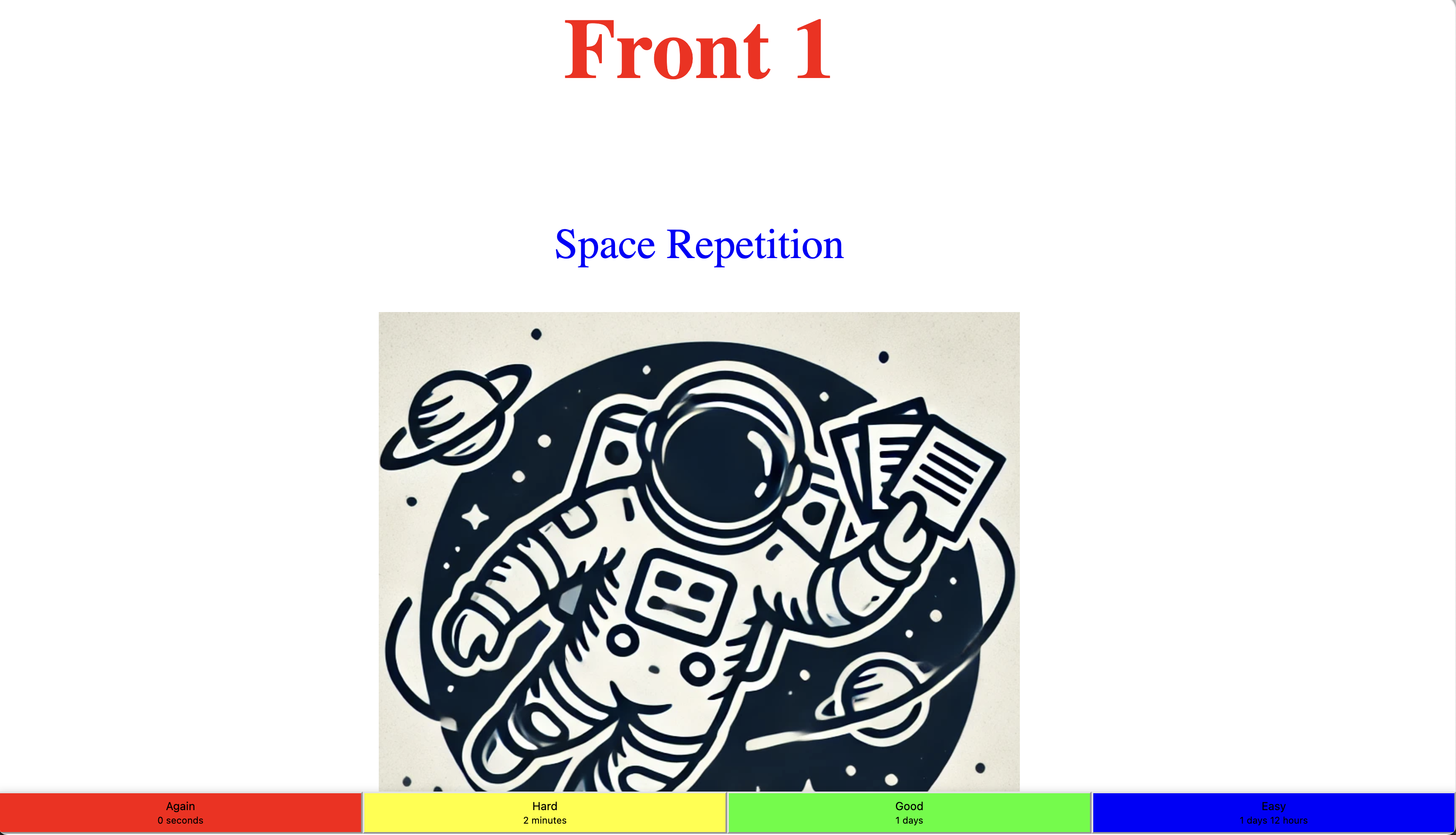
You can use the built-in UI for HTML. You can style the front and back property with text or any HTML:
<!DOCTYPE html>
<html lang="en">
<head>
    <title>Space Repetition</title>
    <script src="https://cdn.jsdelivr.net/npm/spacerepetition@0.0/dist/spacerepetition.min.js"></script>
</head>
<body>

    <script>
        const cards = [
            {
                front: "<h1 style='color: red'>Front 1</h1>",
                back: `<div>
                            <p style='color: blue;'>Space Repetition</p>
                            <img src='https://raw.githubusercontent.com/anderslatif/SpaceRepetition/main/assets/spacerepetitionlogo.png'>
                       </div>`
            },
            {   front: "Front 2", back: "Back 2" }
        ];

        SpaceRepetition.createUI(cards);
    </script>
</body>
</html>
The end result will look like this: