New Research: Supply Chain Attack on Axios Pulls Malicious Dependency from npm.Details →
Socket
Book a DemoSign in
Socket

square-calculation

Package Overview
Dependencies
Maintainers
1
Versions
4
Alerts
File Explorer

Advanced tools

Socket logo

Install Socket

Detect and block malicious and high-risk dependencies

Install

square-calculation

You can play a 100-square-calculation game on the console.

latest
Source
npmnpm
Version
1.0.1
Version published
Maintainers
1
Created
Source

Square-calculation

Installation

$ npm install -g square-calculation

Usage

$ square-game

How to play
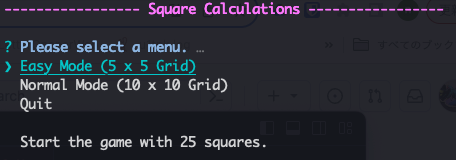
  • Select modes

SCR-20231018-neap

  • Easy Mode : Start the game with 25 squares.
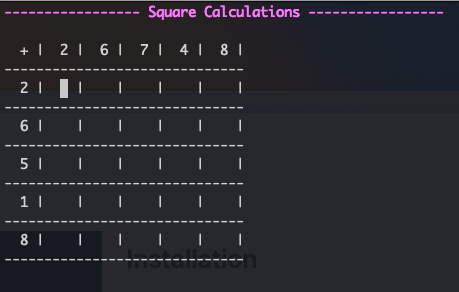
SCR-20231018-nfoz

  • Normal Mode : Start the game with 100 squares.
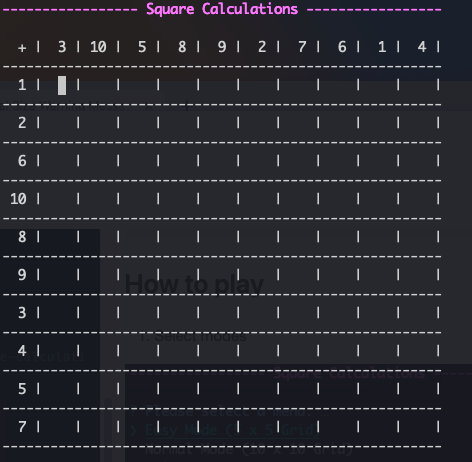
SCR-20231018-ngdu

  • Calculate and input the numbers.

Input each cell's number, and press Enter or Arrows key.
The cursor will then move to the next cell or specified direction.
You can only input half-width digits.
To delete a number while entering, use the Backspace or Delete key.
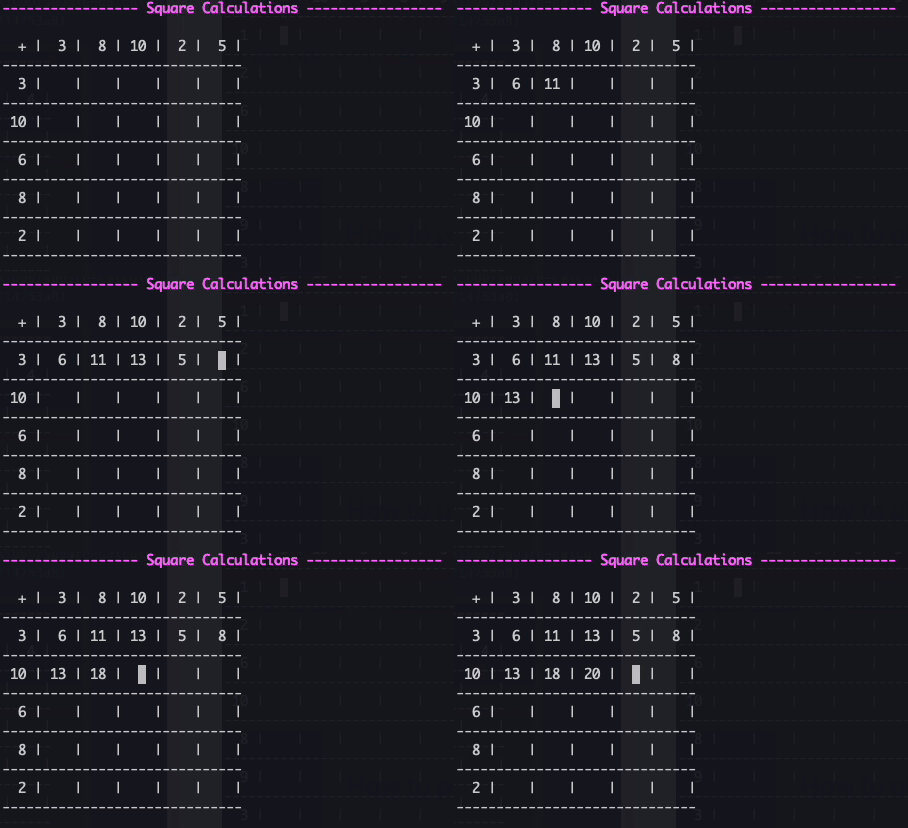
Image from Gyazo

  • If you want to correct a number.

Use the Arrow keys to move to the cell you want to correct.
Use the Backspace or Delete key to erase the number and re-enter it.
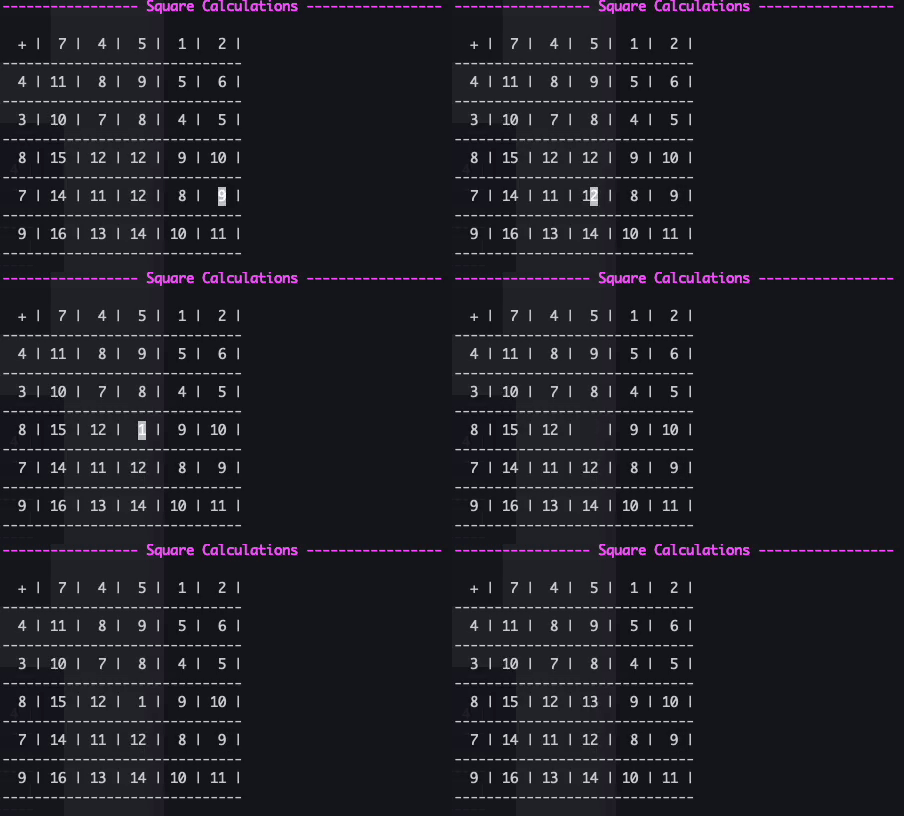
Image from Gyazo

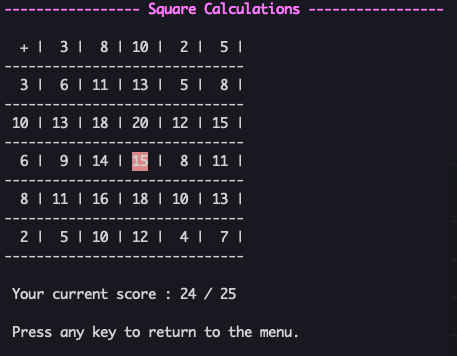
  • Display scoring results.

After all cells have been filled, press Ctrl+D to display the scoring results.
Incorrect areas will be highlighted in red.
SCR-20231018-nuvb

Note

To play this game, you need a terminal with a display size large enough to show the grid.
If your terminal's size is insufficient, you will see a message like the following.
Please enlarge the terminal size and run it again.


SCR-20231018-okvy

FAQs

Package last updated on 31 Oct 2023

Did you know?

Socket

Socket for GitHub automatically highlights issues in each pull request and monitors the health of all your open source dependencies. Discover the contents of your packages and block harmful activity before you install or update your dependencies.

Install

Related posts



