Subjx(dragging/resizing/rotating)
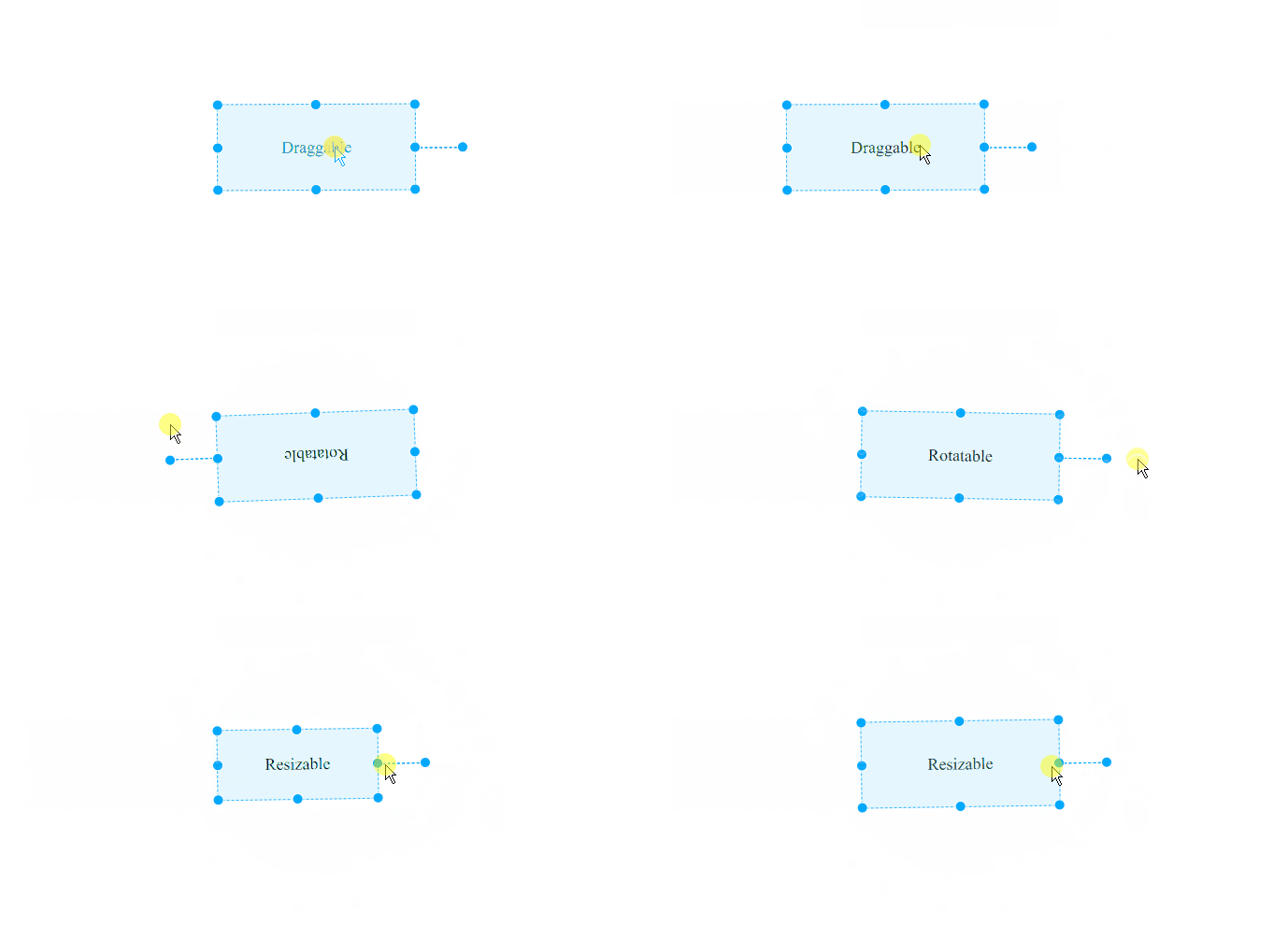
Draggable, Resizable, Rotatable library for creating drag-n-drop applications.
Demos
Usage
Library provides dragging/resizing/rotating/snapping SVG/HTML Elements.
Installation
Run npm install to install with npm.
npm install subjx
Including via a <script> tag:
<script src="../dist/js/subjx.js"></script>
Get started
Main function subjx returns Subjx instance which based on elements finded by
passed parameters:
import subjx from 'subjx';
import 'subjx/dist/style/subjx.css';
const xElem = subjx( 'selector' ) |
subjx( element ) |
subjx( elementArray );
Transformation(drag/resize/rotate)
const xDraggable = xElem.drag();
xDraggable.disable();
"Draggable" API
xDraggable.controls;
xDraggable.storage;
const {
handles: { tl, tr, ...etc }
} = xDraggable.storage;
xDraggable.enable(options);
xDraggable.disable();
xDraggable.on(eventName, cb);
xDraggable.off(eventName, cb);
const EVENTS = [
'dragStart',
'drag',
'dragEnd',
'resizeStart',
'resize',
'resizeEnd',
'rotateStart',
'rotate',
'rotateEnd'
];
xDraggable.exeDrag({
dx,
dy
});
xDraggable.exeResize({
dx,
dy,
revX,
revY,
doW,
doH
});
xDraggable.exeRotate({
delta
});
xDraggable.applyAlignment('tr');
xDraggable.fitControlsToSize();
xDraggable.setTransformOrigin(
{
x,
y,
dx,
dy
},
pin
);
xDraggable.resetTransformOrigin();
xDraggable.getDimensions();
Options
| container | Transformation coordinate system | 'selector' | element | element.parentNode |
| controlsContainer | Parent element of 'controls' | 'selector' | element | element.parentNode |
| axis | Constrain movement along an axis | string: 'x' | 'y' | 'xy' | 'xy' |
| snap | Snapping to grid in pixels/radians | object | { x: 10, y: 10, angle: 10 } |
| each | Mimic behavior with other '.draggable' elements | object | { move: false, resize: false, rotate: false } |
| proportions | Keep aspect ratio on resizing / scaling | boolean | false |
| draggable | Allow or deny an action | boolean | true |
| resizable | Allow or deny an action | boolean | true |
| rotatable | Allow or deny an action | boolean | true |
| scalable | Applies scaling only to root element | boolean | false |
| restrict | Restricts element dragging/resizing/rotation | 'selector' | element | - |
| rotatorAnchor | Rotator anchor direction | string: 'n' | 's' | 'w' | 'e' | 'e' |
| rotatorOffset | Rotator offset | number | 50 |
| transformOrigin | Sets the origin for an element's transformations | boolean | Array | false |
Notice: In most cases, it is recommended to use 'proportions' option
Methods
subjx('.draggable').drag({
onInit(elements) {
},
onMove({ clientX, clientY, dx, dy, transform }) {
},
onResize({ clientX, clientY, dx, dy, transform, width, height }) {
},
onRotate({ clientX, clientY, delta, transform }) {
},
onDrop({ clientX, clientY }) {
},
onDestroy(el) {
}
});
Subscribing new draggable element to previously activated(useful with each option)
const options = {};
const observable = subjx.createObservable();
subjx('.draggable').drag(options, observable);
const createDraggableAndSubscribe = e => {
subjx(e.target).drag(options, observable);
};
Allowed SVG elements:
g, path, rect, ellipse, line, polyline, polygon, circle
Cloning
Options
const xCloneable = xElem.clone({
stack: 'selector',
appendTo: 'selector',
style: {
border: '1px dashed green',
background: 'transparent'
}
});
Methods
subjx('.cloneable').clone({
onInit(el) {
},
onMove(dx, dy) {
},
onDrop(e) {
},
onDestroy() {
}
});
Disabling
xCloneable.disable();
License
MIT (c) Karen Sarksyan





