sync-local-deps
Keep your local npm packages up-to-date with each other
Install
npm install -g sync-local-deps
Usage
sync-local-deps [root] [options]

Options:
  [root]               directory where projects are located, defaults to cwd()
  --dryrun, -D         don't make changes                       [default: false]
  --skip, -S           list of directories to skip         [array] [default: []]
  --skipPublish, -P    list of directories to not npm publish
                                                           [array] [default: []]
  --skipGitPush, -G    list of directories to not git push [array] [default: []]
  --ignoreDevDeps, -I  don't update dev deps                           [boolean]
  --updateAll, -a     include even those dependencies whose latest version
                       satisfies the declared semver dependency        [boolean]
  --npmVersion, -v     npm version to bump to, see "npm version --help"
                                                     [string] [default: "patch"]
  --only, -o           only sync the given projects, looks at cwd if empty
                                                                         [array]
  --help               Show help                                       [boolean]
  --version            Show version number                             [boolean]
sync-local-deps does the following:
- scans the given
root directory for projects that depend on other projects in root
- build a dependency graph between projects so they're updated in the correct order
- for each project with out-of-date local dependencies:
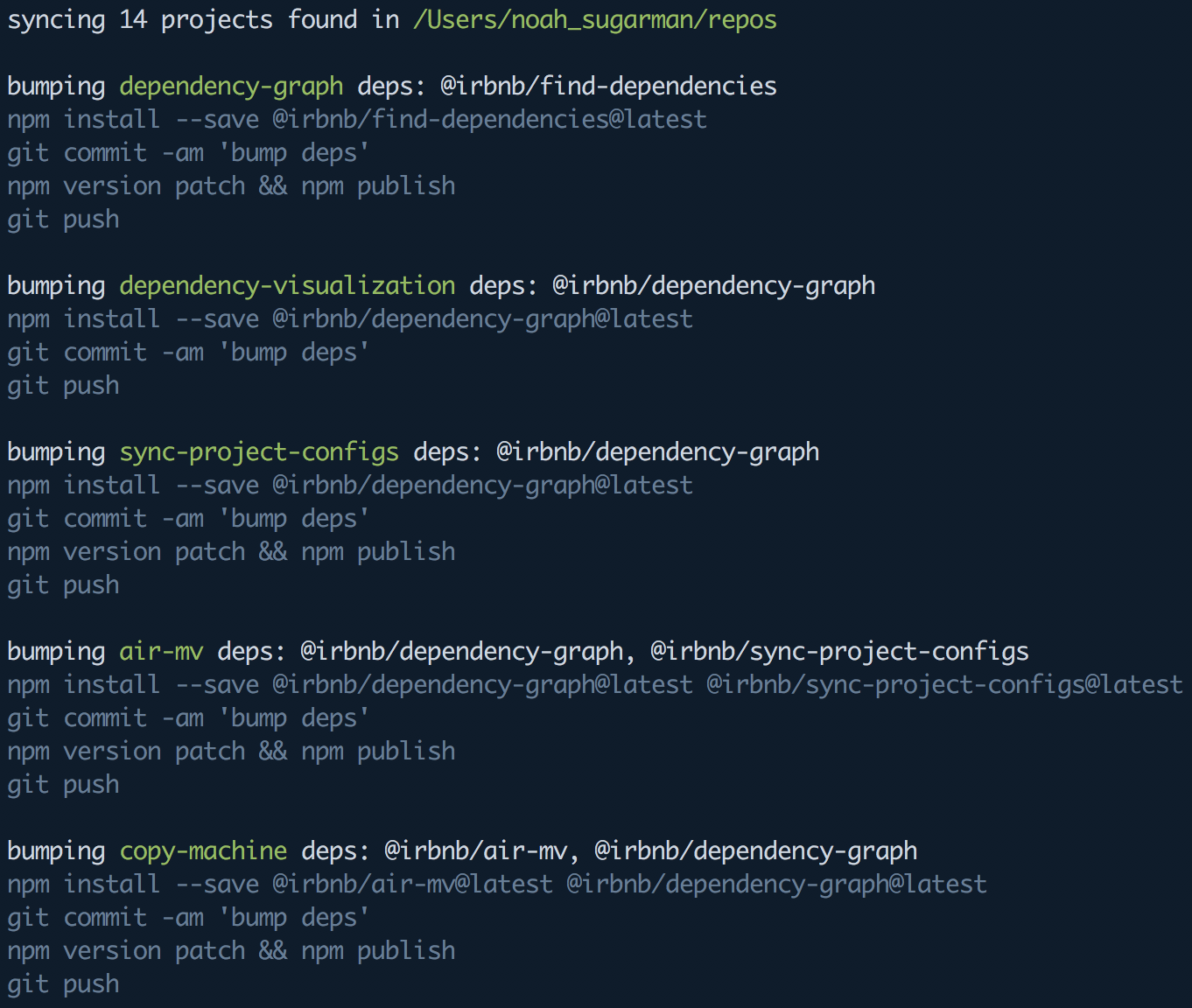
npm install --save dep1@latest dep2@latest ...git commit -am 'bump deps'npm version patch && npm publishgit push
This process continues until every package has up-to-date local dependencies.
The output will looks something like this: