tui-trends
Cyberpunk Google Trends visualizer in your terminal.
Install globally
From npm:
npm install -g tui-trends
tui-trends "buy bitcoin"
From this repo:
npm install
npm run build
npm install -g .
tui-trends "buy bitcoin"
One-off without installing:
npx tui-trends "buy bitcoin"
Usage
tui-trends "buy bitcoin"
tui-trends --npm react
tui-trends --npm typescript
tui-trends --npm next
Development
npm install
npm start -- "buy bitcoin"
npm run dev -- "buy bitcoin"
npm start -- --npm react
Keybindings
q | Quit |
← → | Cycle through themes |
Themes
Cycle through 6 built-in colour themes with ← / →:
| 1 | Synthwave | Neon cyan & hot pink (default) |
| 2 | Matrix | All green on black |
| 3 | C64 | Commodore 64 blue/white |
| 4 | Amber | Phosphor amber monitor |
| 5 | Nord | Muted arctic pastels |
| 6 | Blood Moon | Deep red & orange |
What you'll see
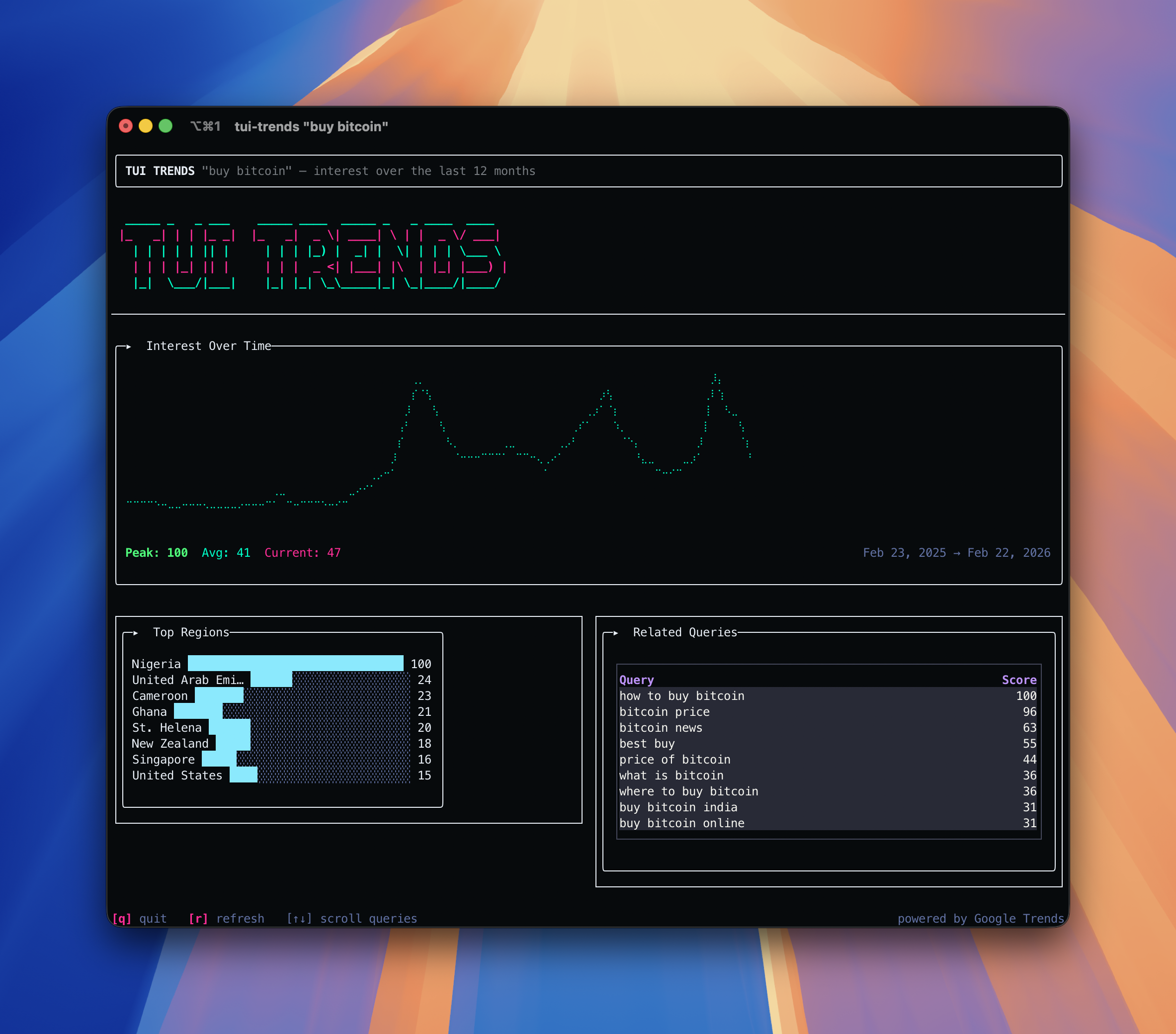
- Loading screen — animated spinner with ASCII art banner while data is fetched
- Line chart — braille-rendered trend line (0–100 index, last 12 months)
- Bar chart — top regions (Google mode) or peak download weeks (npm mode)
- Table — related queries (Google mode) or monthly download breakdown (npm mode)
Stack
- Rezi — TypeScript TUI framework with native C rendering engine
- google-trends-api — unofficial Google Trends client
- tsx — run TypeScript directly
Notes
- Requires Node 18+ (uses native
fetch for npm API)
- Google Trends mode hits
trends.google.com directly and may rate-limit if called repeatedly
- Use
--npm mode for unlimited local testing
- Best displayed in a terminal at least 120 columns wide





