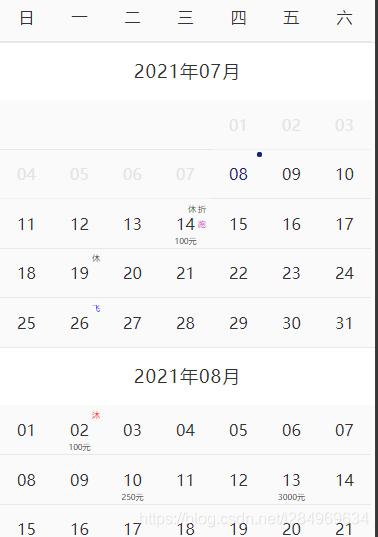
@TOC
使用
注意,使用v-inline-date的时候一定要确保项目安装了momentjs
import vInlineDate from "v-inline-date";
import 'v-inline-date/v-inline-date/v-inline-date.css'
Vue.use(vInlineDate)
<template>
<div>
<v-inline-date startDate="2021-07-07"endDate="2022-07-08"></v-inline-date>
</div>
</template>
设置可选则的时间范围
<v-inline-date startDate="2021-07-07" endDate="2022-07-08" ></v-inline-date>
设置已经选择的时间
<v-inline-date
	startDate="2021-07-07"
	endDate="2022-07-08"
	current="2021-07-10">
</v-inline-date>
选择单个时间还是时间区间
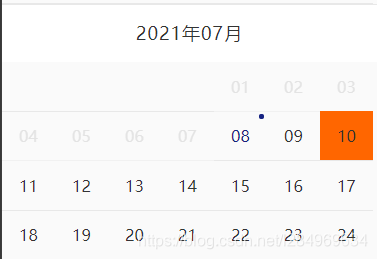
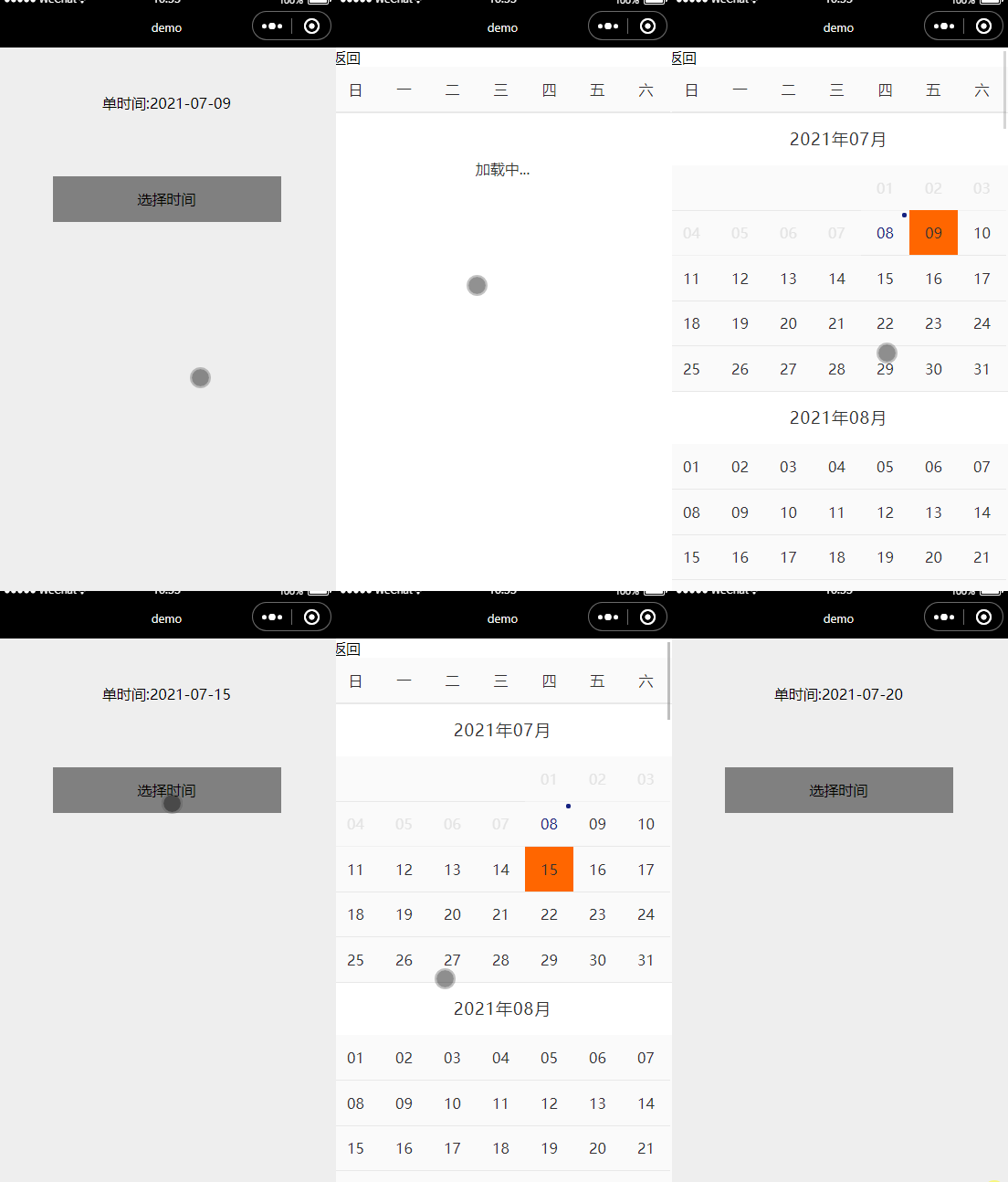
单个时间
<v-inline-date
	startDate="2021-07-07"
	endDate="2022-07-08"
	current="2021-07-10"
	:dateType="0"
	>
</v-inline-date>
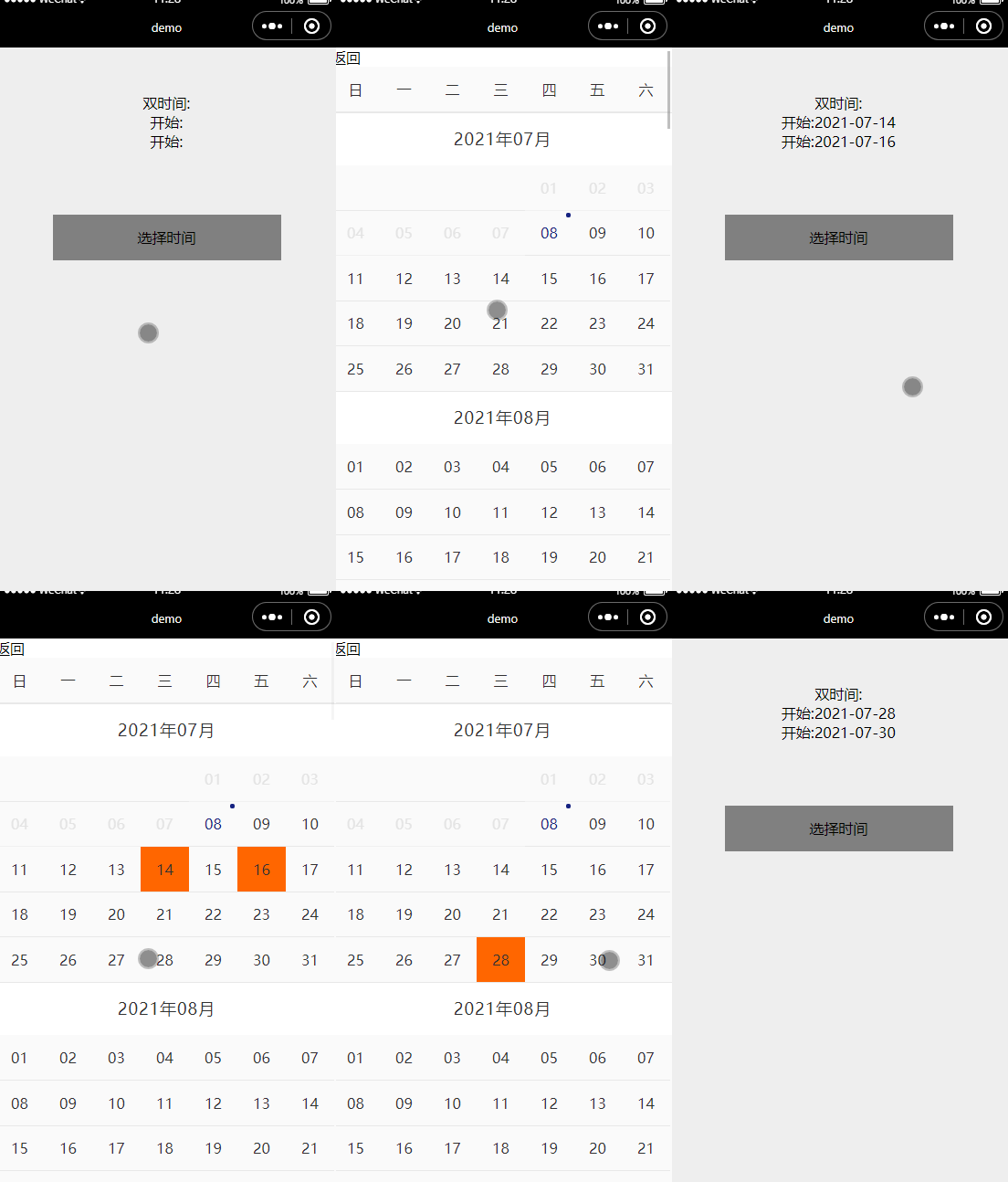
时间区间
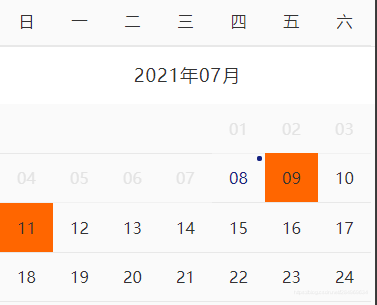
<v-inline-date
startDate="2021-07-08"
endDate="2022-07-09"
:current="['2021-07-09','2021-07-11']"
:dateType="1"
>
</v-inline-date>
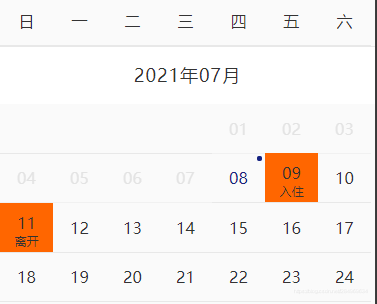
<v-inline-date
startDate="2021-07-08"
endDate="2022-07-09"
:current="[{date:'2021-07-09',str:'入住'},{date:'2021-07-11',str:'离开'}]"
:dateType="1"
>
</v-inline-date>
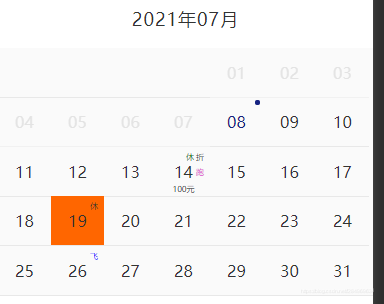
时间添加标签
<v-inline-date
	startDate="2021-07-07"
	endDate="2022-07-08"
	current="2021-07-19"
	:dateJson="dateJson"
	>
</v-inline-date>
<script>
data(){
	return{
		dataJson:[
			{ date: '2021-07-14',price: "100",discount: "折",rest1: "休",run: "跑",},
	        { date: '2021-07-19',rest: "休",},
	        { date: '2021-07-26',fly: "飞",}
	       ]
	}
}
</script>
事件selectDate
<v-inline-date @selectDate="selectDateEvent"></v-inline-date>
<script>
methods:{
selectDateEvent(e){
console.log(e);
}
}
</script>
注意,
如果使用v-show展示v-inline-date的话,在打开v-inline-date的时候调用this.$refs.selectdate.init()即可
<div @click="openDate1">vif打开</div>
<div class="picker" v-if="dateIsShow1">
<v-inline-date :current="current"></v-inline-date>
</div>
<div @click="openDate2">vshow打开</div>
<div class="picker" v-show="dateIsShow2">
<v-inline-date ref="selectdate" :current="current"></v-inline-date>
</div>
<script>
methods:{
openDate1(){
this.dateIsShow1 = true;
},
openDate2(){
this.dateIsShow1 = true;
this.$refs.selectdate.init();
}
}
</script>
说明
属性
| startDate | 可选区间的开始时间 | moment().format('YYYY-MM-DD') 即今天 |
| endDate | 可选区间的结束时间 | moment().add(1,'year').format('YYYY-MM-DD') 即今天开始往后推一年 |
| dateType | 0:只能选一个时间, 1:可以选时间区间 | 0 |
| current | 当前已选的时间,当dateType=1的时候 current是一个长度为2的数组 | 无 |
| dateJson | 给某个日期添加标签,例如(假,休,折) | 无 |
事件
| selectDate | 选中的时间 | dateType为0的时候,返回一个对象 dateType为1的时候,返回一个长度为2的数组 |
example
<v-inline-date
ref="selectdate"
:startDate="startDate"
:endDate="endDate"
:current="current"
:dateJson="dateJson"
:dateType="dateType"
@selectDate="selectDateEvent"
></v-inline-date>
<script>
import vInlineDate from "@/components/v-inline-date/v-inline-date.vue";
import moment from 'moment';
export default {
components: {vInlineDate},
data() {
return {
startDate: moment().format('YYYY-MM-DD'),
endDate: moment().add(1,'year').format('YYYY-MM-DD'),
dateType:0,
current: '2021-07-09',
dateJson:[
{ date: moment().add(6,'day').format('YYYY-MM-DD'),price: "100",discount: "折",rest1: "休",run: "跑",},
{ date: moment().add(11,'day').format('YYYY-MM-DD'),rest: "休",},
]
};
},
}
</script>
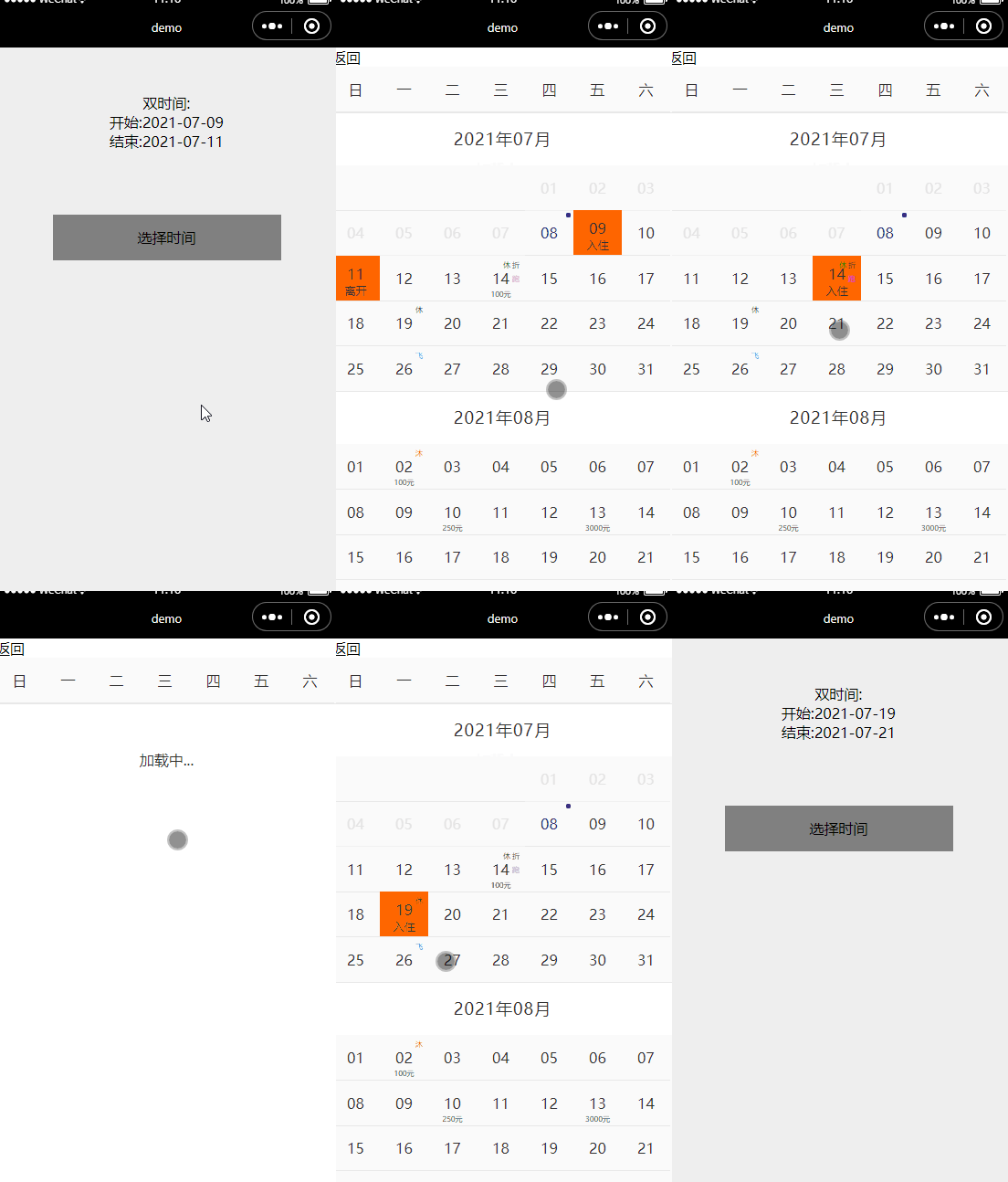
价格上添加文字,价格,标签等,如图