vpay
vue移动端支付密码窗插件,仿支付宝密码框。
demo地址
demo演示页面
动态图演示
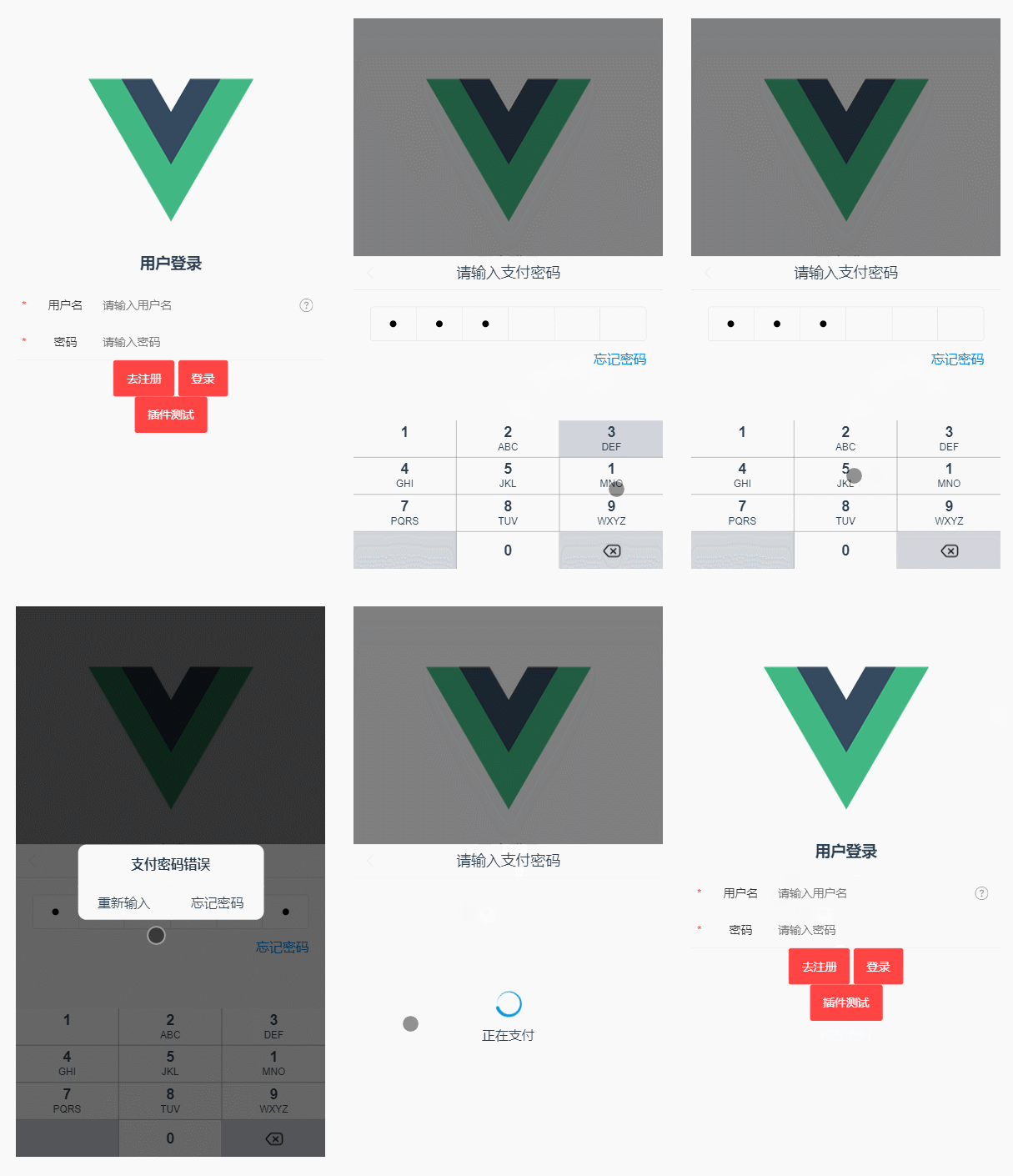
插件的安装
NPM
npm i vpay
引入插件
import Vue from 'vue';
import vpay from 'vpay';

Vue.use(vpay);
基本用法
<vpay ref="pays"
    v-model="show"
    @close="close"
    @forget="forget"
    @input-end="inputEnd"
></vpay>
API
| v-model | 密码框的显示隐藏 | Boolean | false |
| digit | 密码的位数 | Number | 6 |
| ref | 获取当前插件实例 | String | - |
| title | 弹窗标题 | String | 请输入支付密码 |
| loading-text | 正在支付的文字提示 | String | 正在支付 |
| finished-text | 支付成功的文字提示 | String | 支付成功 |
| duration | 支付成功提示的显示时间 | Number | 500 |
Event
| input-end | 密码输入完成后的回调函数 | - |
| close | 密码弹窗关闭后的回调函数 | - |
| forget | 点击忘记密码的回调函数 | - |
input-end 回调参数
插件内部方法
| $success | 通知插件支付结果成功,该方法返回promise,可在.then()方法中进行成功后的回调函数 | - |
| $fail | 密码弹窗关闭后的回调函数 | - |
用法示例:
支付结果成功:
this.$refs.pays.$success(true).then(res => {
    console.log('支付成功')
    this.$router.push('/success')
})
支付结果失败:
this.$refs.pays.$fail('可以自定义错误提示,默认:支付密码错误')
Build Setup
npm install
npm run dev
npm run build
npm run build --report





