Angular Service (Extension Language)
Boost your productivity in Angular projects with advanced IntelliSense, instant diagnostics, reliable quick info, intelligent code navigation, and refactoring tools for your templates. Works seamlessly with both inline and external templates in Visual Studio Code, providing the best possible experience for Angular developers.
🖥 Demo
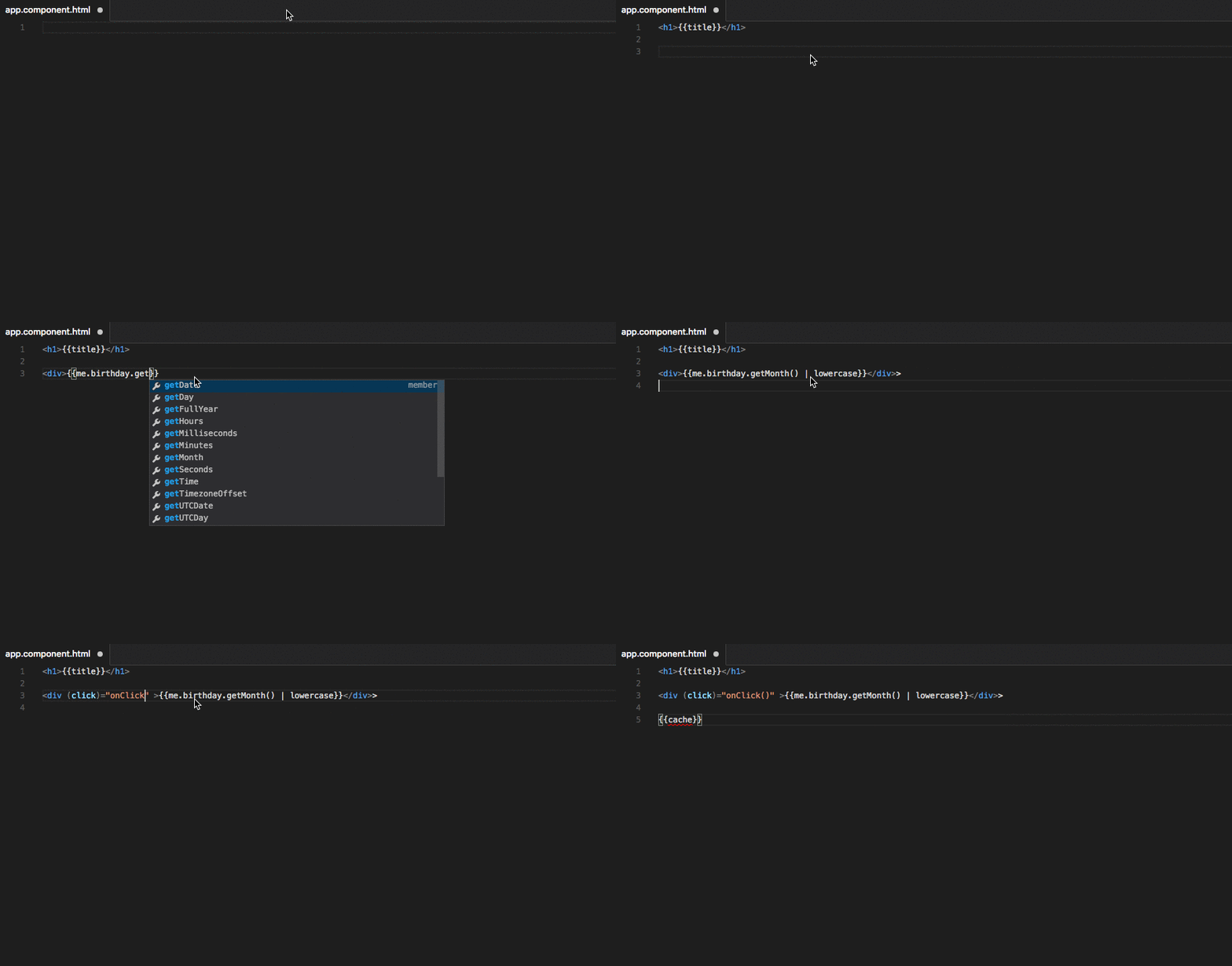
See the Angular Language Service extension in action below:
🚀 Key Features
- Intelligent code completion for Angular templates
- Real-time Angular AOT and template diagnostics as you type
- Hover to show detailed quick info and documentation
- Fast navigation: go to definition, references, and symbol renaming
- Quick fixes and refactoring for Angular templates
- Full support for external (
templateUrl) and inline templates
- Strong integration with TypeScript and Angular Compiler
- Automatic import suggestions and optional chaining completions
- Semantic token coloring and syntax highlighting
📦 Installation
Install from the Visual Studio Marketplace or by searching for 'Angular Language Service' in VS Code Extensions (Ctrl + Shift + X).
To install manually, download the .vsix file from the GitHub releases page and use:
code --install-extension /path/to/ngls.vsix
⚙️ Usage & Configuration
Getting Started
- Open any Angular project in Visual Studio Code.
- The Angular Language Service activates automatically for template files and TypeScript files with Angular decorators.
- You can trigger completions with
Ctrl+Space inside your templates.
Recommended Settings
Enable strict template type-checking by setting strictTemplates in your tsconfig.json:
"angularCompilerOptions": {
  "strictTemplates": true
}
Other useful configuration options are exposed in VS Code's settings (angular.*).
See the extension documentation for details.
📖 Commands
Access extra Angular language features from the Command Palette (Ctrl+Shift+P) or right-click context menu:
- Restart Angular Language Server
- Open Angular Server Log File
- View Template Typecheck Block
- Go to component/Go to template
🛠 Extension Compatibility
This extension bundles matching versions of @angular-package/language-service and TypeScript for maximum compatibility with your projects.
It supports all active Angular releases and works with both Ivy and View Engine projects.
No need to manually adjust TypeScript SDK for most users.
Refer to CHANGELOG for recent updates.
❓ FAQ
Q: Can I use this extension with multi-root VS Code workspaces?
A: Yes, the extension is fully multi-root compatible.
Q: How do I see server logs for debugging?
A: Use the "Open Angular Server log" command from the Command Palette.
👍 Usage in Other Editors
The Angular Language Service is also available for:
For editor-specific integration instructions, see their respective documentation.
📝 Contributing & Feedback
We welcome issues and PRs! Please see the contributing guidelines for more details.
For feature requests, bug reports, or questions, use the GitHub issues page.
📄 License
This extension is licensed under the MIT License.
See license.txt for more information.





