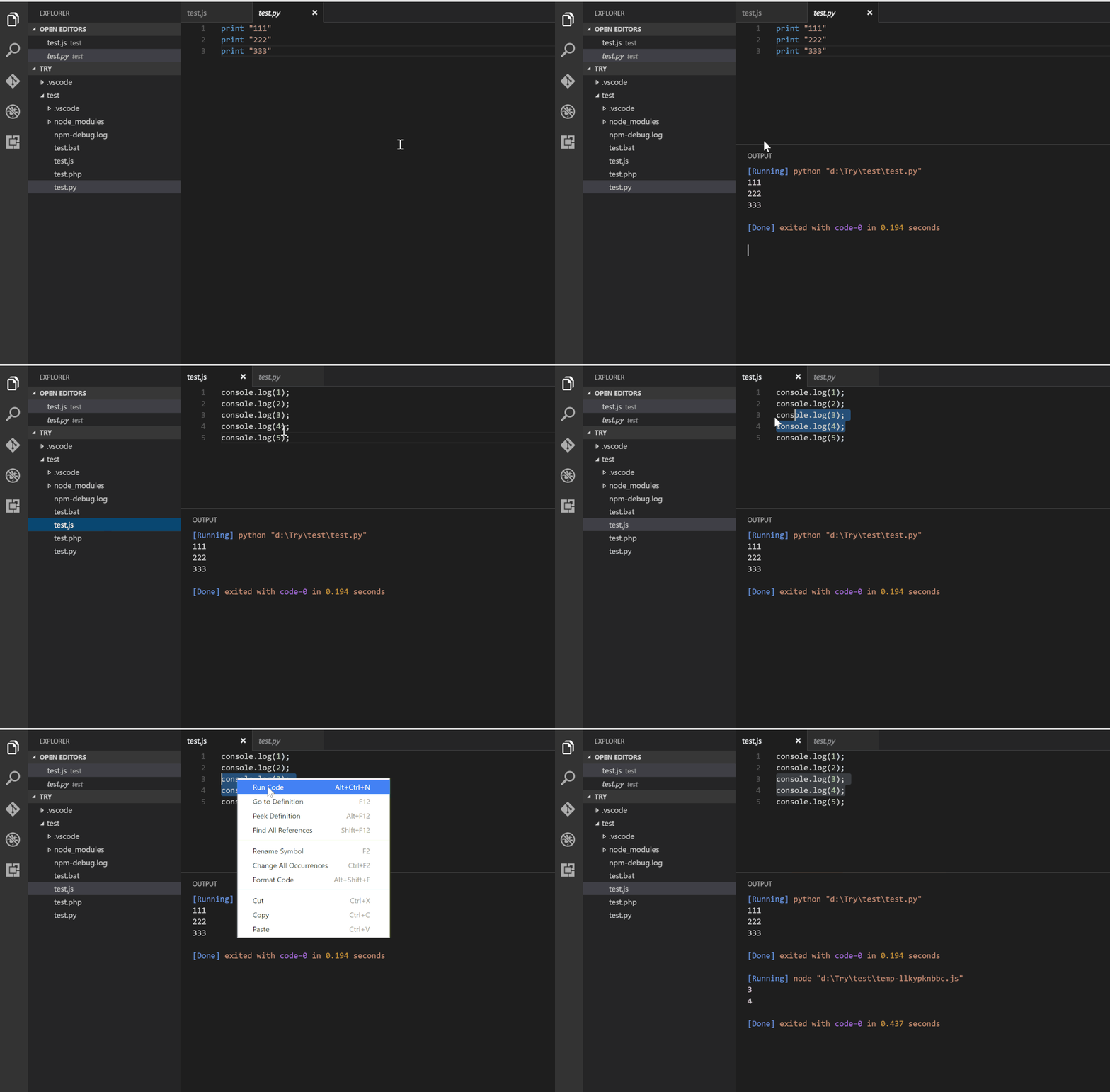
RunnerCode is a versatile and powerful extension for Visual Studio Code that allows you to instantly run code snippets or entire files in a wide variety of programming languages with a single click or shortcut. Whether you're working with C, C++, Java, JavaScript, PHP, Python, Perl, Ruby, Go, Lua, Groovy, PowerShell, CMD, Bash, F#, C#, VBScript, TypeScript, CoffeeScript, Scala, Swift, Julia, Crystal, OCaml, R, AppleScript, Elixir, VB.NET, Clojure, Haxe, Objective-C, Rust, Racket, Scheme, AutoHotkey, AutoIt, Kotlin, Dart, Pascal, Haskell, Nim, D, Lisp, Kit, V, SCSS, Sass, CUDA, Less, Fortran, Ring, Standard ML, Zig, Mojo, Erlang, SPWN, Pkl, Gleam, or many others, RunnerCode streamlines your workflow by enabling rapid prototyping, testing, and learning. This extension supports executing code directly in the integrated terminal, recognizes shebang lines, provides configurable executors, and integrates smoothly with your editor to boost productivity. RunnerCode is ideal for students, educators, and professional developers seeking a simple yet comprehensive tool for multi-language code execution inside VS Code.
Instantly run code snippets or files in dozens of supported languages in your favorite editor!
Runner Code makes multi-language execution effortless—C, C++, Java, JavaScript, Python, Go, Ruby, Swift, Dart, Rust, and many more.
Enhance your workflow & automate tasks with just one click.
Features
Execute code from the active editor
Run code files via the file explorer context menu
Instantly run code snippets and selections
Support for Shebang and filename globs
Custom command execution
Stop running processes anytime
Output displayed in a dedicated channel or terminal REPL
You can also set the default language, or by file extension.
For other settings including working directory, auto-save, output behavior, REPL integration and more, check the VS Code settings under "code-runner." key.
Notes
Some languages (like Objective-C) require specific platforms (macOS).
Scripting support (e.g. TypeScript, C#) may require global tools (ts-node, scriptcs, etc).
RunnerCode is a versatile and powerful extension for Visual Studio Code that allows you to instantly run code snippets or entire files in a wide variety of programming languages with a single click or shortcut. Whether you're working with C, C++, Java, JavaScript, PHP, Python, Perl, Ruby, Go, Lua, Groovy, PowerShell, CMD, Bash, F#, C#, VBScript, TypeScript, CoffeeScript, Scala, Swift, Julia, Crystal, OCaml, R, AppleScript, Elixir, VB.NET, Clojure, Haxe, Objective-C, Rust, Racket, Scheme, AutoHotkey, AutoIt, Kotlin, Dart, Pascal, Haskell, Nim, D, Lisp, Kit, V, SCSS, Sass, CUDA, Less, Fortran, Ring, Standard ML, Zig, Mojo, Erlang, SPWN, Pkl, Gleam, or many others, RunnerCode streamlines your workflow by enabling rapid prototyping, testing, and learning. This extension supports executing code directly in the integrated terminal, recognizes shebang lines, provides configurable executors, and integrates smoothly with your editor to boost productivity. RunnerCode is ideal for students, educators, and professional developers seeking a simple yet comprehensive tool for multi-language code execution inside VS Code.
We found that runnerpost.runner-your-code demonstrated a healthy version release cadence and project activity because the last version was released less than a year ago.It has 0 open source maintainers collaborating on the project.
Package last updated on 05 Mar 2026
Did you know?
Socket for GitHub automatically highlights issues in each pull request and monitors the health of all your open source dependencies. Discover the contents of your packages and block harmful activity before you install or update your dependencies.