Angular Pro Tools (Schematics)
Angular Pro Tools (Schematics) Extension Documentation
Overview
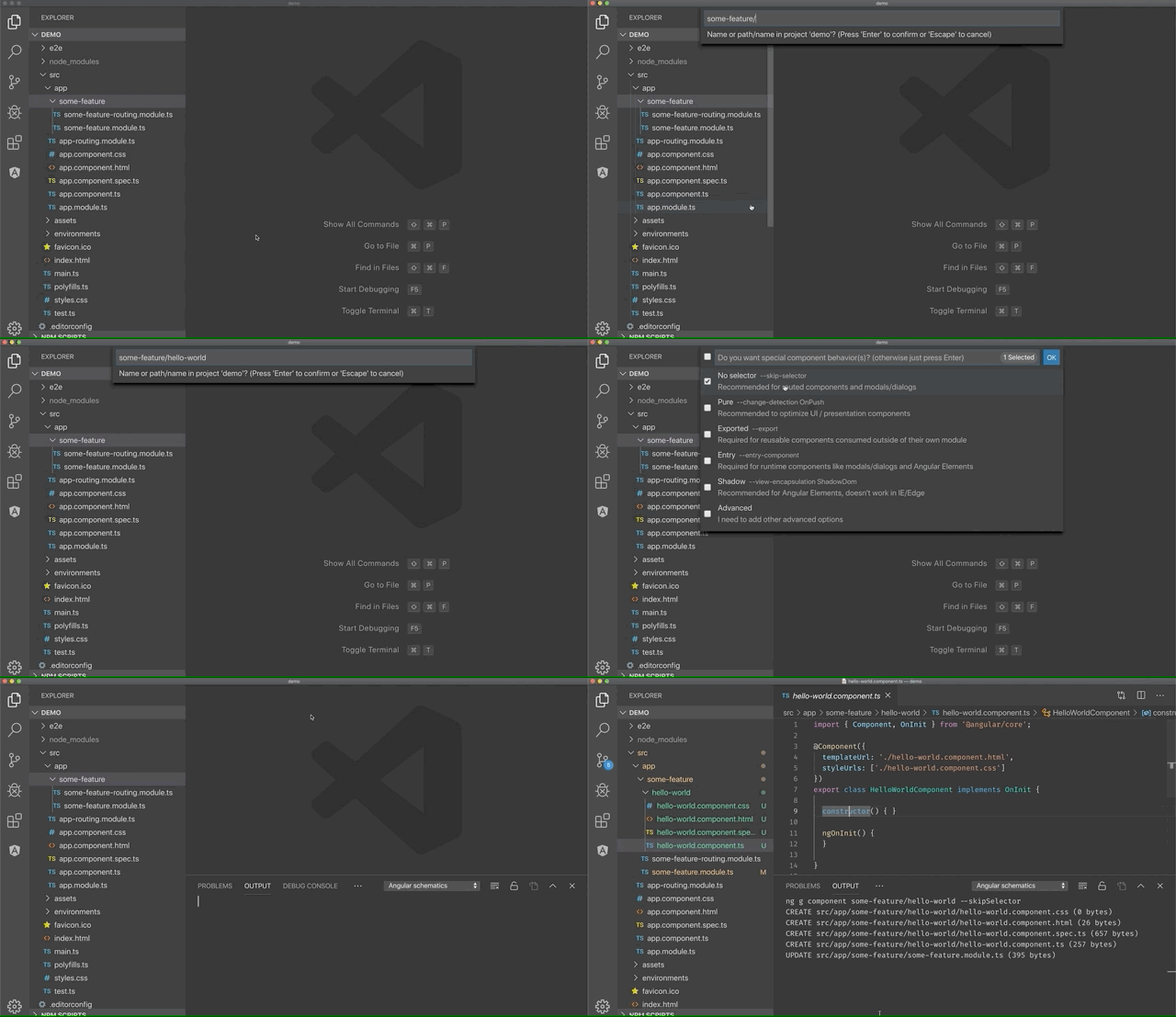
The Angular Pro Tools (Schematics) extension is designed to boost your productivity when developing Angular applications in Visual Studio Code. It provides a user-friendly way to generate components, services, modules, and more, right from your editor—no terminal required!
See the extension in action:
Features
- Zero Command Line Hassle: Generate files with a simple right-click or via the Command Palette.
- Team Collaboration: Enforce coding and architectural standards across the team to prevent technical debt.
- Built-in Interactive Documentation: Access practical help and guides directly inside VS Code.
- Custom Schematics Support: Advanced users can create, modify, and share their own code generators.
- Pro Edition Features: Unlock advanced schematic templates, configuration options, and legacy support (like NgModules, guards) in the Pro edition.
Why Use This Extension?
Managing an Angular project means creating and maintaining many files and structures. Traditional approaches include:
- Manual Coding: Tedious and error-prone.
- Snippets: Fast, but often require further modification.
- Angular CLI: Powerful, but requires command line usage and memorizing options.
- This Extension: Simply right-click or use the palette—no command line, fast, and consistent.
Interactive Documentation
Documentation is available directly within VS Code:
- Click the Angular logo in the activity bar/sidebar.
- Or, open the Command Palette and search for
Documentation.
Here you’ll find walkthroughs and explanations for all the extension's features.
Requirements
- Latest version of Visual Studio Code
- Supports all major VS Code-based editors
- (Optional) Cursor support for enhanced walkthroughs
Getting Started
- Install the extension from the Visual Studio Code Marketplace.
- Right-click in your project folder, select
Generate, then choose the item (component, service, etc.).
- Follow the prompts to customize and create your files.
Pro Edition
Upgrade to the Pro edition to unlock:
- Page, route, and advanced test generators
- Enhanced configuration (naming conventions, custom suffixes, more)
- Legacy Angular architecture support
- Priority access to new features and updates
[Try Pro Edition for Free →]
This extension is developed independently and is not affiliated with the official Angular team.
Changelog
For detailed updates, see the changelog.
License
MIT





