Linked Inputs
This module Interconnects a couple of flet inputs, actually, it combines the value of the inputs and manages them.
This module can be used to make "pin inputs" and so on.
Instalation
first of all get the project from pypi or github:
cloning form github
clone https://github.com/naderidev/linkedinputs
installing using pip
$ pip install linkedinputs
Usage
LinkedInputs
The LinkedInputs class is the mother class and the basic form of the module.
this class just have the input type rule.
Properties
pageinputs : the list of Inputs to be connectedaccept_type : an instance of AcceptTypes which specifies the content type of inputson_change: on inputs value changed. actually, it returns the value of each input in a liston_error: on user entered the wrong value typeon_complete: on all inputs filledplace: a Row or Column control without any child controls
Methods
-
errors: only returns the error of each input in a list
-
flash_errors(): returns the errors then clears the errors
-
value: returns the value of each input and also it has a setter which you can set a specific value for each input. for example:
...
linkedinputs.value = ['124' , '457' , '478']
...
this is an example is when you have 3 inputs which they require ONLY_NUMBER
-
string_value: combines the value of inputs and returns it as a string
RegularLinkedInputs
the RegularLinkedInputs class has defined new rules (like accept_length) for the LinkedInputs class and ordered it.
Properties
- all
LinkedInputs properties
accept_length: the value lenght of each inputone_by_one: o to the next input on current, filled
an example of RegularLinkedInputs:
source avliable in examples/bankcard_example.py
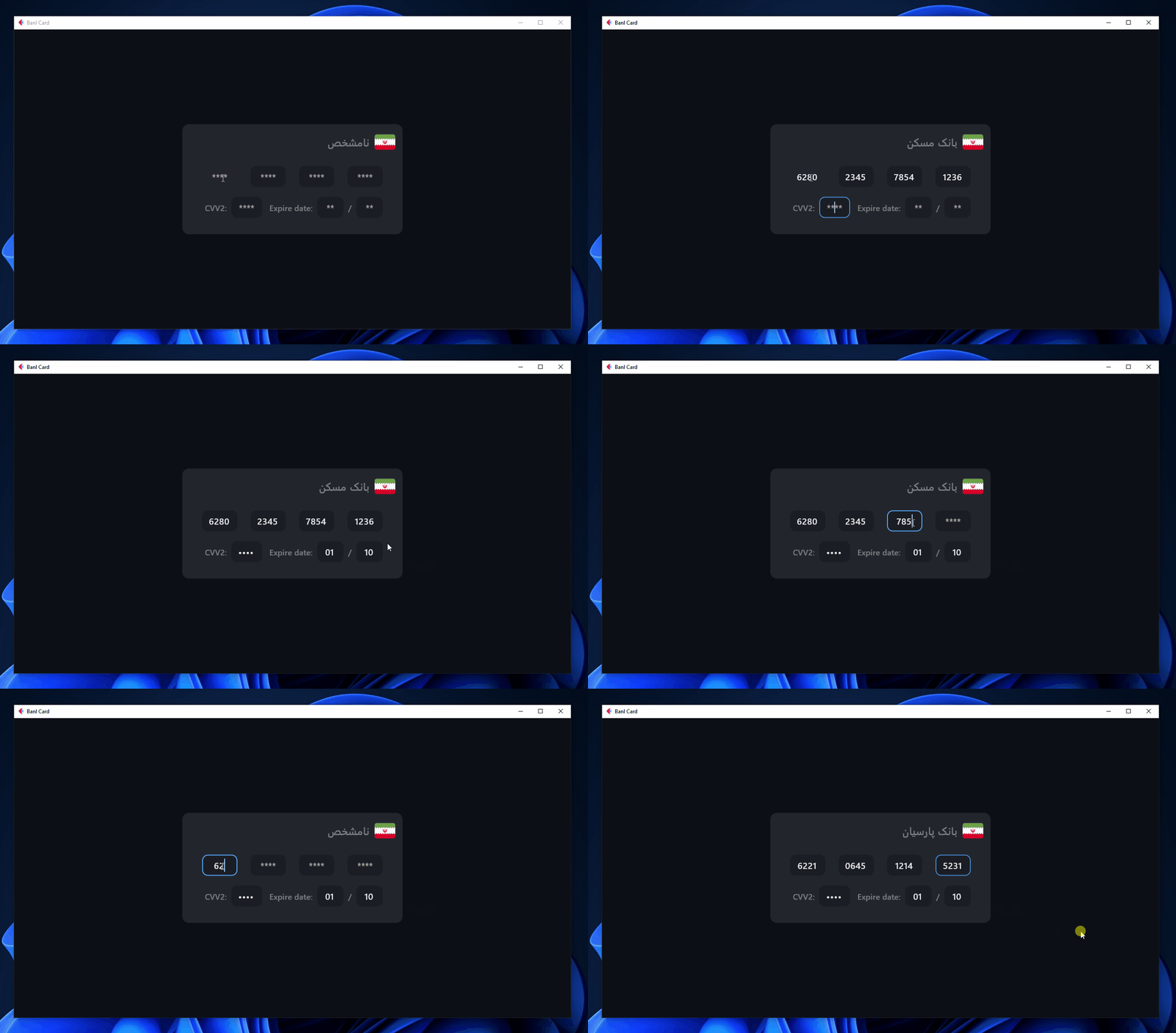 In this example when you enter 6 numbers, the associated bank name is displayed (the banks are Iranian)
PinInputT1
the PinInputT1 is using RegularLinkedInputs and it is used to making password inputs
Properties
pageaccept_type : an instance of AcceptTypes which specifies the content type of inputscorrect_answer: the correct password for validatingon_complete: on all inputs filledaccept_length: the value lenght of each input
Methods
- all
RegularLinkedInputs methods
is_correct: is password correct
Note: if you want to customize the piniput inputs just ceate a class and extend PinInputT1 then override pin_inputs() method with your own inputs. for example:
class MyPinInput(PinInputT1):
    def pin_inputs(self):
        return [
            TextField(
                ...
            ) for _ in range(...)
        ]
an example of PinInputT1:
source avliable in examples/pininput_t1_example.py
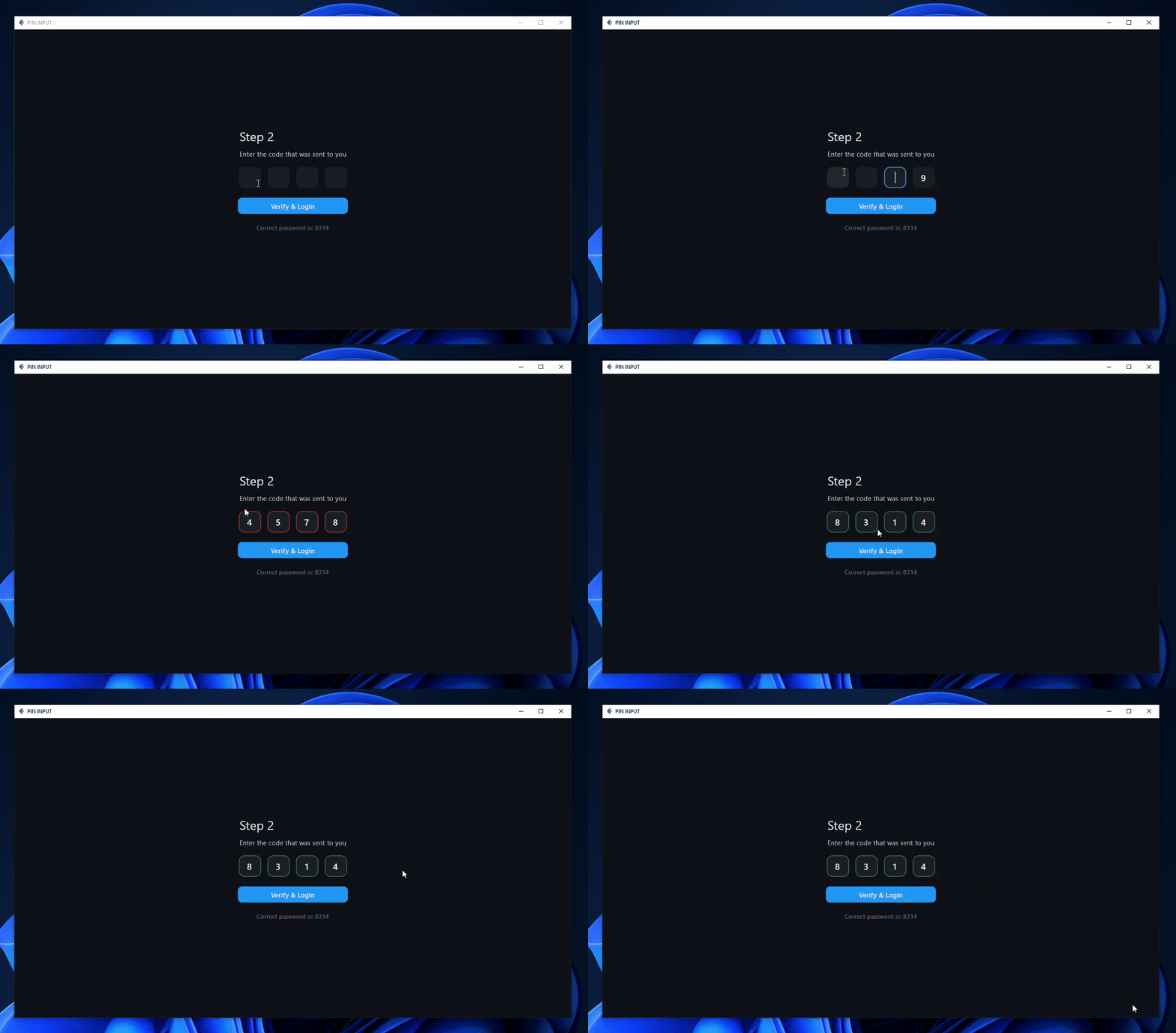
Hope this package be useful for you :)
Donating





